# Brush Colours - Help
**URL:** https://community.aseprite.org/t/brush-colours-help/28794
**Category:** Help
**Created:** [September 14, 2026, 8:53pm UTC](https://community.aseprite.org/t/brush-colours-help/28794 "2026-09-14T20:53:45Z")
**Posts on this page:** 7
**Page:** 1
### Author:  [@Kristina\_Turner](https://community.aseprite.org/u/Kristina_Turner)
#### Post date: [September 14, 2026, 8:53pm UTC](https://community.aseprite.org/t/brush-colours-help/28794/1 "2026-09-14T20:53:45Z")
I’m using a Huion drawing tablet, and when I’m using my tablet pen it’s changing from the colour I had selected to a completely different one. I can’t figure out how to disable this and have it recognize that my Huion tablet pen is considered “right clicking” on the the app.
Thanks,
---
### Author:  [@behreandtjeremy](https://community.aseprite.org/u/behreandtjeremy)
#### Post date: [September 14, 2026, 11:18pm UTC](https://community.aseprite.org/t/brush-colours-help/28794/2 "2026-09-14T23:18:13Z")
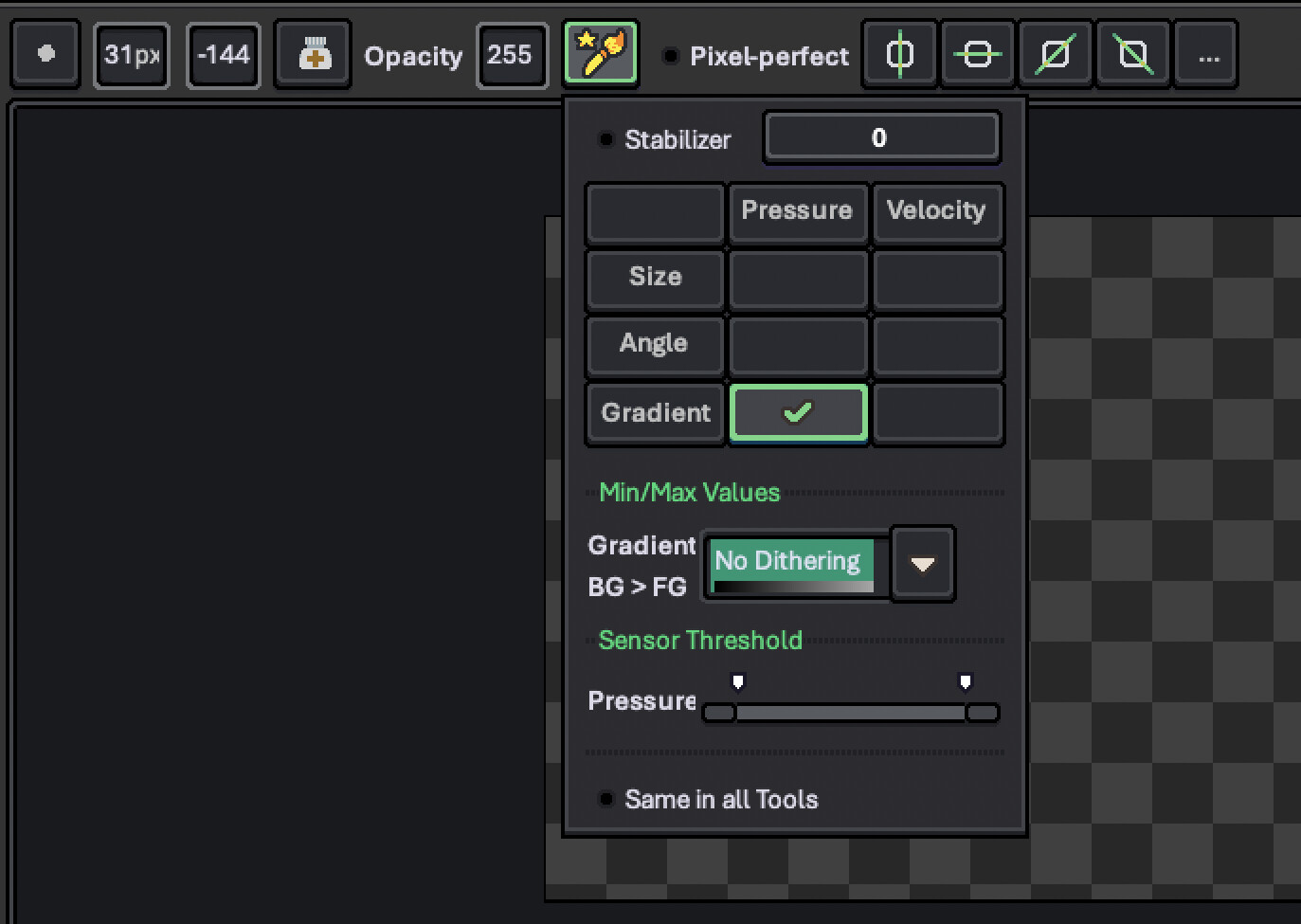
What are your dynamics settings? If gradient is checked for either pressure or velocity, click to remove the check mark.
---
### Author:  [@Kristina\_Turner](https://community.aseprite.org/u/Kristina_Turner)
#### Post date: [September 15, 2026, 12:28am UTC](https://community.aseprite.org/t/brush-colours-help/28794/3 "2026-09-15T00:28:07Z")
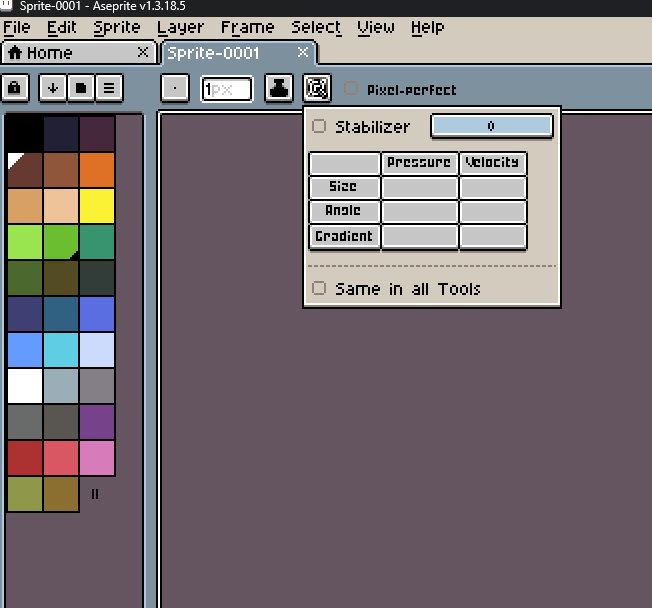
It doesn’t look like either of those settings are toggled on, I’ve attached a photo at the bottom.
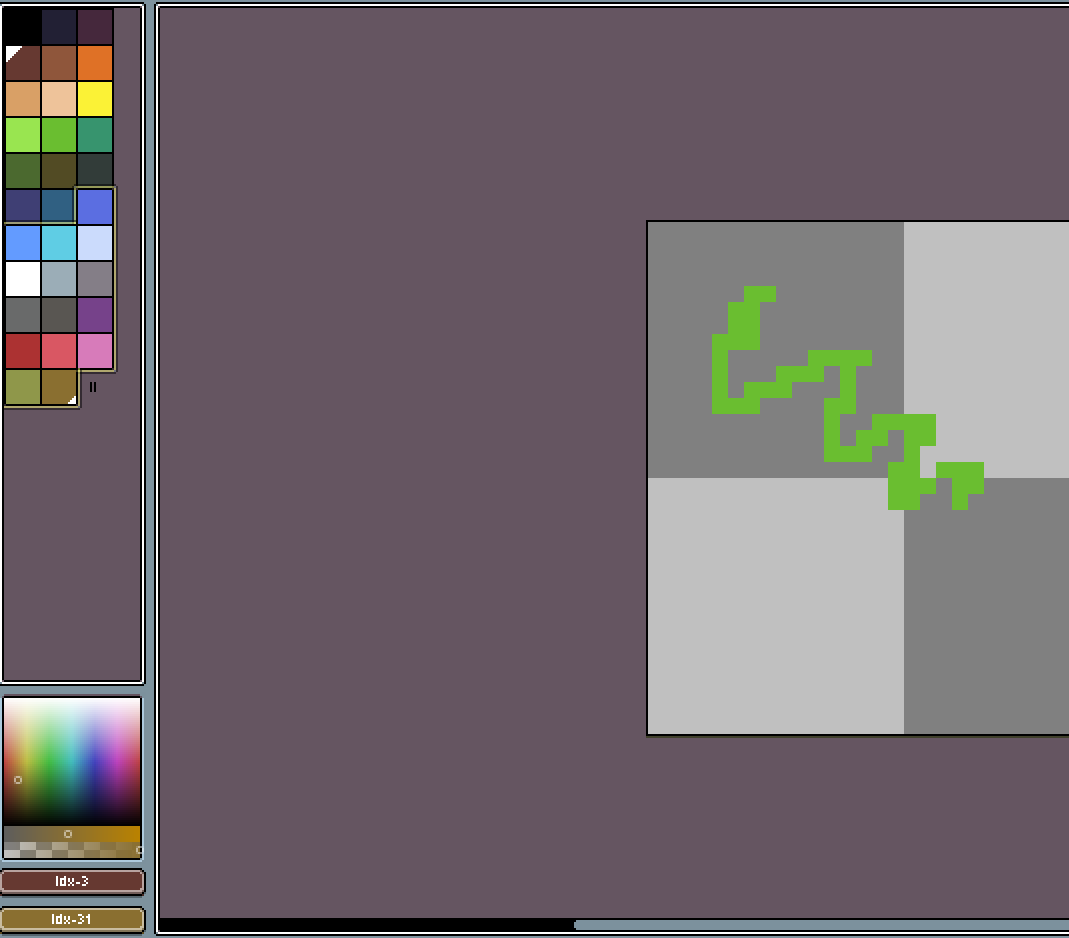
Additionally, when I go to use my tablet pen and I select a colour, when I put the pen to the tablet screen it “highlights” the colour panel on the left side and then alters the colour completely that I’m drawing with.
---
### Author:  [@behreandtjeremy](https://community.aseprite.org/u/behreandtjeremy)
#### Post date: [September 15, 2026, 12:48am UTC](https://community.aseprite.org/t/brush-colours-help/28794/4 "2026-09-15T00:48:03Z")
What is the sprite’s color mode?
What is the sprite’s color profile?
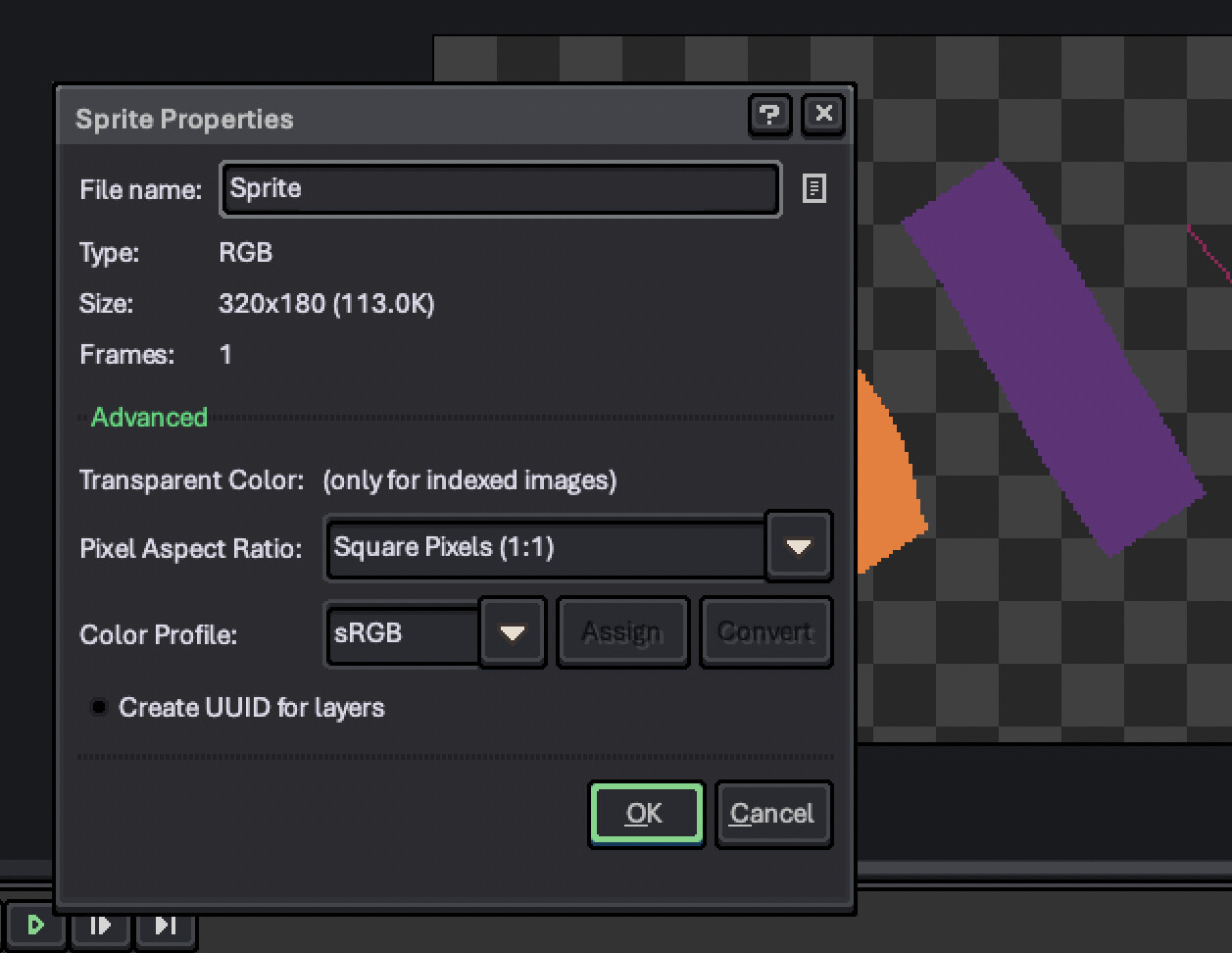
Both can be found by going to sprite properties.
It doesn’t look like the sprite is in Indexed color mode from the screen shots you posted, but I’m just checking. Other than that, I don’t know.
---
### Author:  [@Kristina\_Turner](https://community.aseprite.org/u/Kristina_Turner)
#### Post date: [September 15, 2026, 1:11am UTC](https://community.aseprite.org/t/brush-colours-help/28794/5 "2026-09-15T01:11:24Z")
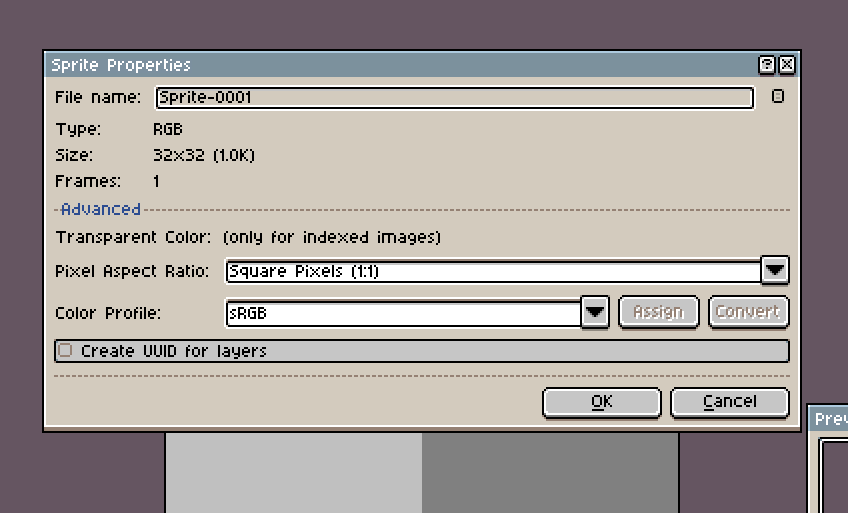
These are the sprite properties.
I’ve noticed that when I do left mouse click / right mouse click on different colours on the palette it gets set to the specific mouse click. When I go to use my pen it’s reading as my “left click” but pulls random colours from the palette. So no clue what is going on, but quite frustrating as I draw specifically when a tablet/pen.
Thanks for trying to help
---
### Author:  [@dacap](https://community.aseprite.org/u/dacap)
#### Post date: [September 16, 2026, 10:43am UTC](https://community.aseprite.org/t/brush-colours-help/28794/6 "2026-09-16T10:43:36Z")
> [@Kristina\_Turner](#):
>
> and have it recognize that my Huion tablet pen is considered “right clicking” on the the app.
Aseprite has the concept of a [Foreground](https://www.aseprite.org/docs/color-bar/#foreground-color) color (for left-click) and a [Background](https://www.aseprite.org/docs/color-bar/#background-color) color (for right-click):
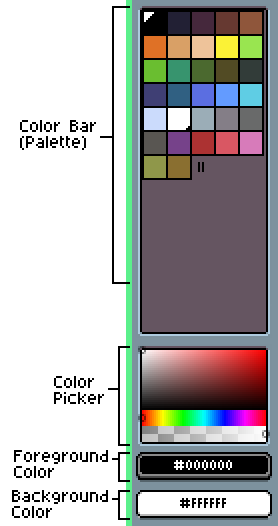
If your pen is recognized as right-clicking, maybe Aseprite is painting with your current Background color (right-click color). Probably that is making things confusing (when you pick a color w/the Eyedropper it will select the Foreground color/left-click color).
Is there a way to configure your Huion tablet for Aseprite in your operating system? are you on Windows, macOS, or Linux?
---
### Author:  [@Kristina\_Turner](https://community.aseprite.org/u/Kristina_Turner)
#### Post date: [September 21, 2026, 4:10am UTC](https://community.aseprite.org/t/brush-colours-help/28794/7 "2026-09-21T04:10:42Z")
Hey Dacap,
I’m currently on Windows - I’m not familiar with how to configure my Huion pen. There is a software for the pen itself, not sure if you are able to provide suggestions on that.
Thanks,