# \[Download\] Aseprite macOS Big Sur Icon
**URL:** https://community.aseprite.org/t/download-aseprite-macos-big-sur-icon/7431
**Category:** Features
**Created:** [November 14, 2020, 10:39pm UTC](https://community.aseprite.org/t/download-aseprite-macos-big-sur-icon/7431 "2020-11-14T22:39:03Z")
**Posts on this page:** 11
**Page:** 1
### Author:  [@domjohn](https://community.aseprite.org/u/domjohn)
#### Post date: [November 14, 2020, 10:39pm UTC](https://community.aseprite.org/t/download-aseprite-macos-big-sur-icon/7431/1 "2020-11-14T22:39:03Z")
Here’s a replacement icon for Aseprite that matches macOS Big Sur in case anyone else wants it. Enjoy! 🙂

**To Install:**
1. Download the [Asesprite Icon](https://github.com/dominickjohn/aseprite-big-sur-icon/raw/main/AsepriteSurIcon.icns) .icns file.
2. Open Aseprite.
3. In the dock, right click the app and choose ‘Options -\> Show in Finder’
4. Right click the app in the finder, and choose ‘Get Info’
5. Drag and drop the icon file onto the little icon preview at the top left in the newly opened Info window.
6. Close Aseprite and re-open.
**GitHub:** [GitHub - dominickjohn/aseprite-big-sur-icon: Aseprite icon stylized to match the macOS Big Sur operating system.](https://github.com/dominickjohn/aseprite-big-sur-icon)
---
### Author:  [@Phantom](https://community.aseprite.org/u/Phantom)
#### Post date: [November 15, 2020, 12:06am UTC](https://community.aseprite.org/t/download-aseprite-macos-big-sur-icon/7431/2 "2020-11-15T00:06:02Z")
This is awesome! I probably can’t use it on pc since I use steam but this is totally dope!
---
### Author:  [@domjohn](https://community.aseprite.org/u/domjohn)
#### Post date: [November 15, 2020, 12:32am UTC](https://community.aseprite.org/t/download-aseprite-macos-big-sur-icon/7431/3 "2020-11-15T00:32:44Z")
Thanks! Here’s a regular PNG version you might be able to use or convert:
[ ](https://raw.githubusercontent.com/dominickjohn/aseprite-big-sur-icon/main/AsepriteSurIcon.png)
---
### Author:  [@Phantom](https://community.aseprite.org/u/Phantom)
#### Post date: [November 15, 2020, 3:43am UTC](https://community.aseprite.org/t/download-aseprite-macos-big-sur-icon/7431/4 "2020-11-15T03:43:19Z")
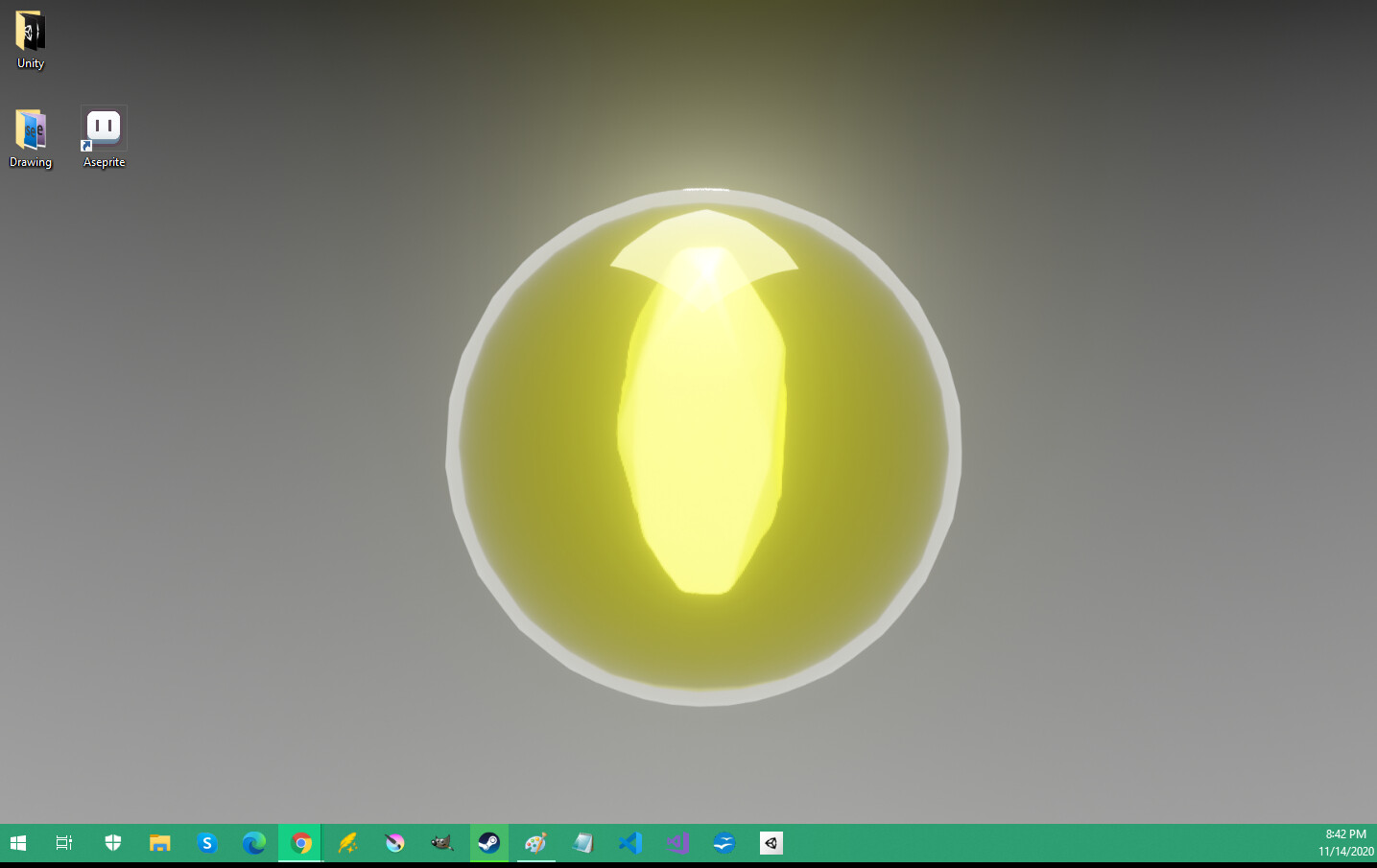
This is so awesome thank you! I love it. Looks good on this 3D render background I made in blender!
---
### Author:  [@domjohn](https://community.aseprite.org/u/domjohn)
#### Post date: [November 21, 2020, 3:17am UTC](https://community.aseprite.org/t/download-aseprite-macos-big-sur-icon/7431/5 "2020-11-21T03:17:50Z")
Added two more versions! One without the border, and one with an added white trim (the brown seemed to disappear on darker backgrounds).
Can be found on the [GitHub](https://github.com/dominickjohn/aseprite-big-sur-icon).


---
### Author:  [@Crazy\_Cricket](https://community.aseprite.org/u/Crazy_Cricket)
#### Post date: [April 16, 2021, 4:59pm UTC](https://community.aseprite.org/t/download-aseprite-macos-big-sur-icon/7431/6 "2021-04-16T16:59:52Z")
how did you do it with steam!?
---
### Author:  [@Phantom](https://community.aseprite.org/u/Phantom)
#### Post date: [April 16, 2021, 6:44pm UTC](https://community.aseprite.org/t/download-aseprite-macos-big-sur-icon/7431/7 "2021-04-16T18:44:43Z")
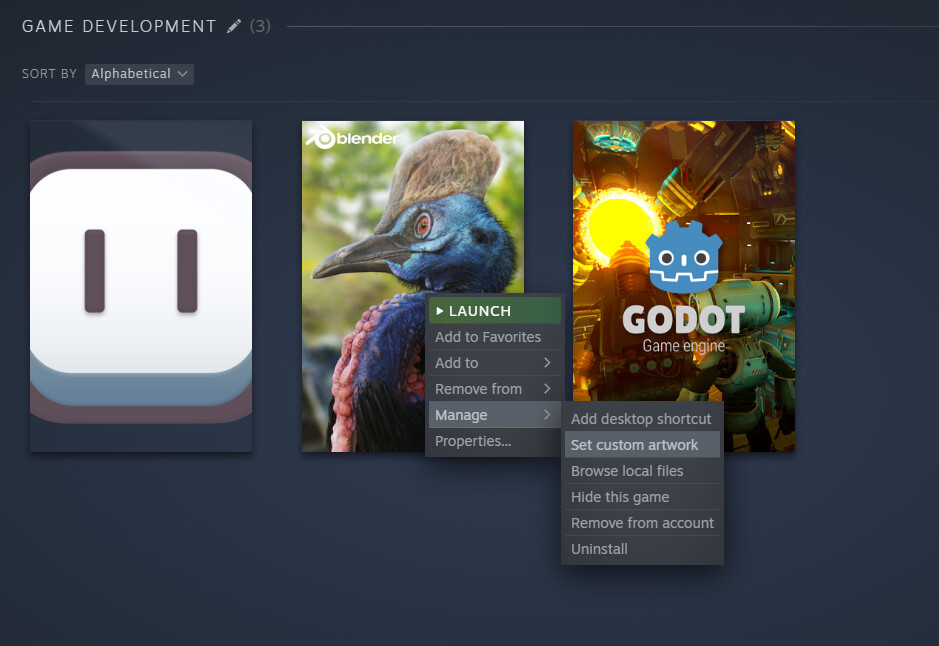
Under collections, you can right-click, manage, and set custom artwork.
---
### Author:  [@Crazy\_Cricket](https://community.aseprite.org/u/Crazy_Cricket)
#### Post date: [April 17, 2021, 5:06pm UTC](https://community.aseprite.org/t/download-aseprite-macos-big-sur-icon/7431/8 "2021-04-17T17:06:31Z")
thanks for the help
---
### Author:  [@natebeaty](https://community.aseprite.org/u/natebeaty)
#### Post date: [January 15, 2022, 6:26pm UTC](https://community.aseprite.org/t/download-aseprite-macos-big-sur-icon/7431/9 "2022-01-15T18:26:14Z")
Love these! I also put together a stripped down, pixelated version that roughly matches the sizes of the other Big Sur icons, which has a similar OCD relief of not having one giant icon in your app switcher:
> **[aseprite.png](https://share.natebeaty.com/aseprite/)**
> **[aseprite-no-border.png](https://share.natebeaty.com/aseprite-no-border/)**
---
### Author:  [@domjohn](https://community.aseprite.org/u/domjohn)
#### Post date: [January 17, 2022, 4:20pm UTC](https://community.aseprite.org/t/download-aseprite-macos-big-sur-icon/7431/10 "2022-01-17T16:20:53Z")
Awesome idea, love it! Best of both worlds 🙂
---
### Author:  [@Hainesnoids](https://community.aseprite.org/u/Hainesnoids)
#### Post date: [June 10, 2022, 4:34pm UTC](https://community.aseprite.org/t/download-aseprite-macos-big-sur-icon/7431/11 "2022-06-10T16:34:22Z")
Good job! I made another icon that follows the theme for icons like vscode, and if you want it, download it [here](https://hainesnoids.tixte.co/r/Aseprite.icns).