# \[Extension\] File Tree / File Preview
**URL:** https://community.aseprite.org/t/extension-file-tree-file-preview/28368
**Category:** Scripts & Extensions
**Created:** [May 19, 2026, 9:38am UTC](https://community.aseprite.org/t/extension-file-tree-file-preview/28368 "2026-05-19T09:38:46Z")
**Posts on this page:** 3
**Page:** 1
### Author:  [@takaru](https://community.aseprite.org/u/takaru)
#### Post date: [May 19, 2026, 9:38am UTC](https://community.aseprite.org/t/extension-file-tree-file-preview/28368/1 "2026-05-19T09:38:46Z")
[Download - Itch.io](https://takaru99.itch.io/aseprite-file-tree)
A lightweight Aseprite extension that gives you a floating, theme-aware file tree for browsing art folders without leaving Aseprite.
Open nested folders, preview artwork, manage files, and use selected images as full-canvas references while you work. It follows Aseprite’s light and dark themes so it feels at home in the editor.
### Use
Open **File Tree** from Aseprite’s script/plugin menu.
The browser opens at your last-used folder, then falls back to your Documents folder. Use the Path field to paste or enter a folder or supported image-file path.
### Browse and manage your art
- Browse nested folders in a clear tree view.
- Search recursively by name or filter files by type.
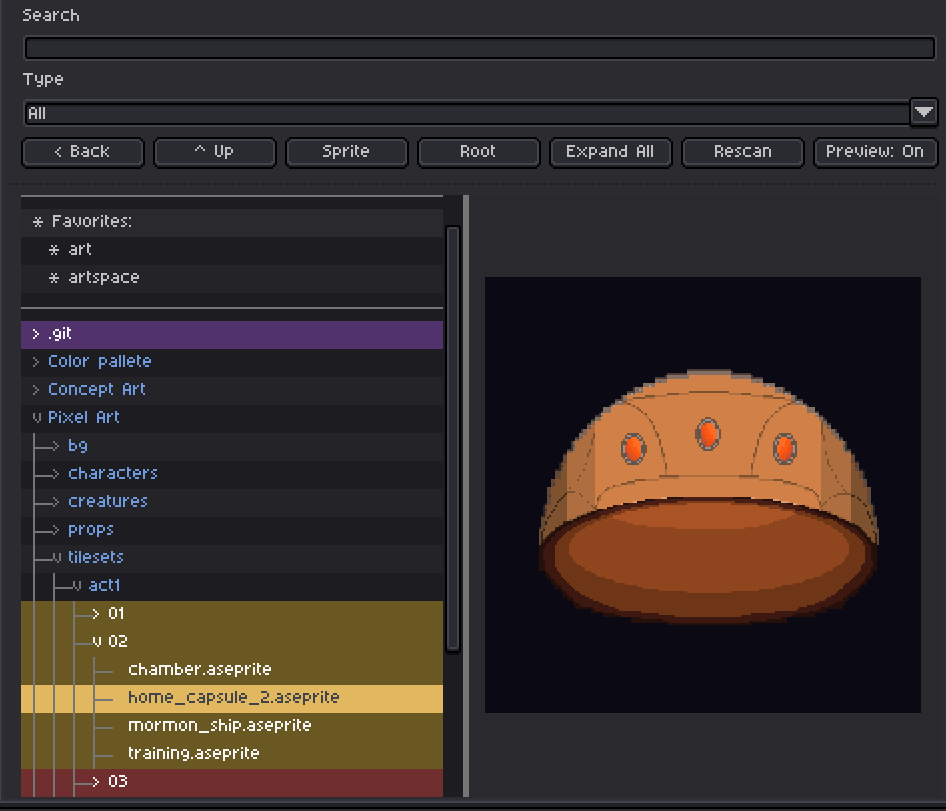
- Preview selected images in a resizable side panel.
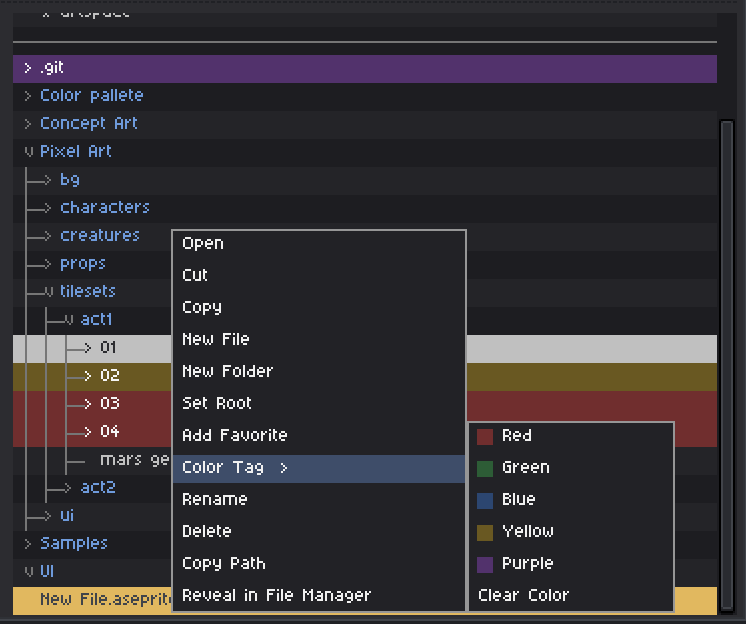
- Right-click files and folders to create, rename, move, copy, delete, reveal, tag, or favorite them.
- Pin useful folders as Favorites for quick access.
- Use **Reveal Sprite** to find the currently active saved sprite in the tree, even when it is several folders deep.
### Work with multiple files
Select several files or folders with **Ctrl-click** or a visible range with **Shift-click**. On macOS, use **Command-click**.
Batch selection works across the everyday actions you would expect: cut, copy, paste, drag and drop, delete, rename, color tags, favorites, opening files, and revealing paths.
Drag selected items onto a folder to move them. Hold **Ctrl** while dragging to copy them instead. On macOS, hold **Option** to copy.
### Preview and reference images
Cycle Preview through three modes:
- **Off** — browse the complete file tree.
- **On** — browse with an adjustable image preview beside the tree.
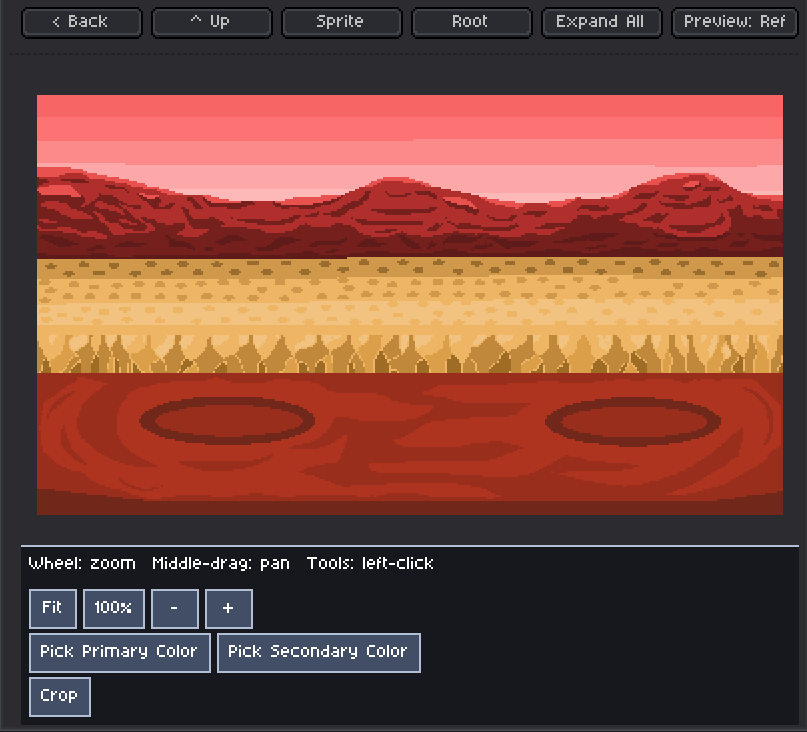
- **Ref** — turn the selected image into a full-canvas reference.
Reference mode supports zooming toward the cursor, middle-mouse panning, fit and 100% view, primary and secondary color picking, cropping, and copying a crop directly to Aseprite’s clipboard.
Use **Previous** and **Next** in Reference mode to move through supported images in the same folder.
### Supported files
`.ase`, `.aseprite`, `.png`, `.jpg`, `.jpeg`, `.gif`, `.webp`, and `.bmp`
### Keyboard shortcut
Go to **Edit → Keyboard Shortcuts** , search for **File Tree** , and assign a shortcut to toggle the browser.
---
### Author:  [@takaru](https://community.aseprite.org/u/takaru)
#### Post date: [June 19, 2026, 5:39am UTC](https://community.aseprite.org/t/extension-file-tree-file-preview/28368/2 "2026-06-19T05:39:43Z")
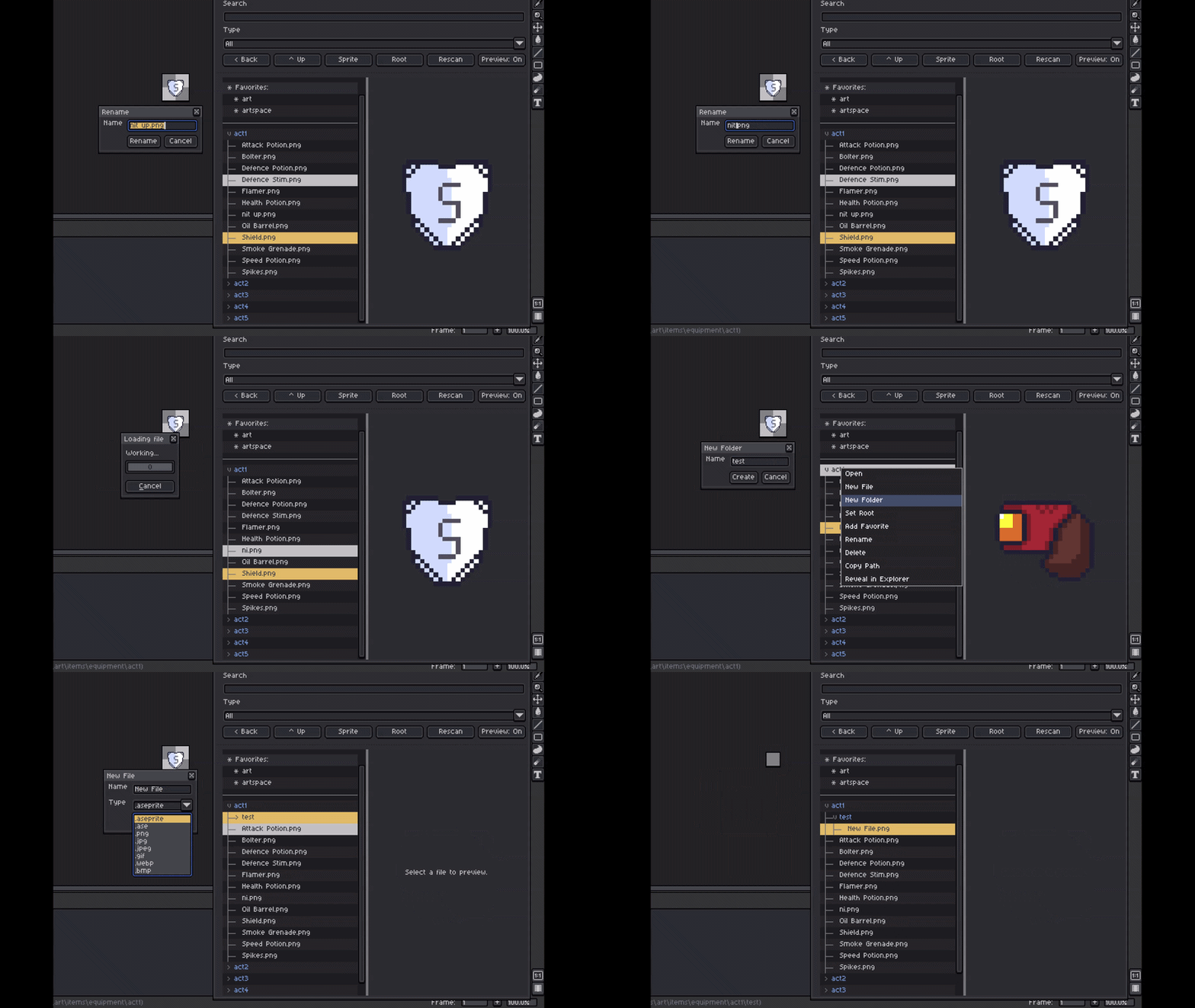
**New Features added:**
- Preview Panel: Single Click to preview files, Double click to open in aseprite.
- File and Folder Operations: Create/Rename/Delete/Cut/Copy/Paste
---
### Author:  [@takaru](https://community.aseprite.org/u/takaru)
#### Post date: [July 23, 2026, 1:02pm UTC](https://community.aseprite.org/t/extension-file-tree-file-preview/28368/3 "2026-07-23T13:02:20Z")
**23/7 New Features added:**
- Color Tags
- Preview: ref mode - color pick / crop-copy / zoom
- Drag Drop Files and Folders
**Changes:**
- Async Filesystem reads
- Cut/Copy/Paste - Replace and Overwrite
- Support for Mac and Linux