# \[Extension\] FX Collection
**URL:** https://community.aseprite.org/t/extension-fx-collection/14746
**Category:** Scripts & Extensions
**Created:** [June 21, 2022, 9:53pm UTC](https://community.aseprite.org/t/extension-fx-collection/14746 "2022-06-21T21:53:50Z")
**Posts on this page:** 6
**Page:** 1
### Author:  [@thkwznk](https://community.aseprite.org/u/thkwznk)
#### Post date: [June 21, 2022, 9:53pm UTC](https://community.aseprite.org/t/extension-fx-collection/14746/1 "2022-06-21T21:53:50Z")
# FX - [Download 🔗](https://thkaspar.itch.io/fx) - [Source Code 🔗](https://github.com/thkwznk/aseprite-scripts)
**FX** is a collection of effects packed into an extension. They can be found under _Edit \> FX_ and include:
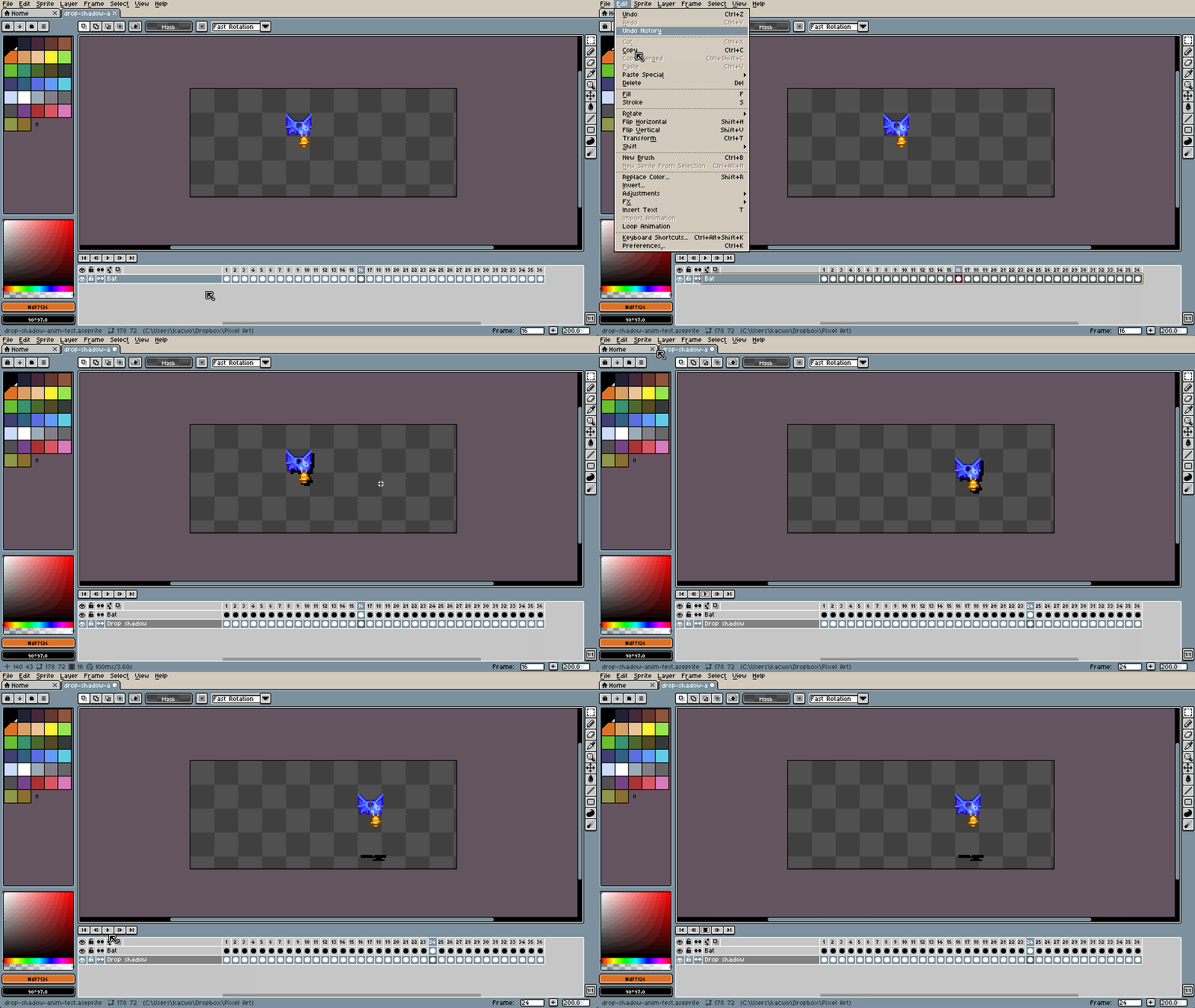
- **Drop Shadow**
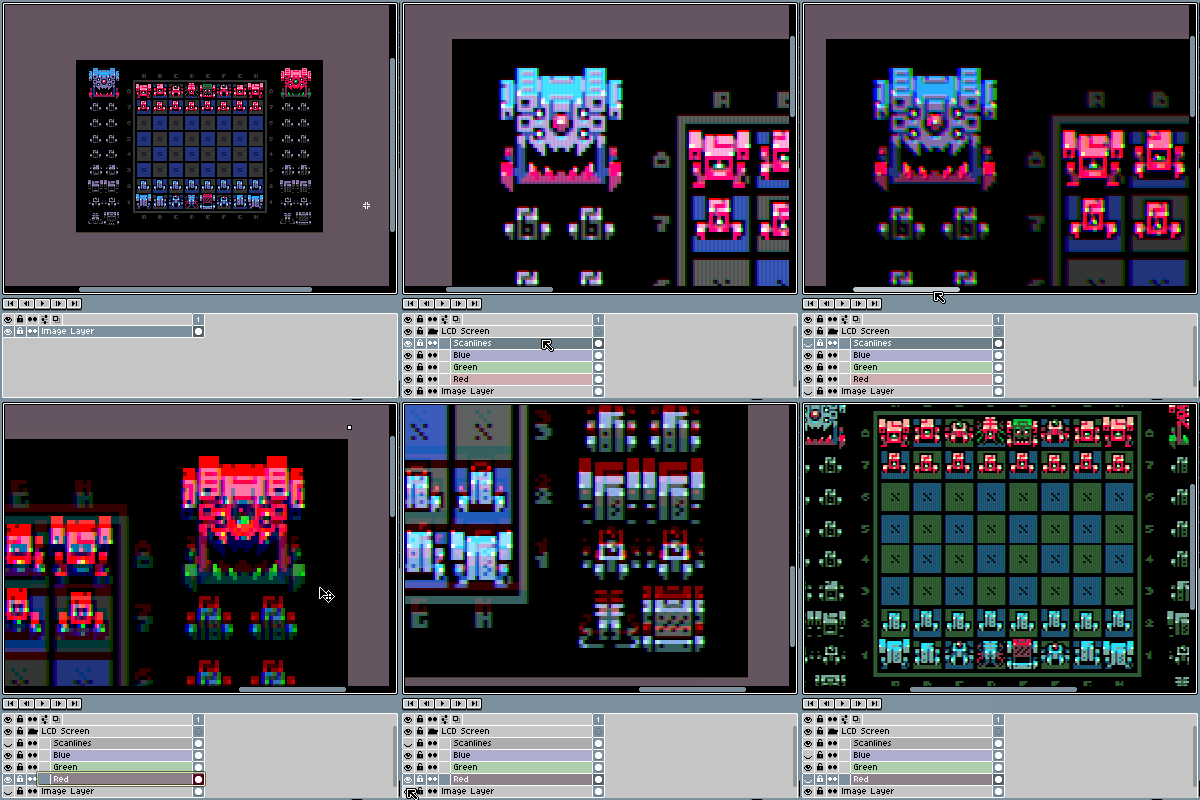
- **LCD Screen**
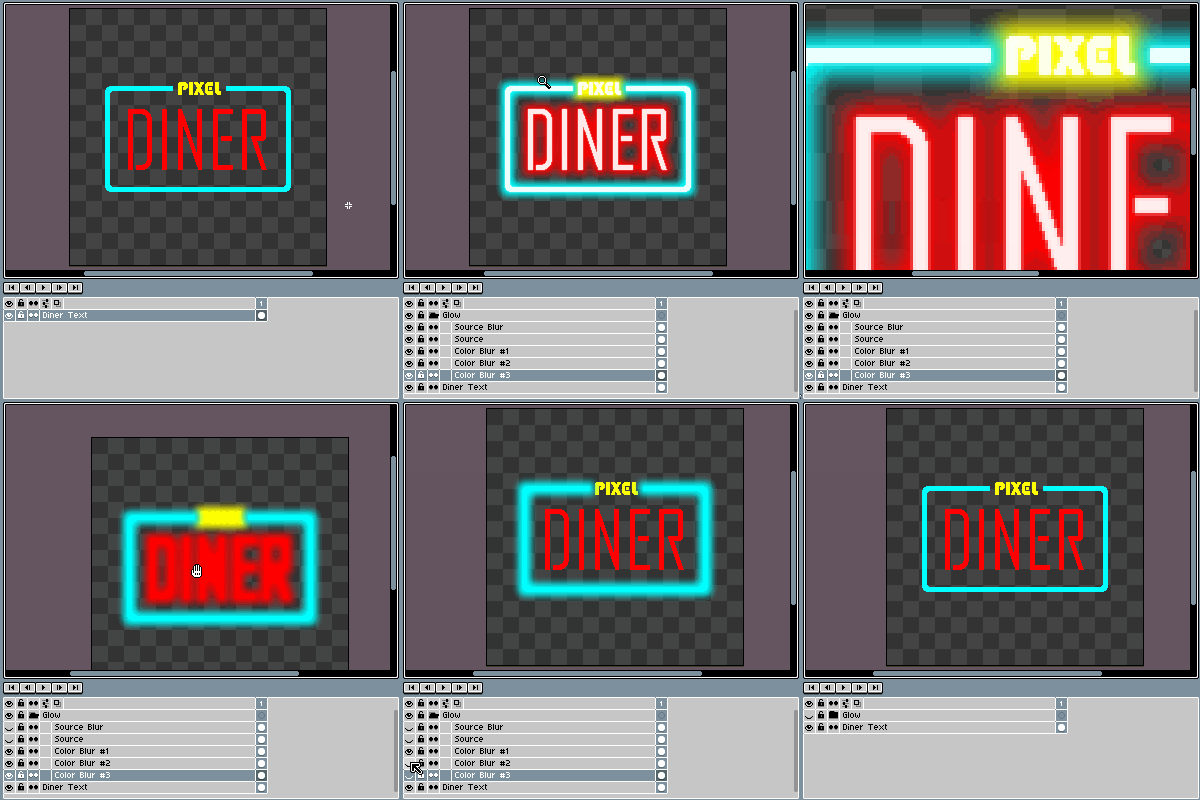
- **Neon** \*
- **Parallax** \*\*
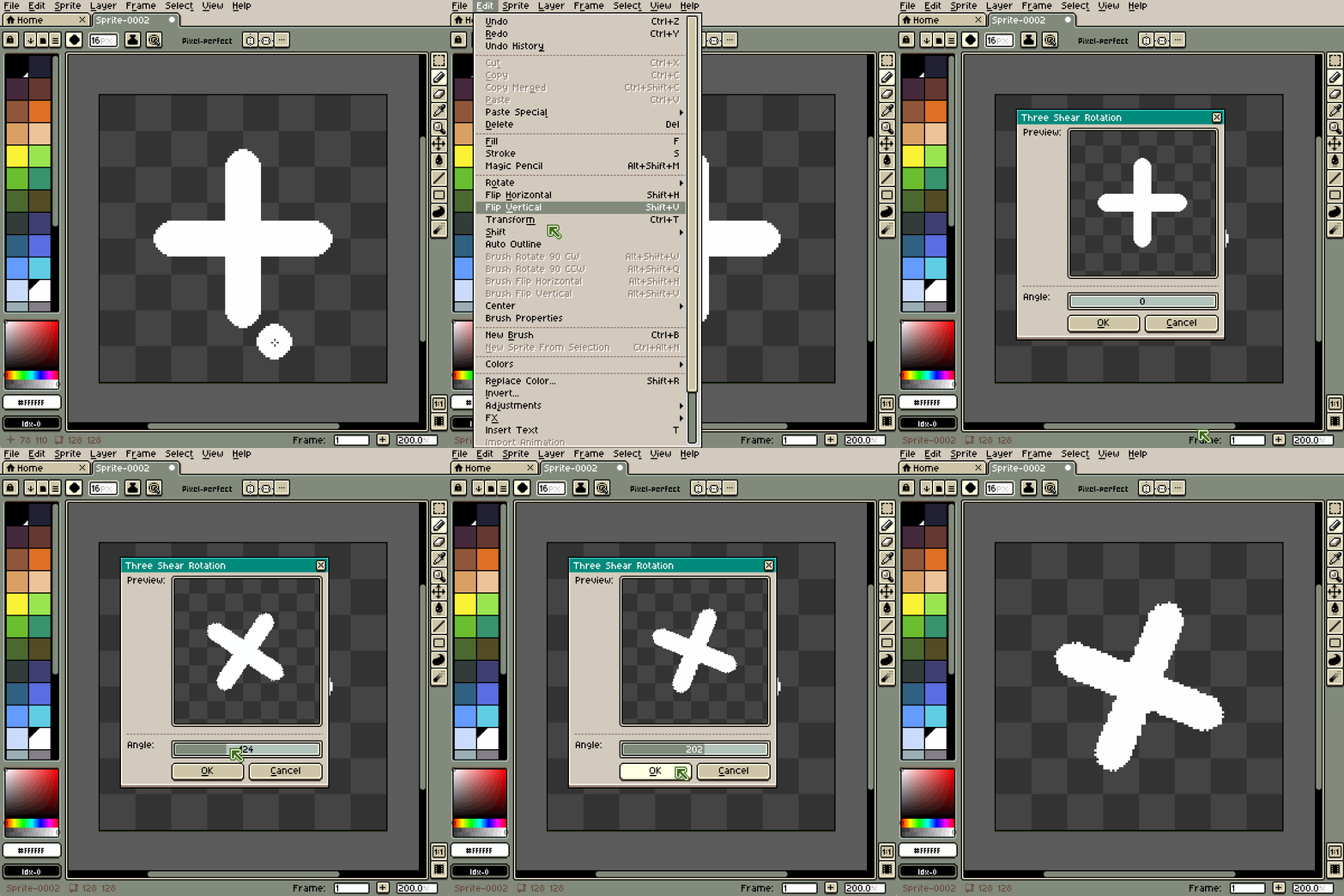
- **Three Shear Rotation**
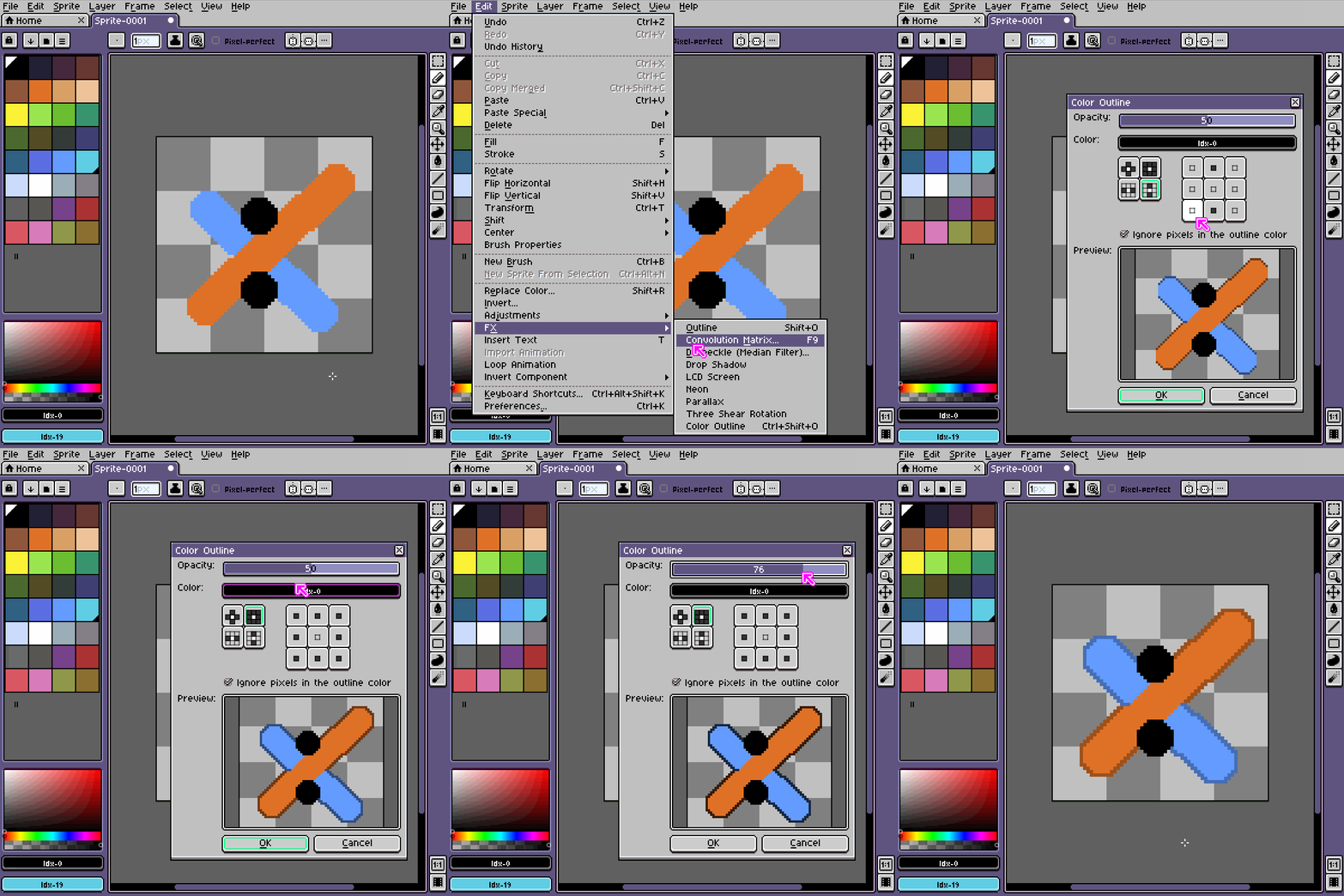
- **Color Outline**
\* _This effect works only for a single cel/frame_
\*\* _Please beware that opening multiple long animations in Aseprite can fill up RAM and cause it to crush_
* * *
### Parallax
The effect dialog window is slipt into separate sections:
- **Distance** - dictates for far is the layer from a virtual camera, the higher the distance, the slower the layer will move.
_Note_: Using fractions will make a layer go faster, while negative values will make the layer move in the opposite direction.
- **Movement** - dictates how fast the layers will move on both axes, before correcting for distance.
- **Preview** - a slider that shows how layers will move in subsequent frames.
- **Output** - dictates parameters applied to the output sprite, e.g. the number of frames.
* * *
### Previews
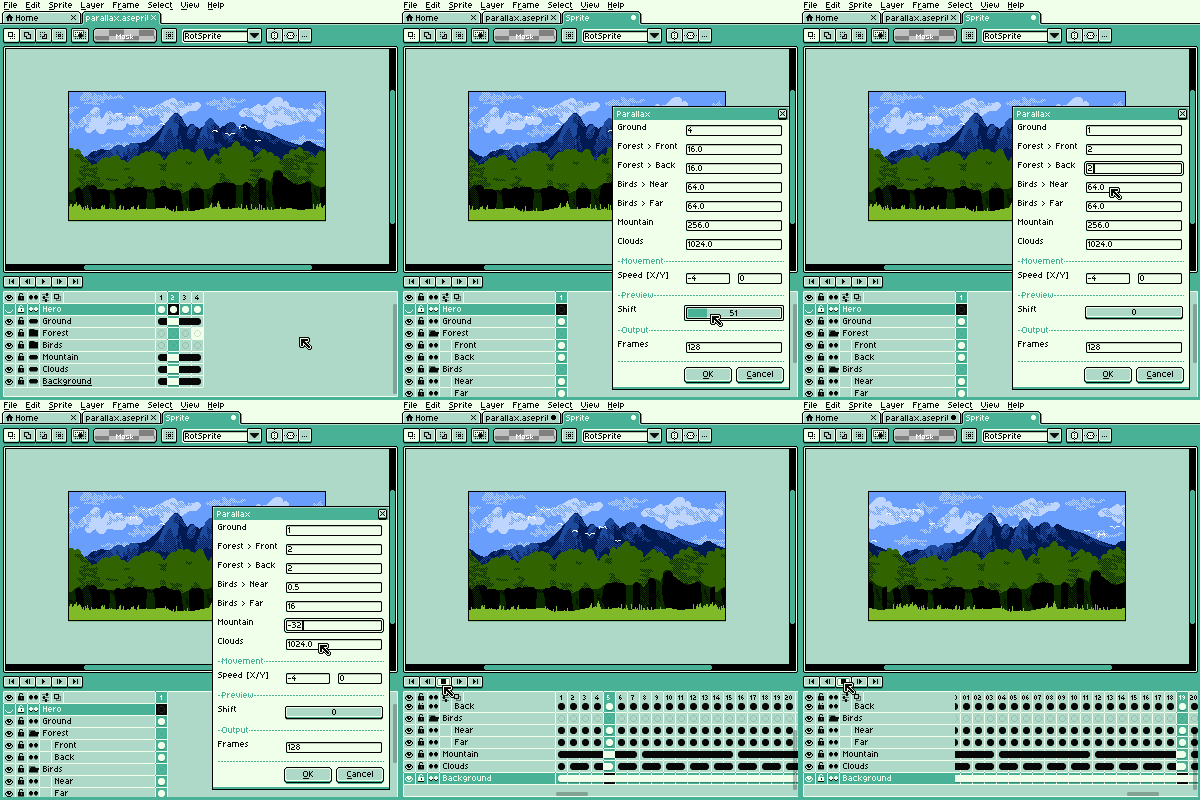
---
### Author:  [@thkwznk](https://community.aseprite.org/u/thkwznk)
#### Post date: [December 17, 2022, 1:38am UTC](https://community.aseprite.org/t/extension-fx-collection/14746/2 "2022-12-17T01:38:19Z")
A new version, and a new effect - Parallax, alongside QoL improvements!
**Changes:**
- [Feature] Added Parallax FX
- [Improvement] Added saving FX parameters per session
---
### Author:  [@thkwznk](https://community.aseprite.org/u/thkwznk)
#### Post date: [January 22, 2023, 12:37pm UTC](https://community.aseprite.org/t/extension-fx-collection/14746/3 "2023-01-22T12:37:08Z")
An update to v2.0.1 was released - a small update, focused on making the extension easier to use. To help with that, the Parallax FX now has a short instruction added to the descriptions. I hope it’s going to make it easier to tailor the effect to the desired outcome.
**Changes:**
- [Improvement] Improved performance of the LCD Screen FX
- [Fix] Added missing “Distance” label for the Parallax dialog
---
### Author:  [@thkwznk](https://community.aseprite.org/u/thkwznk)
#### Post date: [March 18, 2024, 6:19pm UTC](https://community.aseprite.org/t/extension-fx-collection/14746/4 "2024-03-18T18:19:32Z")
An update to v3.0.0 was released - if you’d like to play with a very old method of image rotation that worked before PCs had dedicated GPUs I have some great news for you.
**Important:** Using the new _Three Shear Rotation_ function requires Aseprite v1.3-rc4 (or higher)
**Changes:**
- [Feature] Add **Three Shear Rotation** effect
- [Improvement] Update Neon FX to use Screen blending mode for the blurred color layers
---
### Author:  [@thkwznk](https://community.aseprite.org/u/thkwznk)
#### Post date: [September 28, 2024, 2:55pm UTC](https://community.aseprite.org/t/extension-fx-collection/14746/5 "2024-09-28T14:55:00Z")
An update to v3.0.1 was released - this update fixes the Neon effect in Aseprite v1.3.8, it should no longer break and fill the canvas with a solid color.
**Changes:**
- [Fix] Correctly select masks for the color blur layers
---
### Author:  [@thkwznk](https://community.aseprite.org/u/thkwznk)
#### Post date: [October 5, 2024, 4:35pm UTC](https://community.aseprite.org/t/extension-fx-collection/14746/6 "2024-10-05T16:35:45Z")
An update to v4.0.0 was released - this update is brought to you in collaboration with (and commissioned by) [Daniel James Diggle](https://x.com/DanielDiggle). It should speed up the sprite workflow for anyone that uses color outlines. ✌
**Changes:**
- [Feature] Add a new effect - **Color Outline**
- **Three Sheer Rotation**
- [Improvement] Preview is now closely resembling the default Aseprite preview
- [Fix] Preview is now rendering layers in the correct order
- [Fix] Disable the option in the menu if there are no cels selected
- **Neon**
- [Fix] Correctly select masks for the color blur layers on all operating systems