# Image window is hidden - SOLVED
**URL:** https://community.aseprite.org/t/image-window-is-hidden-solved/15684
**Category:** Help
**Created:** [September 11, 2022, 4:37pm UTC](https://community.aseprite.org/t/image-window-is-hidden-solved/15684 "2022-09-11T16:37:47Z")
**Posts on this page:** 4
**Page:** 1
### Author:  [@zachcharles](https://community.aseprite.org/u/zachcharles)
#### Post date: [September 11, 2022, 4:37pm UTC](https://community.aseprite.org/t/image-window-is-hidden-solved/15684/1 "2022-09-11T16:37:47Z")
I dragged the palette window expander to the right and there is no option to shrink it when i hover over the right edge, cant see any view reset option i’ve closed, re-opened, uninstalled reinstalled, it just opens every file like this. I can no longer use the software, have been going for hours, please someone help!
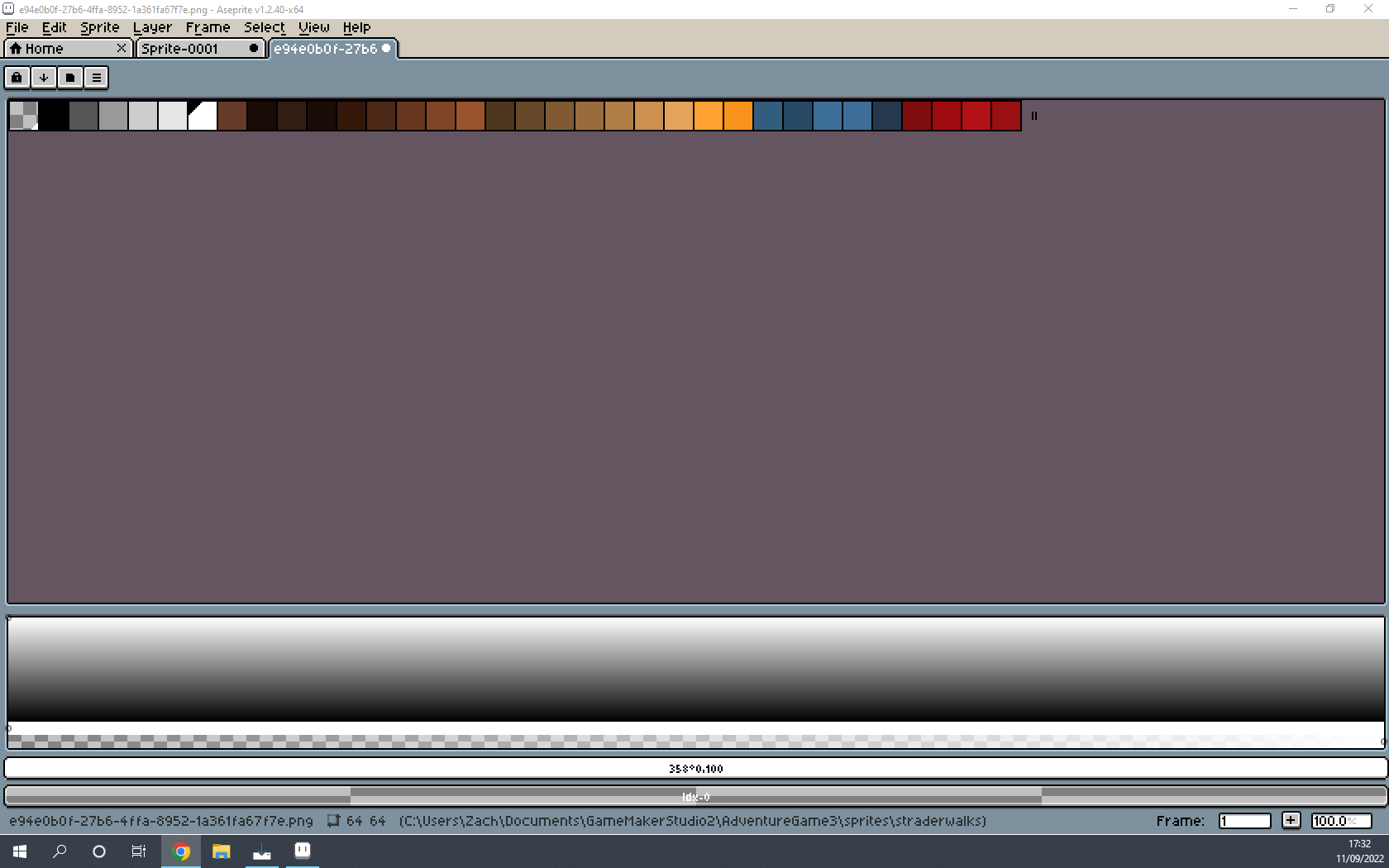
---
### Author:  [@zachcharles](https://community.aseprite.org/u/zachcharles)
#### Post date: [September 11, 2022, 5:08pm UTC](https://community.aseprite.org/t/image-window-is-hidden-solved/15684/2 "2022-09-11T17:08:19Z")
I have fixed it! For posterity and anyone else having similar issues I deleted the aseprite.ini file to reset preferences.
**Reset Preferences**
1. Close Aseprite.
2. Press the Windows key + R (or Start menu \> Run… option). This will show the dialog to run a program. Then you write: %AppData%\Aseprite. And press Enter key.
3. Delete the files in that folder (mainly aseprite.ini )
4. Restart Aseprite.
---
### Author:  [@eishiya](https://community.aseprite.org/u/eishiya)
#### Post date: [September 11, 2022, 5:18pm UTC](https://community.aseprite.org/t/image-window-is-hidden-solved/15684/3 "2022-09-11T17:18:28Z")
You don’t have to delete all your preferences to fix this, you can delete or edit just the parts with the UI sizes, and keep your other settings. Look for large numbers, the panel sizes are stored in pixels.
It’s also usually possible to resize the panel back to a small size manually by dragging it - the handle is only 1px in size so it’s hard to grab, but it should be there.
---
### Author:  [@HalfAsleepSam](https://community.aseprite.org/u/HalfAsleepSam)
#### Post date: [January 19, 2023, 2:01pm UTC](https://community.aseprite.org/t/image-window-is-hidden-solved/15684/4 "2023-01-19T14:01:08Z")
As eishiya said you do not have to delete `Aseprite.ini`. Just open it instead and look for `[layout:main_window]` (just above `[RecentFiles]`, once you’ve hit the brush settings you’ve gone too far) and change that from 1091 (I believe) to 500 or less and you can now continue making de l’art