# MacOS/iOS Sidecar support
**URL:** https://community.aseprite.org/t/macos-ios-sidecar-support/8584
**Category:** Features
**Created:** [March 30, 2021, 11:25pm UTC](https://community.aseprite.org/t/macos-ios-sidecar-support/8584 "2021-03-30T23:25:07Z")
**Posts on this page:** 2
**Page:** 1
### Author:  [@BDS](https://community.aseprite.org/u/BDS)
#### Post date: [March 30, 2021, 11:25pm UTC](https://community.aseprite.org/t/macos-ios-sidecar-support/8584/1 "2021-03-30T23:25:07Z")
Hi all,
@decap wanted to first of all say how incredible Aseprite is, and how remarkable it is that you’re actively supporting it. Well worth the money.
Secondly, I’ve been trying MacOS/iOS sidecar on iPad and it’s definitely useable - pressure sensitivity works which is great - but I wouldn’t say it’s the easiest and I still seem to need a keyboard nearby to get access to undo and the like. It would be amazing to have implemented:
- Two finger tap for undo
- Two finger double-tap for redo
- Pencil double tap for switching tools (usually to eraser, but may be a nice way to get to the right-click colour?)
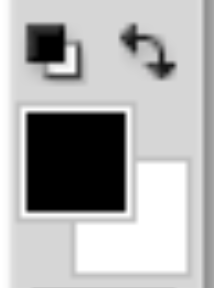
- Possible solution to the rightclick colour problem is a primary/secondary switcher button like photoshop has but I’m sure you’ve though of it!
- (Three finger?) pinch zoom / pan
Nice to have:
- Three finger tap for eyedropper
As a few people said [here](https://community.aseprite.org/t/ios-android-version/1283), Procreate on iOS feels like the gold standard for touchscreen art UX. Maybe we can take some inspiration from them?
I hope I’m not missing this functionality and it already exists!
Also just a thought on sidecar over iOS native - I think I’m more likely to stick with desktop Aseprite because filesync is a pain to set up. I enjoy being able to export a spritesheet and see it update immediately in Unity. Just my two cents!
Thanks a lot for this product,
BDG
---
### Author:  [@mrbrownjeremy](https://community.aseprite.org/u/mrbrownjeremy)
#### Post date: [April 1, 2021, 11:11pm UTC](https://community.aseprite.org/t/macos-ios-sidecar-support/8584/2 "2021-04-01T23:11:31Z")
Hey BDS—I think you can get some or most of what you want using [Astropad or Astropad Studio](https://astropad.com). Astropad + Aseprite is pretty much exclusively how I create my [pixel art and animations](https://www.instagram.com/wallacedotdog/).