# Moving selection still not working
**URL:** https://community.aseprite.org/t/moving-selection-still-not-working/507
**Category:** Bug Reports
**Created:** [September 28, 2017, 8:33pm UTC](https://community.aseprite.org/t/moving-selection-still-not-working/507 "2017-09-28T20:33:02Z")
**Posts on this page:** 7
**Page:** 1
### Author:  [@Elena\_Nazaire](https://community.aseprite.org/u/Elena_Nazaire)
#### Post date: [September 28, 2017, 8:33pm UTC](https://community.aseprite.org/t/moving-selection-still-not-working/507/1 "2017-09-28T20:33:02Z")
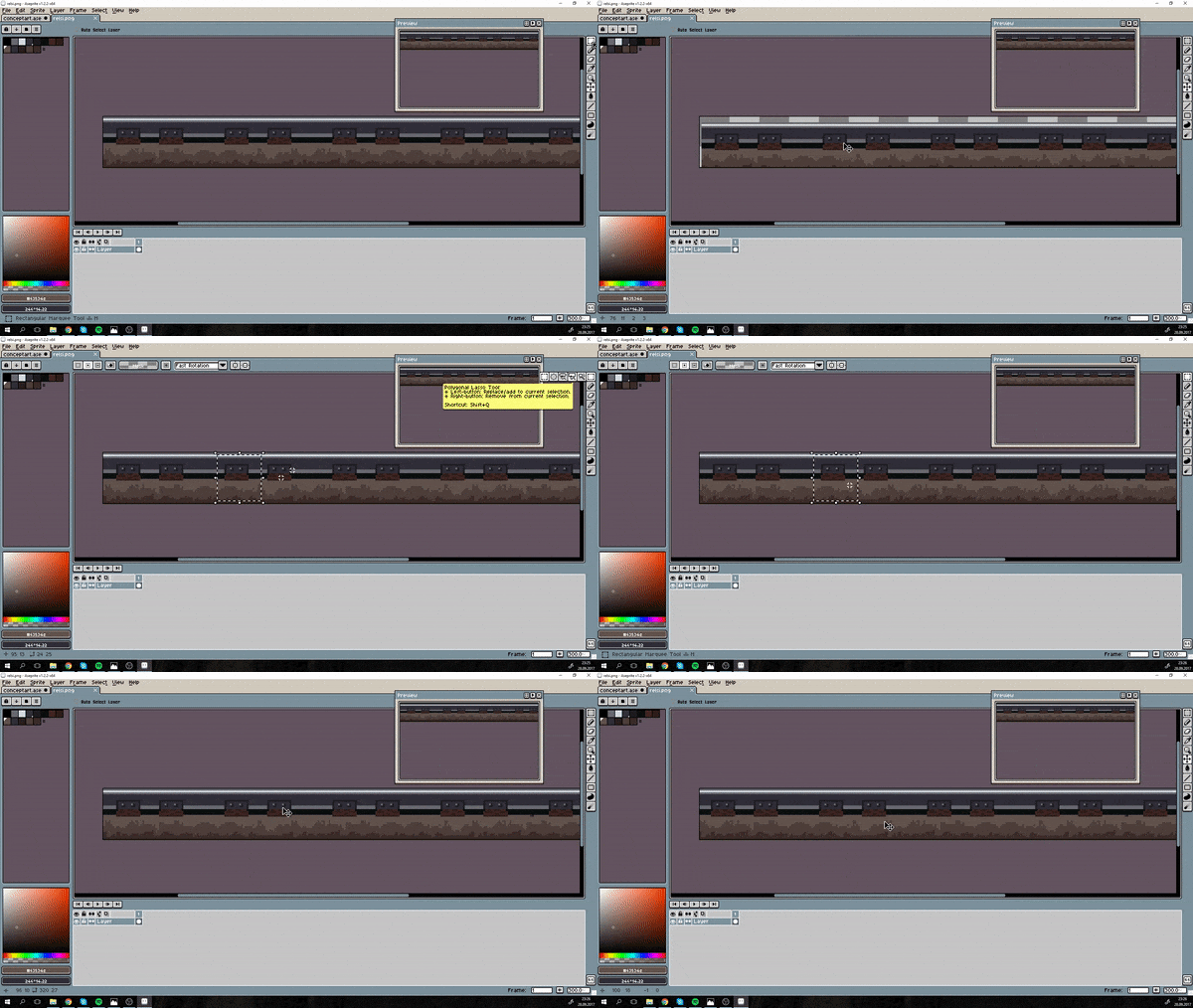
this is already version 1.2.2
---
### Author:  [@dacap](https://community.aseprite.org/u/dacap)
#### Post date: [September 28, 2017, 9:11pm UTC](https://community.aseprite.org/t/moving-selection-still-not-working/507/2 "2017-09-28T21:11:42Z")
That’s not the way you move the selection, the Move tool moves the whole layer. To move the selection you have to select the regular selection mode:

This behavior [was changed](https://community.aseprite.org/t/marquee-tool-add-substrac-to-selection/470) to allow modifying the selection when the other modes (Add and Subtract) are selected.
---
### Author:  [@Elena\_Nazaire](https://community.aseprite.org/u/Elena_Nazaire)
#### Post date: [September 28, 2017, 9:27pm UTC](https://community.aseprite.org/t/moving-selection-still-not-working/507/3 "2017-09-28T21:27:36Z")
Oh, I’m sorry then! Somehow missed this information.
---
### Author:  [@dacap](https://community.aseprite.org/u/dacap)
#### Post date: [September 28, 2017, 9:30pm UTC](https://community.aseprite.org/t/moving-selection-still-not-working/507/4 "2017-09-28T21:30:13Z")
Don’t worry, there is no documentation about this or this change of behavior. I’ll wait some days for feedback from other users to see how they receive the change.
---
### Author:  [@essecorrea](https://community.aseprite.org/u/essecorrea)
#### Post date: [September 28, 2017, 11:36pm UTC](https://community.aseprite.org/t/moving-selection-still-not-working/507/5 "2017-09-28T23:36:45Z")
This, got me going crazy for about half an hour.
---
### Author:  [@essecorrea](https://community.aseprite.org/u/essecorrea)
#### Post date: [October 6, 2017, 6:16pm UTC](https://community.aseprite.org/t/moving-selection-still-not-working/507/6 "2017-10-06T18:16:12Z")
Hey @dacap, regarding recent changes to the Selection behavior, whenever I wanna move a selected area now, I’m not able to do it with the left and right arrow keys, Up and Down works fine. If I press the side keys, it will change to previous and next animation frames, I know that this was the standard behavior without selections made, is there any way for me to make it work like it was previously?
---
### Author:  [@dacap](https://community.aseprite.org/u/dacap)
#### Post date: [October 6, 2017, 6:27pm UTC](https://community.aseprite.org/t/moving-selection-still-not-working/507/7 "2017-10-06T18:27:10Z")
This is a problem on macOS, today I’ll release a fix for this too.