# Words in screen are too small to read it
**URL:** https://community.aseprite.org/t/words-in-screen-are-too-small-to-read-it/23794
**Category:** Help
**Created:** [October 31, 2024, 3:58pm UTC](https://community.aseprite.org/t/words-in-screen-are-too-small-to-read-it/23794 "2024-10-31T15:58:04Z")
**Posts on this page:** 2
**Page:** 1
### Author:  [@\_20725](https://community.aseprite.org/u/_20725)
#### Post date: [October 31, 2024, 3:58pm UTC](https://community.aseprite.org/t/words-in-screen-are-too-small-to-read-it/23794/1 "2024-10-31T15:58:04Z")
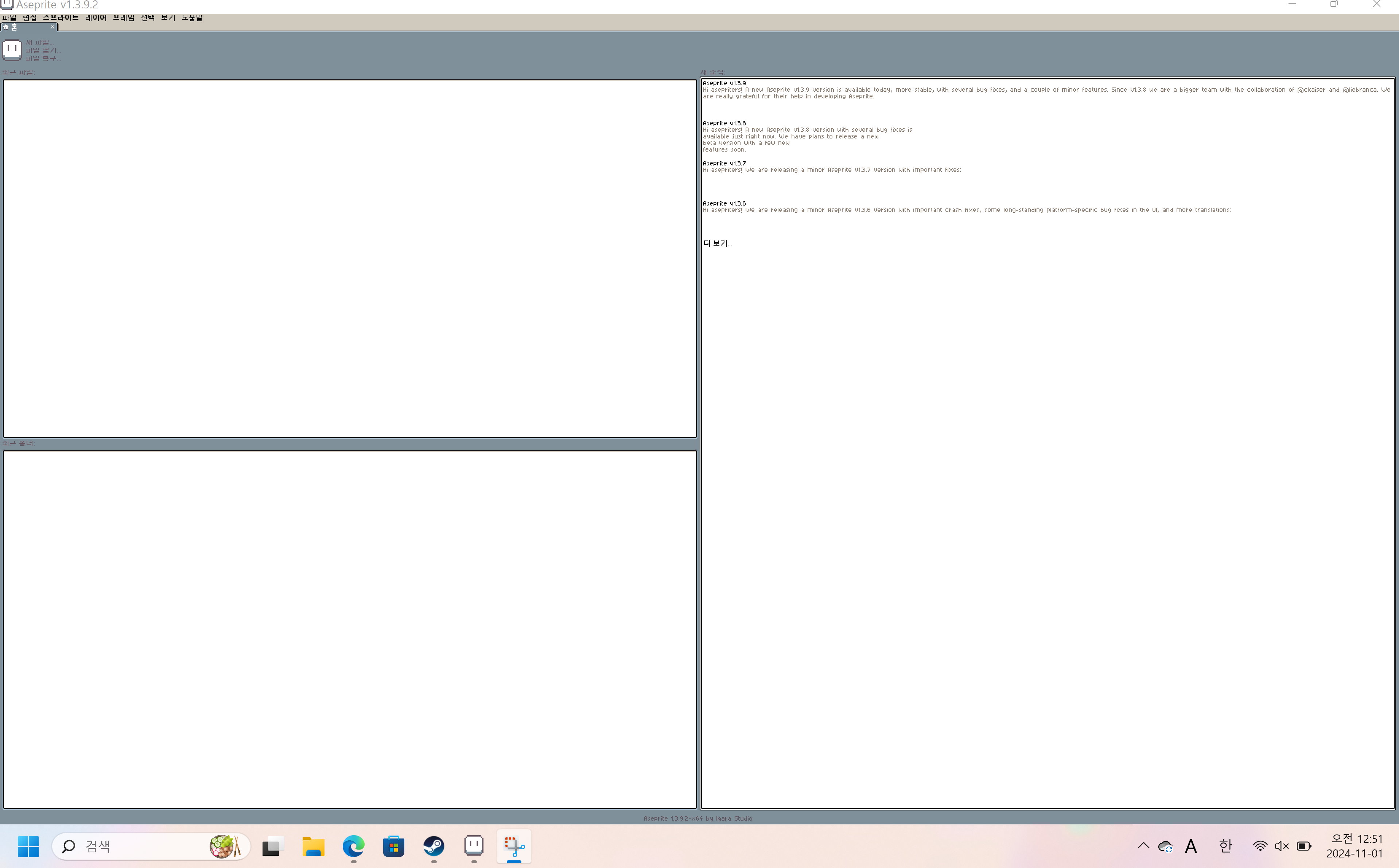
I want to expand words in screen…(make bigger than).
whenever i strive to read it…i feel headache aaaand!!! the eyes are going to fall out.
if nobody fixs this problem. i must buy glass eyes .
please…help me…
it is hard to write this post because im korean and this site is all english…
---
### Author:  [@TheSartremaster](https://community.aseprite.org/u/TheSartremaster)
#### Post date: [October 31, 2024, 6:50pm UTC](https://community.aseprite.org/t/words-in-screen-are-too-small-to-read-it/23794/2 "2024-10-31T18:50:07Z")
Hi,
try to adjust the “Screen Scaling” option.
Preferences (CTRL-K) → General → Screen Scarling.
Mine is set to 200% (by default I think), but at 100% it looks similarly unreadable as yours.
Hope this helps^^