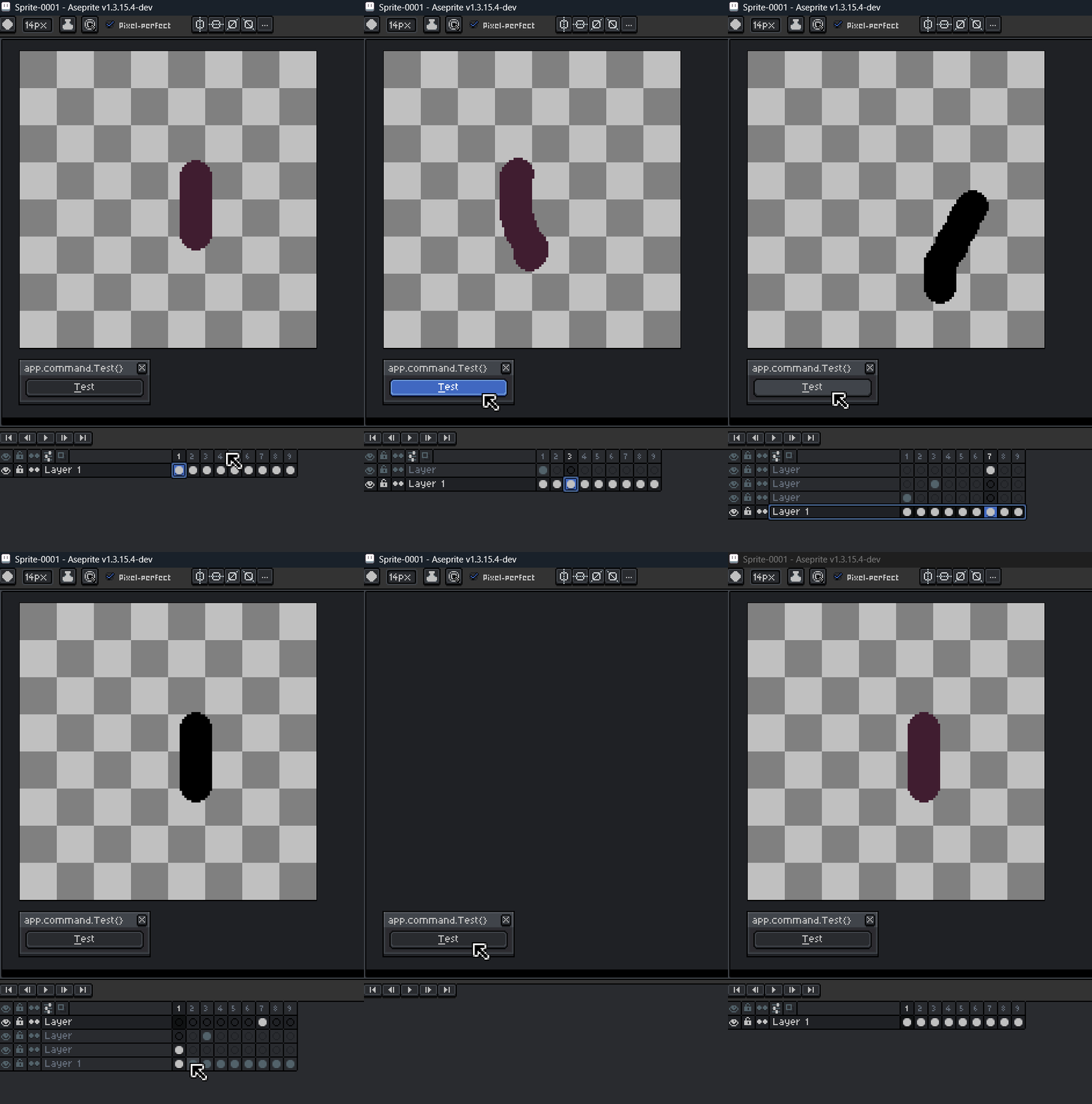
I recently updated to Aseprite v1.3.15.4 and noticed that calling any app.command.CommandName{} inside a script now restarts the entire timeline and redraws the whole canvas area, something that did not happen in the previous version (v1.3.14-beta1).
I’m not really sure if this is considered a bug or just a new implementation going forward, but it changes how automation scripts behave.
I created a simple test script that applies a command to modify the active cel image, for example using app.command.HueSaturation{} to darken it.
local sprite = app.activeSprite
if not sprite then return app.alert("No active sprite") end

local dialog = Dialog { title = "app.command.Test{}    ", onclose = function() end }

dialog:button { text = "&Test", onclick = function()
    local cel_selection = app.range
    if #cel_selection.cels == 0 then return app.alert("No cels selected") end

    -- Validate that all selected cels belong to the same layer
    local selected_layer = cel_selection.cels[1].layer
    for _, cel in ipairs(cel_selection.cels) do
        if cel.layer ~= selected_layer then return app.alert("All selected cels must be from the same layer!") end
    end

    local selected_cels = app.range.cels
    app.transaction("test appCommand", function()
        local target_layer = sprite:newLayer()
        for _, cel in ipairs(selected_cels) do
            local original_image   = cel.image:clone()
            local cropped_image
            local cropped_position = cel.position

            cropped_image          = original_image
            local new_cel          = sprite:newCel(target_layer, cel.frameNumber)
            new_cel.image          = cropped_image
            new_cel.position       = cropped_position
            app.activeCel          = new_cel

            app.command.HueSaturation {
                ui = false,
                mode = 'hsl',
                hue = 0,
                saturation = 0,
                lightness = -100
            }
        end
    end)

    app.refresh()
    app.layer = selected_layer
    app.range.layers = { selected_layer }
end
}


dialog:show { wait = false }
I designed this loop intentionally to apply the command to each cel individually instead of applying it to the entire layer, which worked perfectly before the update.
In v1.3.15.4:
Every time the command is executed, the timeline and canvas briefly disappear and reappear.
This causes noticeable flickering or reset of the drawing area.
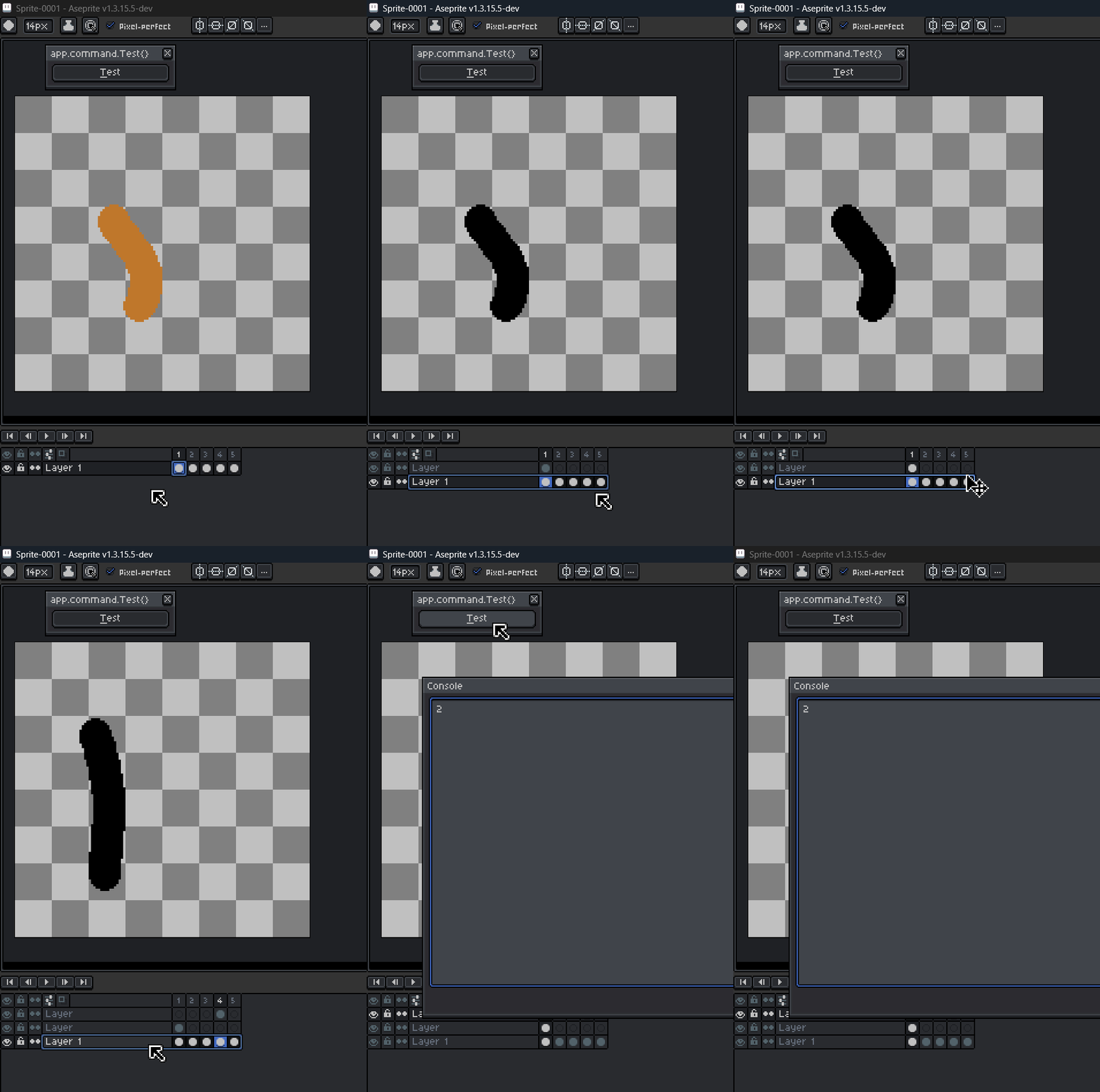
When used inside a loop, the process is interrupted, the script stops midway and the console prints a “2” message (not sure what it means).
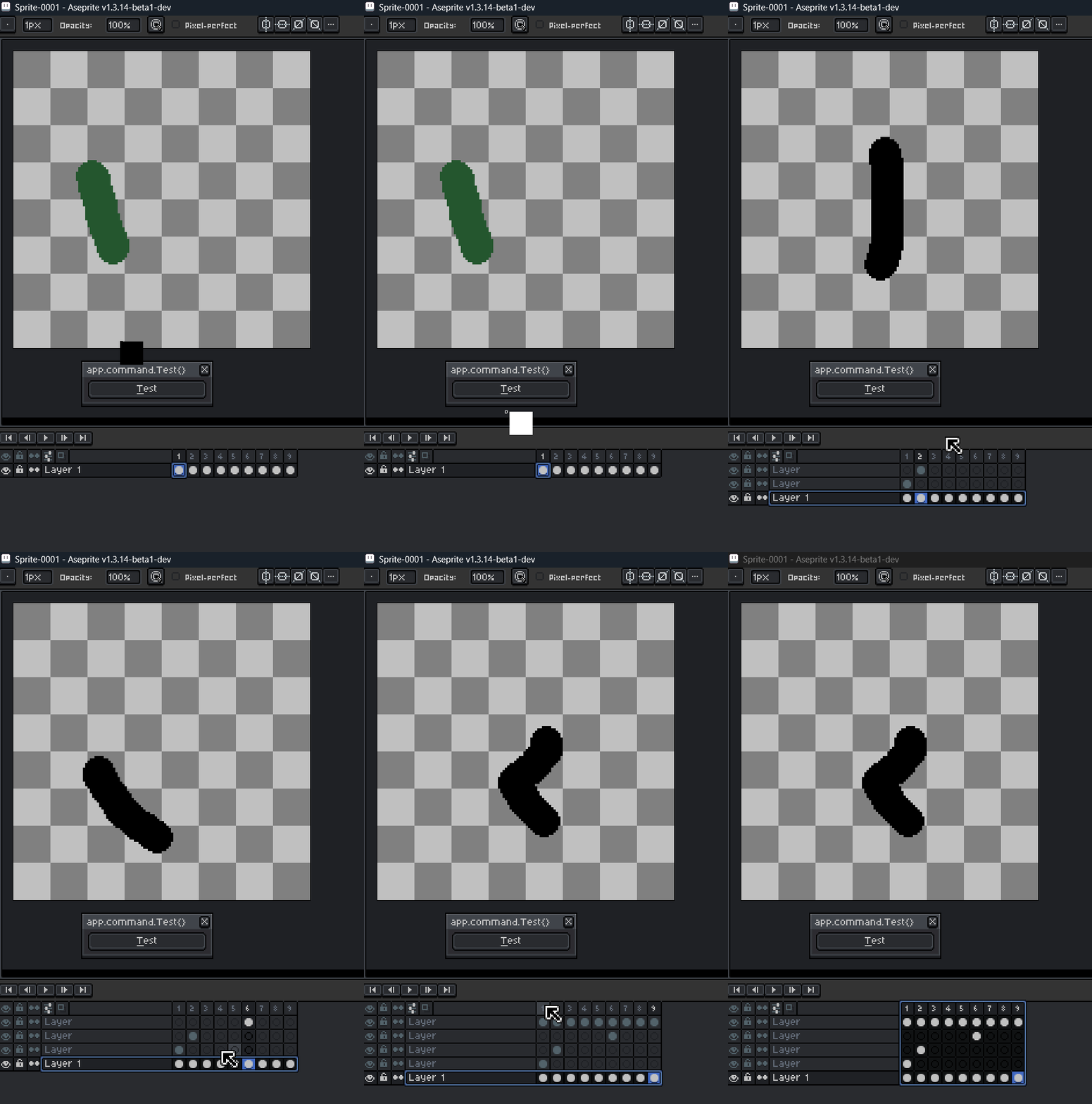
In v1.3.14-beta1:
The same script runs smoothly.
The timeline and canvas remain stable.
Commands like app.command.HueSaturation{} or app.command.NewLayer{} execute without reloading the interface, even in a loop.
Additional Notes:
This issue affects multiple commands (not just HueSaturation).
It breaks automation scripts that rely on app.command inside loops.
The Console window also doesn’t retain its resized position or dimensions.
I just want to confirm is this a new behavior by design, or possibly a bug/regression?
If it’s intentional, I’ll try to find a different way to run app.command inside loops.
Thank you for the quick response! I’ve tested it on both v1.3.15.5 and v1.3.16-beta2, and the issue still behaves the same as in v1.3.15.4. Also, the console window still doesn’t retain its resized position or dimensions
Hi there! I’ve been busy for the past few days so I wasn’t able to test this until now. Here’s what I found in my testing:
I am experiencing the same issue with the Hue/Saturation command (and the other “effects” commands) when using it in scripts and from the Edit menu. The canvas and timeline seem to disappear/refresh for a split second before appearing again. I skimmed through the changelogs and could not find a specific cause; more looking into is needed.
In my testing, I found that the number printed to the console is the frame number of the second frame selected in a selection. Strangely, in another test, I found that this wasn’t the case. Weird. I could not find a cause as to why this number was printed out.
I am experiencing the console issue as well.
I have made issues for these on the Github, you can watch them there for updates. Thanks for reporting them!
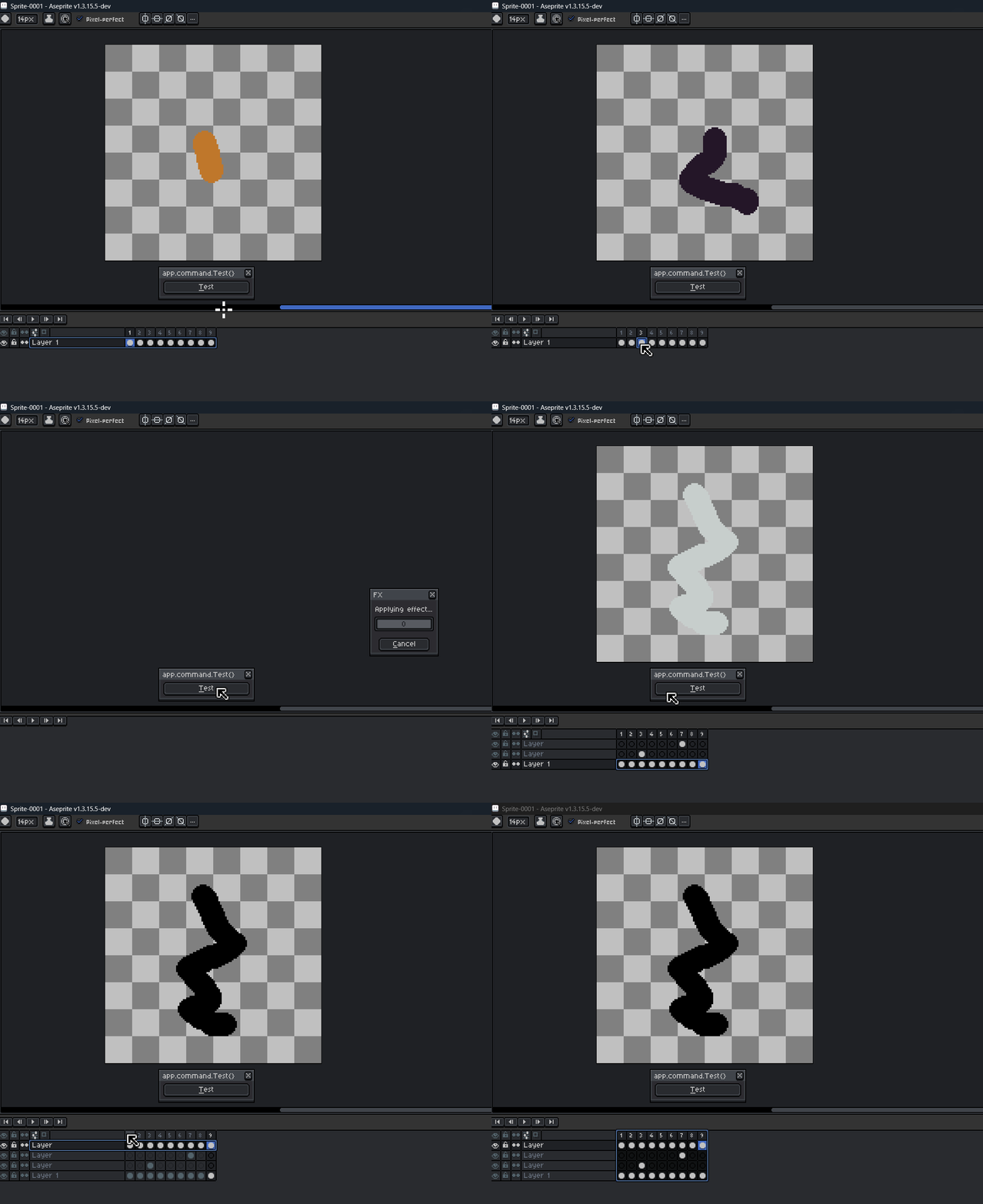
Hi! I did another round of testing. This time, I removed the loop from inside the transaction block. Without the transaction, the loop runs completely as expected and the commands execute in sequence.
However, removing the transaction isn’t really a solution, since the script needs it for proper undo/redo grouping. So the issue seems to occur specifically when app.command.* is executed repeatedly inside a transaction.
local sprite = app.activeSprite
if not sprite then return app.alert("No active sprite") end

local dialog = Dialog { title = "app.command.Test{}    ", onclose = function() end }

dialog:button { text = "&Test", onclick = function()
    local cel_selection = app.range
    if #cel_selection.cels == 0 then return app.alert("No cels selected") end

    -- Validate that all selected cels belong to the same layer
    local selected_layer = cel_selection.cels[1].layer
    for _, cel in ipairs(cel_selection.cels) do
        if cel.layer ~= selected_layer then return app.alert("All selected cels must be from the same layer!") end
    end

    local selected_cels = app.range.cels
    -- app.transaction("test appCommand", function()
    local target_layer = sprite:newLayer()
    for _, cel in ipairs(selected_cels) do
        local original_image   = cel.image:clone()
        local cropped_image
        local cropped_position = cel.position

        cropped_image          = original_image
        local new_cel          = sprite:newCel(target_layer, cel.frameNumber)
        new_cel.image          = cropped_image
        new_cel.position       = cropped_position
        app.activeCel          = new_cel

        app.command.HueSaturation {
            ui = false,
            mode = 'hsl',
            hue = 0,
            saturation = 0,
            lightness = -100
        }
    end
    -- end)

    app.refresh()
    app.layer = selected_layer
    app.range.layers = { selected_layer }
end
}


dialog:show { wait = false }