anyone running to an issue where {layer}_{tag}_{tagframe}_{duration} the json does not have the {layer} part in the latest 1.3.17?
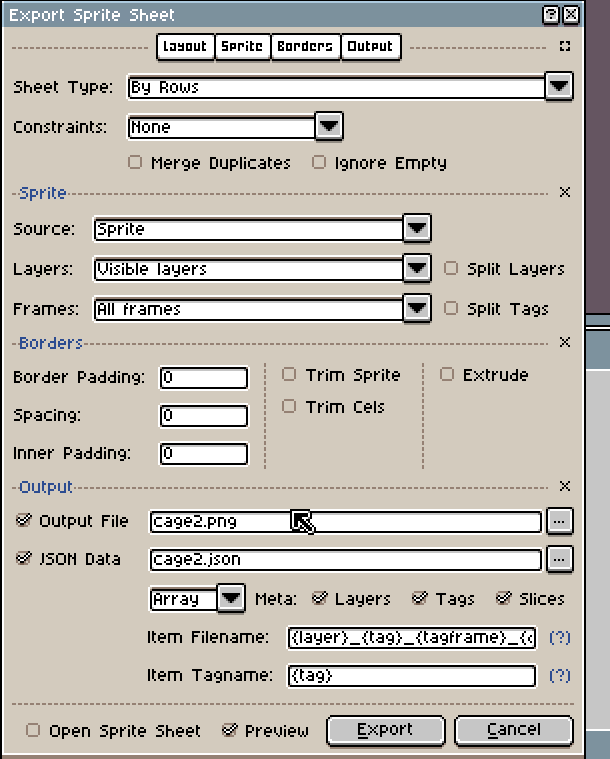
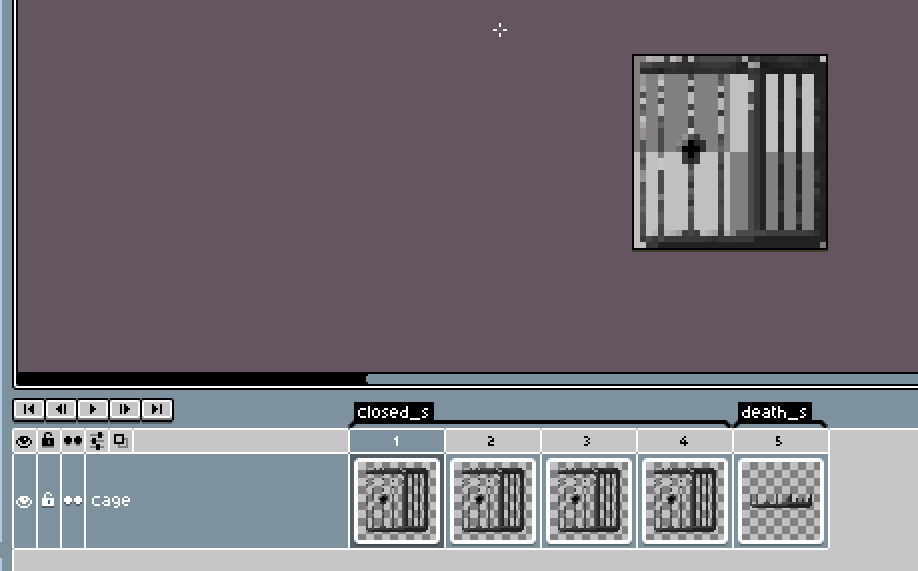
I snipped some of the json output for convenience but WTF!!! : _closed_s_0_100 , where the hell is the layer name?
{ "frames": [
   {
    "filename": "_closed_s_0_100",
    "frame": { "x": 0, "y": 0, "w": 32, "h": 32 },
    "rotated": false,
    "trimmed": false,
    "spriteSourceSize": { "x": 0, "y": 0, "w": 32, "h": 32 },
    "sourceSize": { "w": 32, "h": 32 },
    "duration": 100
   }
 ],
 "meta": {
  "app": "http://www.aseprite.org/",
  "version": "1.3.17-x64",
  "image": "cage2.png",
  "format": "RGBA8888",
  "size": { "w": 160, "h": 32 },
  "scale": "1",
  "frameTags": [
   { "name": "closed_s", "from": 0, "to": 3, "direction": "forward", "color": "#000000ff" },
   { "name": "death_s", "from": 4, "to": 4, "direction": "forward", "color": "#000000ff" }
  ],
  "layers": [
   { "name": "cage", "opacity": 255, "blendMode": "normal" }
  ],
  "slices": [
  ]
 }
}
OS:
Arch Linux
Aseprite version 1.3.17