Hi! I’m currently making a collection of resources and tools for bridging the gap between Aseprite and MakeCode Arcade, a tiny browser-based game engine made by Microsoft. It’s mostly used for education, but it’s also just a fun way to make small games within a set of constraints. I use it quite a bit for side projects.
Arcade comes with its own built-in image editor. However, it’s limited in scope and can get clunky for bigger projects. Importing images from other editors is a bit of a process. There’s an existing tool by Kristian Pedersen for converting images into the proper format, but its accessibility as a web tool also makes it tedious to incorporate into a workflow. I figured it would just be easier to write my own script for Aseprite which takes care of the conversion for you.
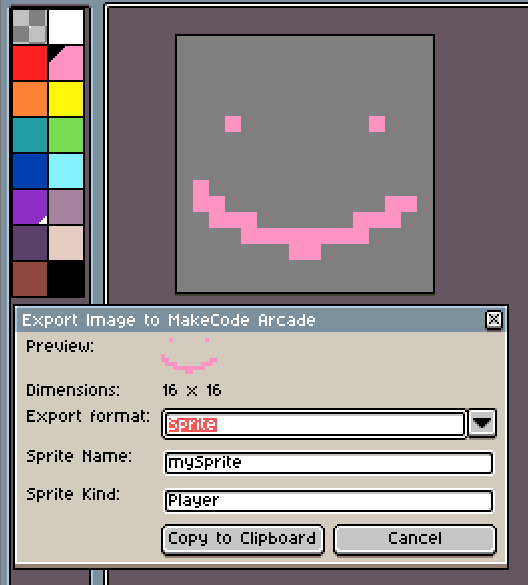
Here “export” just means “copy to clipboard”. There’s a couple options; you can either export it as an image alone or as the TypeScript code creating a sprite with that image. Exporting as an image allows you to paste directly into Arcade’s image editor. When exporting as a sprite, you can also specify the sprite’s name and kind.
The library currently includes this one script, along with the default palette for Arcade. I have several additional features planned for the future, including pasting into Aseprite from Arcade, exporting tiles, and exporting animations. Everything is available in the GitHub repository. All feedback, PRs, suggestions etc are welcomed. Thanks for reading!