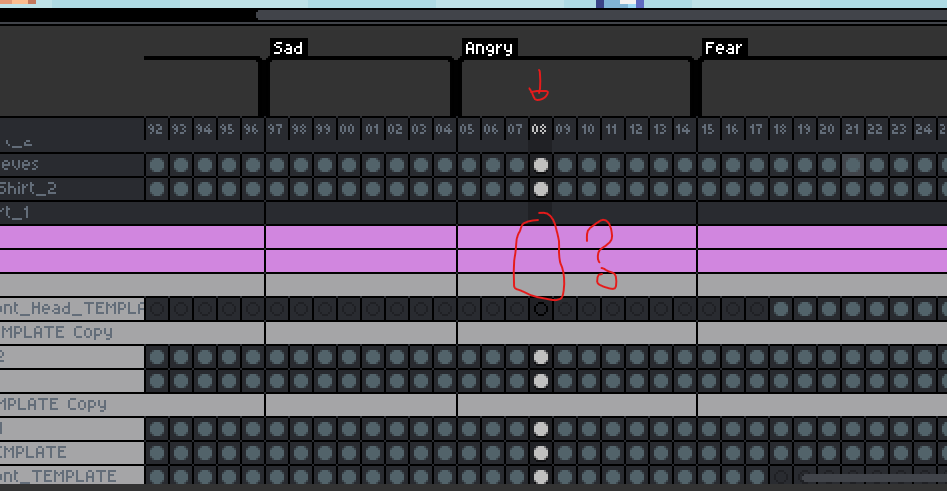
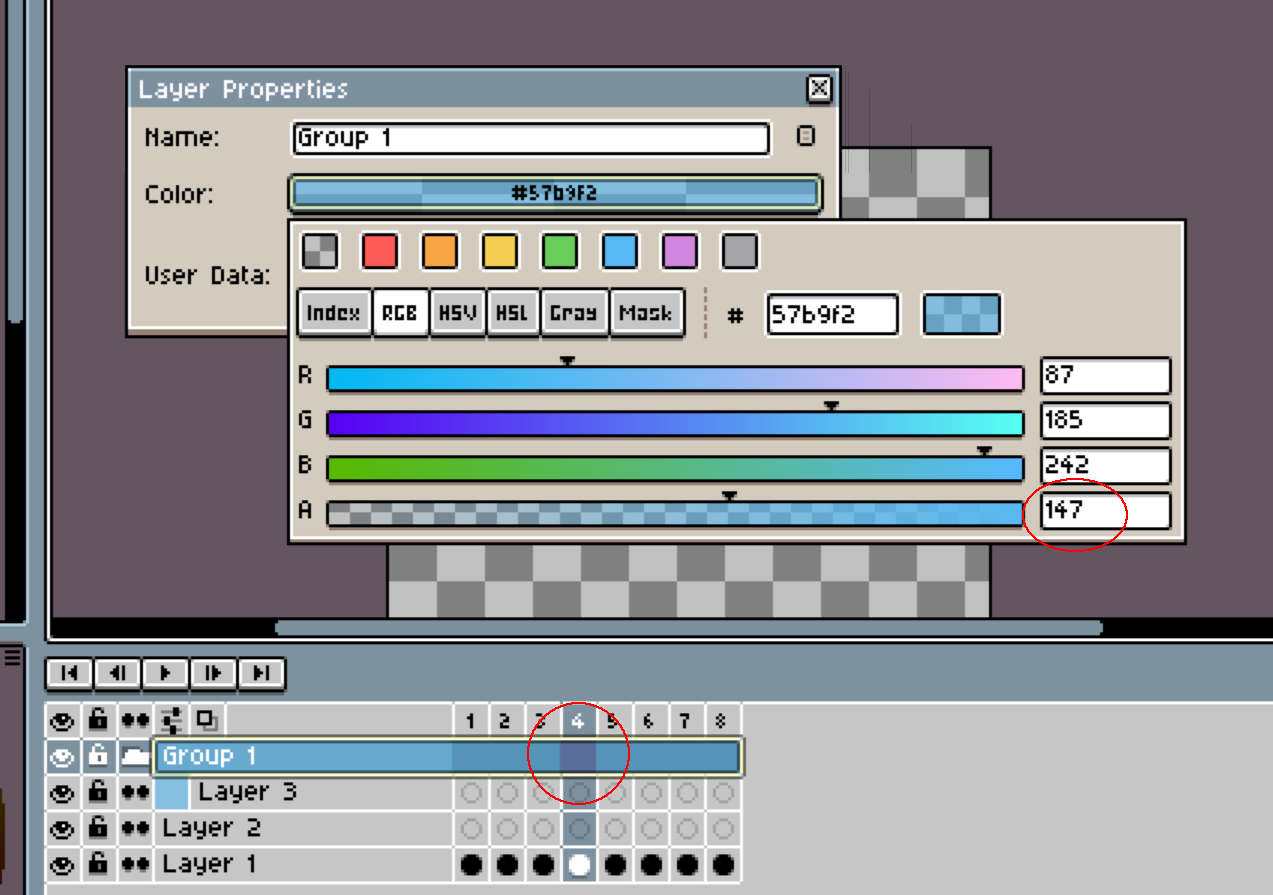
When a group or layer has a different color, it’s really hard to see which frame is currently selected. I get lost pretty easily when there are a lot of different colors.
I’m using it on Windows through Steam.
dacap
August 12, 2026, 10:56am
2
Hi @skullbrow , actually it’s not a bug, but a change in the layer groups presentation, from:
opened 12:49PM - 25 Jan 26 UTC
closed 11:00PM - 21 Apr 26 UTC
feature
ui
timeline
**Did other user suggested a similar idea?**
- [ ] No
- [X] Yes/Links to similar… ideas
1. Add color to layers in the timeline + distinction between groups: https://github.com/aseprite/aseprite/issues/1893
2. Request: Indent Colors for Nested Colored Layers: https://community.aseprite.org/t/make-colorful-groups/11042
**Is your feature request related to a problem? Please describe.**
When working with complex animations that use many layers, groups are essential for keeping the timeline readable. However, groups currently behave like regular layers in the timeline: they display frames and accept dragged cells.
This causes two problems:
- Groups showing frames makes it harder to visually distinguish structural layers (containers) from actual drawable/animated layers, especially in large timelines with nested groups.
- Dragging a cell onto a group in the timeline causes the graphic content to disappear, which feels unsafe and unintuitive. It’s easy to do this by accident, and there is no visual feedback indicating that the operation is invalid.
**Describe the solution you'd like**
Make groups behave as non-frame layers in the timeline, or at least prevent unsafe interactions with them.
Possible solutions:
- Do not display frames for group layers in the timeline or/and tint 20% darker the group layer.
- Prevent dragging cells onto groups + show a “not allowed” cursor or/and if a cell is dropped onto a group, automatically cancel the operation and maintain the cell on its original layer.
The goal is to make groups clearly behave as containers and avoid accidental data loss or confusion.
**Describe alternatives you've considered**
- Visually dimming group rows in the timeline to indicate they are non-editable.
- Disabling selection of group frames while dragging cells.
- Showing a clear warning or rejection state when hovering a dragged cell over a group.
**Additional context**
This issue becomes more noticeable in projects with many layers and nested groups, where groups are used heavily for organization rather than animation. Preventing groups from behaving like regular frame layers would significantly improve timeline safety and readability.
Another benefit of this feature is that empty groups could be used as visual separators in the timeline, improving readability without affecting animation data.
(See attached screenshot illustrating this idea.)
<img width="453" height="229" alt="Image" src="https://github.com/user-attachments/assets/4dc34582-a82c-4462-9822-0fd722ccd997" />
And added tags separation from:
opened 06:32PM - 11 May 26 UTC
closed 06:29PM - 20 Jul 26 UTC
bug
ui
release blocker
From: https://community.aseprite.org/t/tag-readability-in-new-layer-formatting-f… rom-v1-2-18-beta2/28284
There should be an easy way to see the tag limits in the timeline when multiple groups are used and it's not easy to match visually where the tag begins/ends.
I’ll add an option to disable this new kind of presentation if it affects your workflow.
dacap
August 12, 2026, 11:42am
3
Just testing I see what was the problem, I always tested with semi-transparent colors, which makes the selection visible, but with alpha=255 introduces the bug you described: