One notable and revolutionary feature in the 1992 PC98 drawing program Multi Paint System was the color masking/locking option, which prevents specific colors from being altered once they are put on the canvas. This was how dithering, shading, and outline effects were done before scripts, layers, and magic wand tools were more widespread.
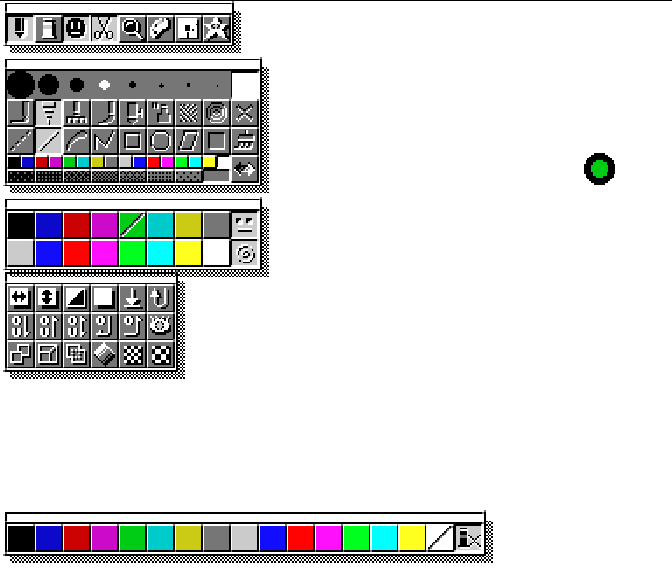
You can see in the middle palette that the dark green is crossed out. This indicates that this color is “locked”, if I were to pick red and start scribbling over the screen, the green would remain untouched.

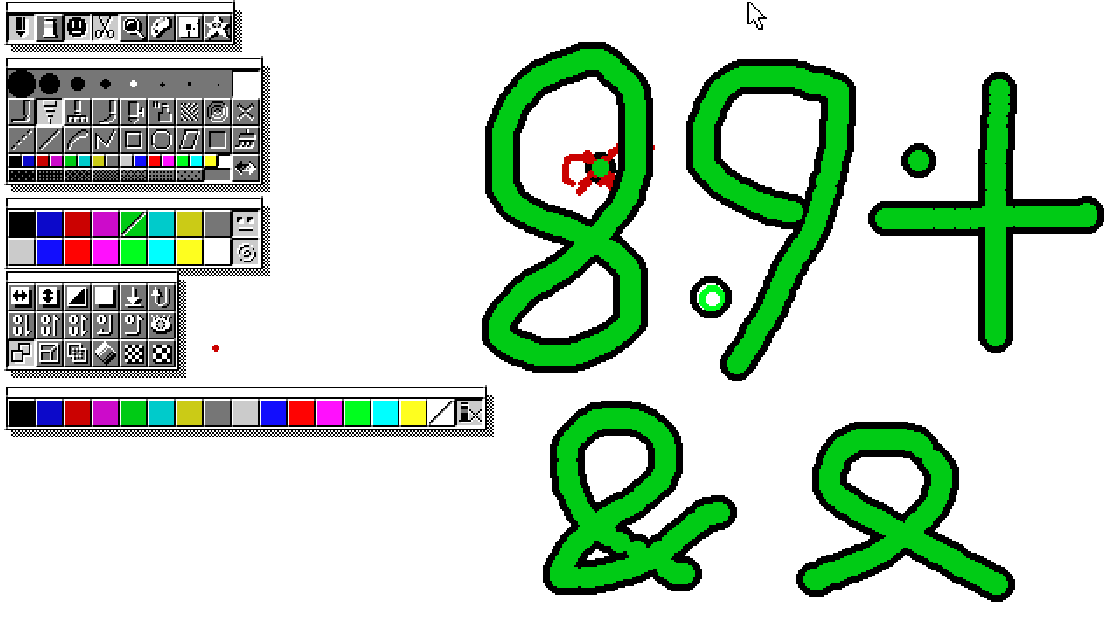
One other advantage of this is that it would allow aseprite more flexibility in its custom brush feature. Here’s a small example; a brush that automatically outlines what it draws, it accomplishes this by allowing the outside color to be overwritten and the inside color to persist. The reference for the custom brush was the dot near the plus symbol. Though the custom brush feature had its own transparency mask this was only for the selection of the custom brush, the actual drawing only took the locked colors into consideration.
You can see that feature in action in this video of the demo movie for MSP which also makes extensive use of the color masking feature to draw two artworks.