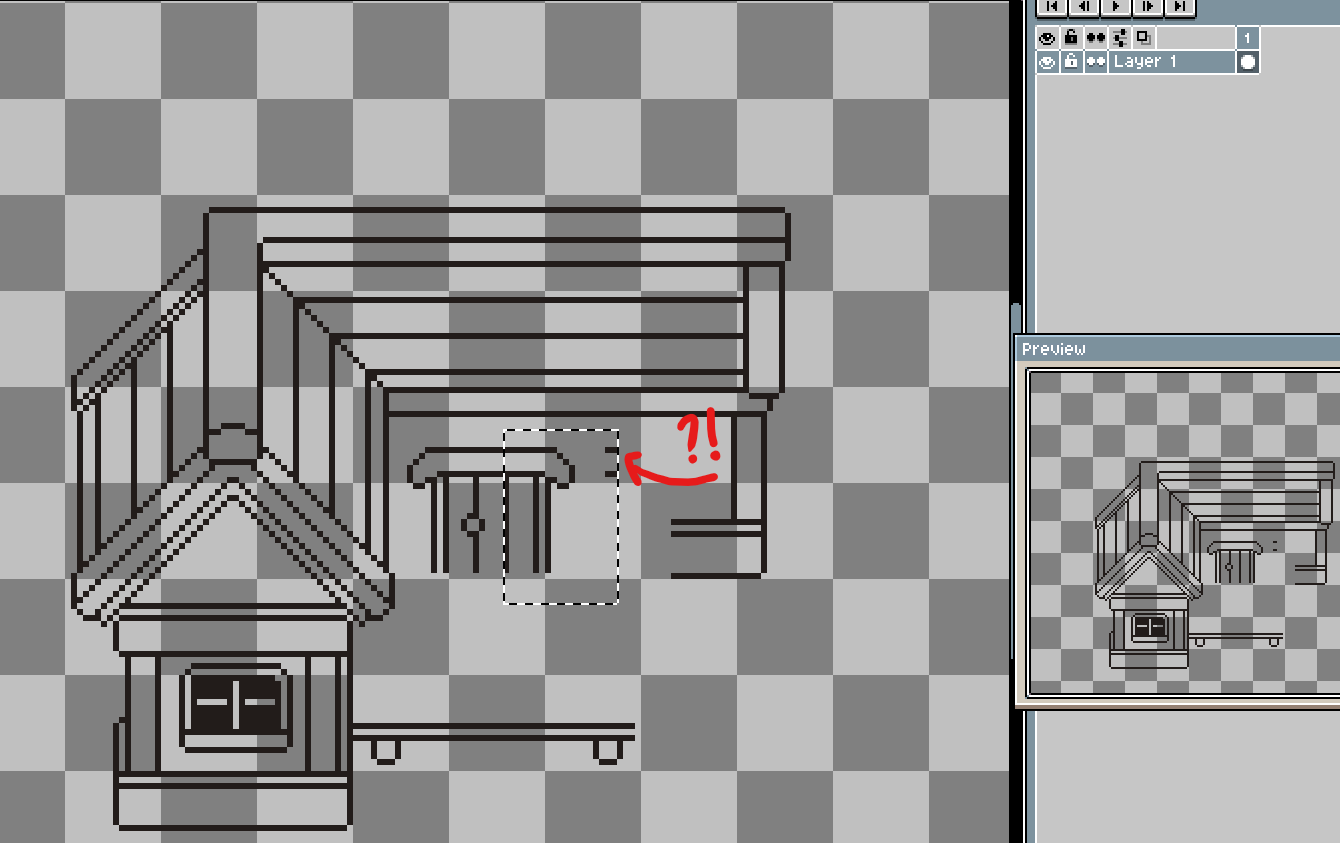
Hello, everyone
I’m starting to use Aseprite, and I have a question:
Thanks!
Oh c’mon, this is not possible…
Can you send a video of this happening?
Hi! Sure, thanks for asking!
https://www.youtube.com/watch?v=fMPSYOiDEHg
dacap
April 9, 2026, 1:37pm
5
Hi @Paulo_Peres , it looks like you want to move the selection with the Move tool. Some software do that, but in Aseprite you move the selection with the same selection tool.
There is an issue about this and other issues to improve the Move tool:
opened 09:28PM - 23 May 24 UTC
feature
ui
sprite editor
high complexity
time-13
Add a new "select/move objects" option to the Move tool:

I think this new "arrow" option should be the default Move tool (<kbd>V</kbd> key) and work similar to the Move tool when the "Auto Select layer" option is checked (we can just click one cel and move it), but with the possibility to select several cels drawing a box when we drag the mouse on the background. After selecting several cels we should be able to move them together (related to #3767 with arrow keys).
With the settings button we should be able to select/move slices (related to #4466), the selection, both [#3419](https://github.com/aseprite/aseprite/issues/3419), etc. We should be able to copy & paste the selected objects too (although copying and pasting several cel portions from the canvas could be a really complex task).
In some way this "select/move object" would be something to arrange multiple elements in the screen more easily.
The old behavior of the Move tool (where we just move the cel whatever we click/drag) is the other option in the Move tool.
---
The Slice tool already can select/move multiple slices, so some behavior will be shared with this tool. We have to find a way to offer this in both tools in a similar fashion.
---
This is related to #2144 and #1459, and requires #1847 to transform (e.g. scale) multiple objects.
Oh… yeah, that’s it, dacap, thank you!