Hello everyone,
I’m experiencing noticeable lag when drawing with the mouse in Aseprite, which makes it difficult to draw smoothly. The issue appeared suddenly and persists even after restarting the app or resetting settings.
Details:
- The lag affects all layers and tools.
- OS: Windows 11 Home 64-bit
- Aseprite version: v1.3.15.4-x64
- System: Desktop, Intel Core i9, 49 GB RAM, DirectX 12
- GPU: [Your GPU name]
Steps I have tried:
- Restarting Aseprite
- Updating graphics drivers
- Resetting Aseprite settings
Has anyone else experienced similar issues or found a workaround? Any help would be appreciated.
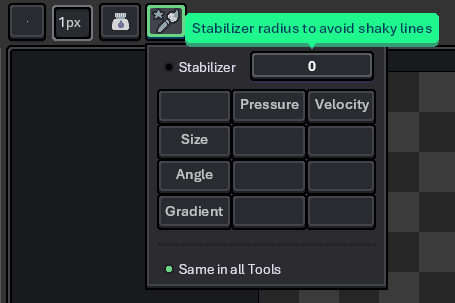
What are the brush dynamics settings in the context bar?
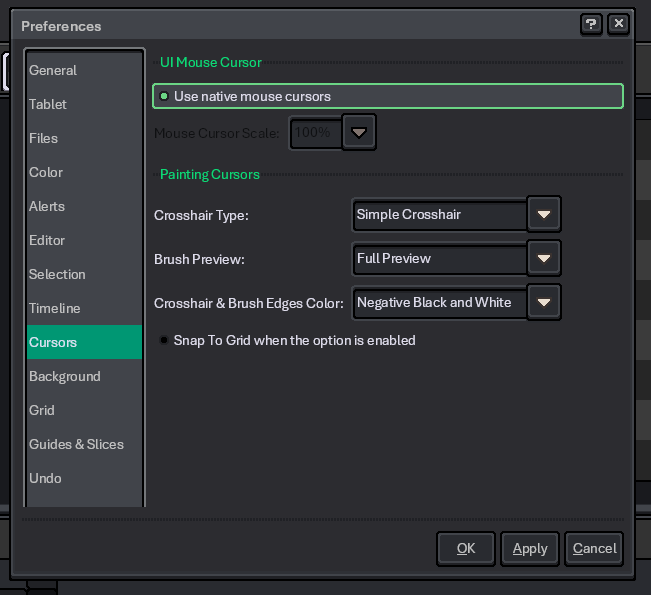
What are the settings in Edit > Preferences, in the cursors section?
1 Like
Hello,
Thank you for your reply.
The “Stabilizer” option is unchecked and its value is set to 0.
In the “Cursor” tab under Preferences, the “Use OS mouse cursor” option is checked.
After changing my graphics card, the issue was resolved — the mouse movement is now smooth not only in Aseprite but also in other applications.
It’s a bit strange, but everything seems to be working fine now.
I don’t think the issue was caused by Aseprite itself.
Thank you very much for your support.
1 Like