I just released my Aseprite extension: PixMold UI Crafter!
It is still in beta, but already usable. I originally made it for my own game project and it saved me a good amount of time so I thought it was worth sharing.
- Homepage: https://pixmold.com
- Extension page: https://pixmold.itch.io/pixmold-ui-crafter
I am limited to one image as a new forum user, so you can check the homepage and extension page for more screenshots, GIFs, and examples.
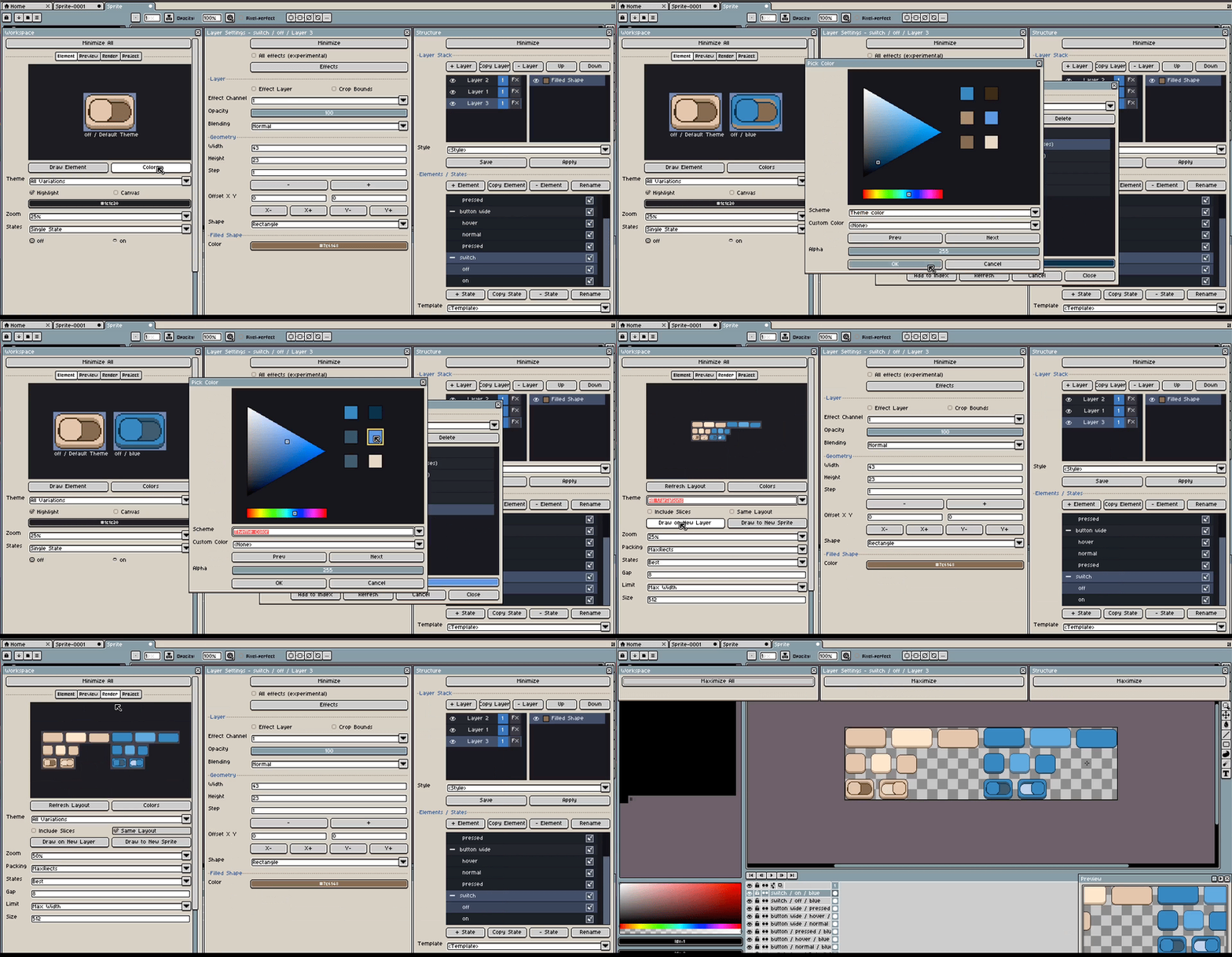
Still, here is a small example of color variation and spritesheet rendering:
That’s cool but what it is?
To keep it short, PixMold is a tool for creating and managing reusable pixel art UI elements inside Aseprite.
You can use it to:
- create UI elements, buttons, panels, slots, frames, switches, title plates or anything
- manage variations like normal, hover, pressed, disabled, etc.
- build each element with layers and effects
- keep everything organized by project
- preview elements inside simulated UI layouts;
- test different color variations
- render the result as sprites, or spritesheet outputs ready to use in a game engine
Is that actually useful?
For me, yes. I created PixMold because I was losing too much time working on the UI of my own game. Experimenting with different styles and colors for my UI elements was becoming slow and repetitive.
I wanted a way to start with fast placeholders, keep them editable, rework them later, try different styles and colors, and generate usable sprite sheets without rebuilding everything by hand every time.
But it is still in beta?
Yes. and that is also why the current price is low.
There are already many effects and workflows included, but some are still experimental. I could not realistically test every possible interaction between every effect, shape, source layer, preview, and render option before the first public release.
That said, the core workflow is usable, and I am already using PixMold on my own project.
The documentation is also still being completed. The Getting Started guide is available, but some advanced features are not fully documented yet.
Feedback is welcome
I would be especially interested in feedback from people who create game UI in Aseprite.
Even if you do not try the extension, feedback on the workflow, screenshots, documentation, or general idea would already be useful.
Thanks for checking it out!