Bonebase: rig, skin and animate a character base inside Aseprite
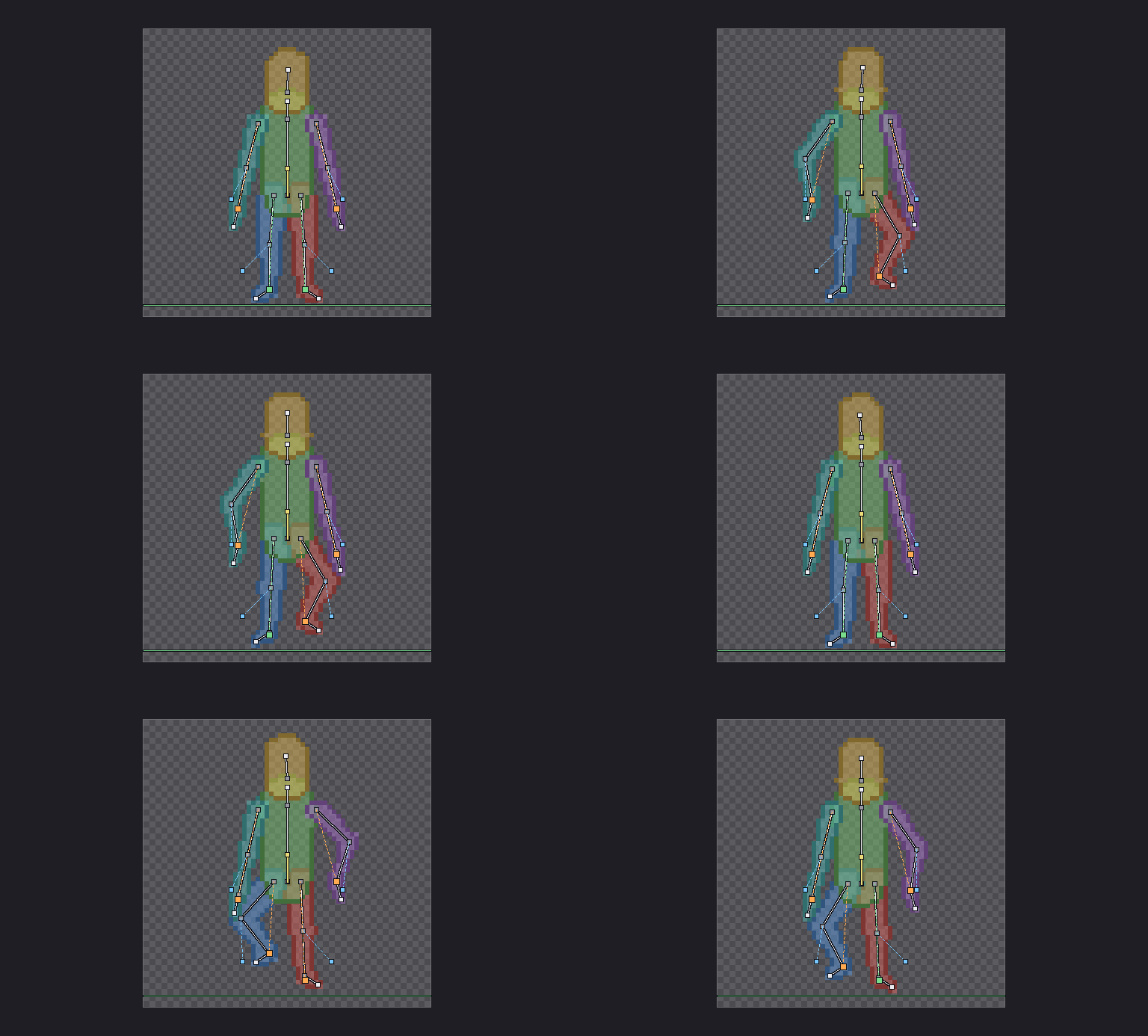
I can draw a character once. Animating it is where it falls apart: arms change length between frames, knees bend the wrong way, and by frame 8 it’s someone else. So I made Bonebase, an extension that does that part for me.
You build a skeleton, give it a rough body, animate it, and export it to your sprite as layers. Then you draw your character on top, frame by frame, over a base that already moves right.
Rig
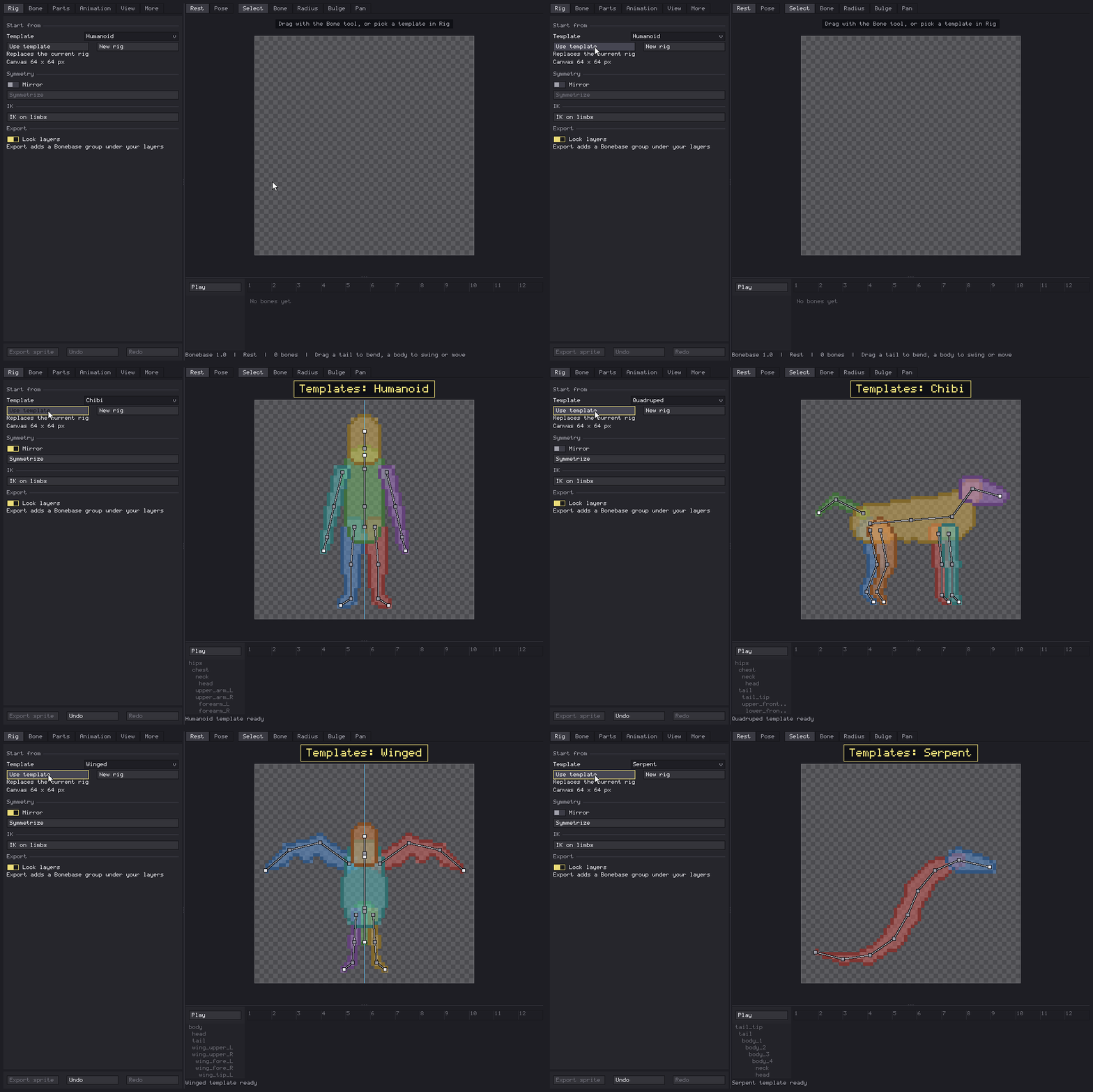
- Start from a template (Humanoid, Chibi, Quadruped, Winged, Serpent) or draw bones yourself.
- Mirror mode builds the other side while you work on one.
Skin
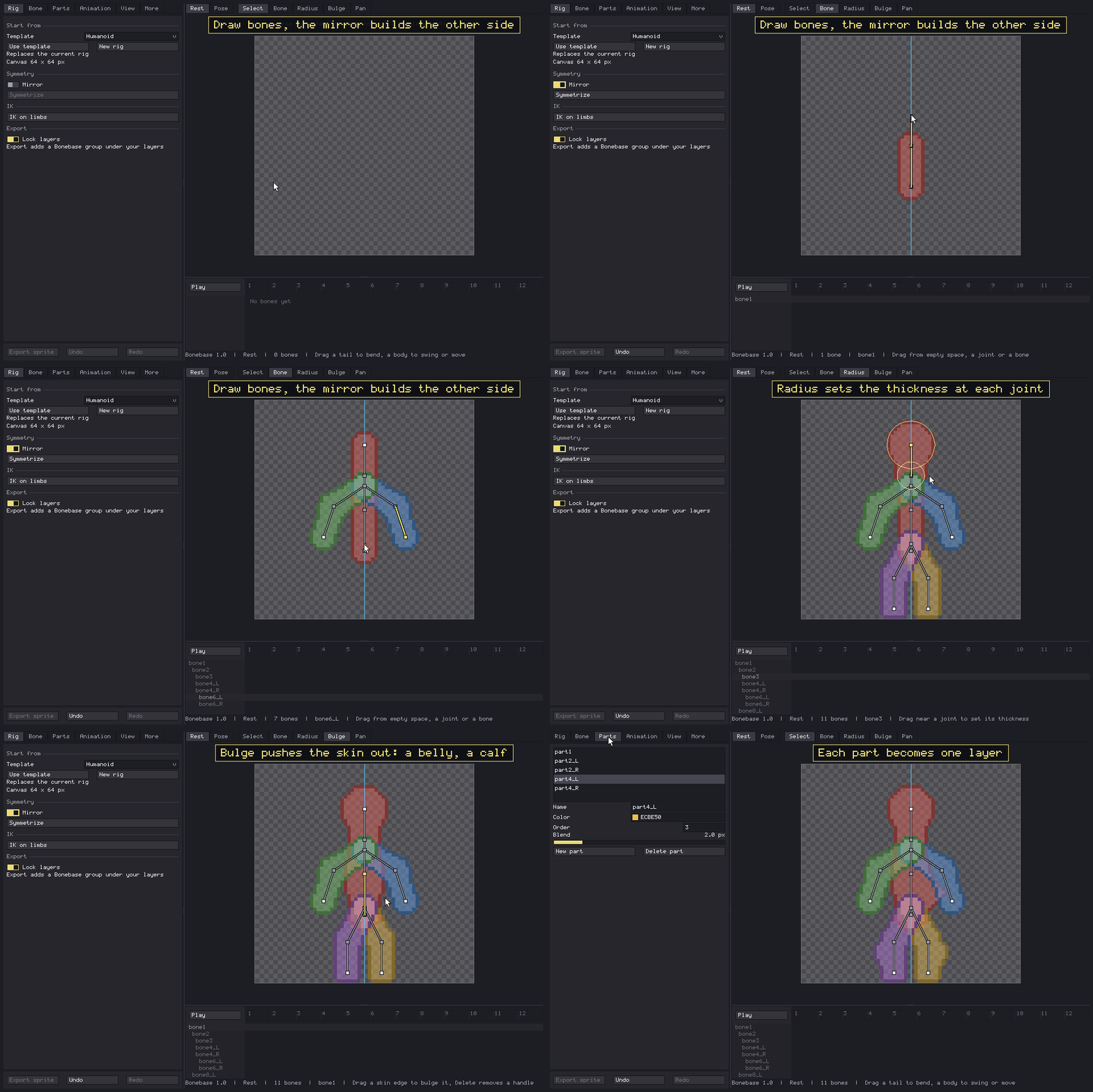
- The skin wraps the bones like a blob you shape: a radius per joint, and bulges for a belly, a calf or a muscle.
- Each body part becomes its own layer when you export.
Animate
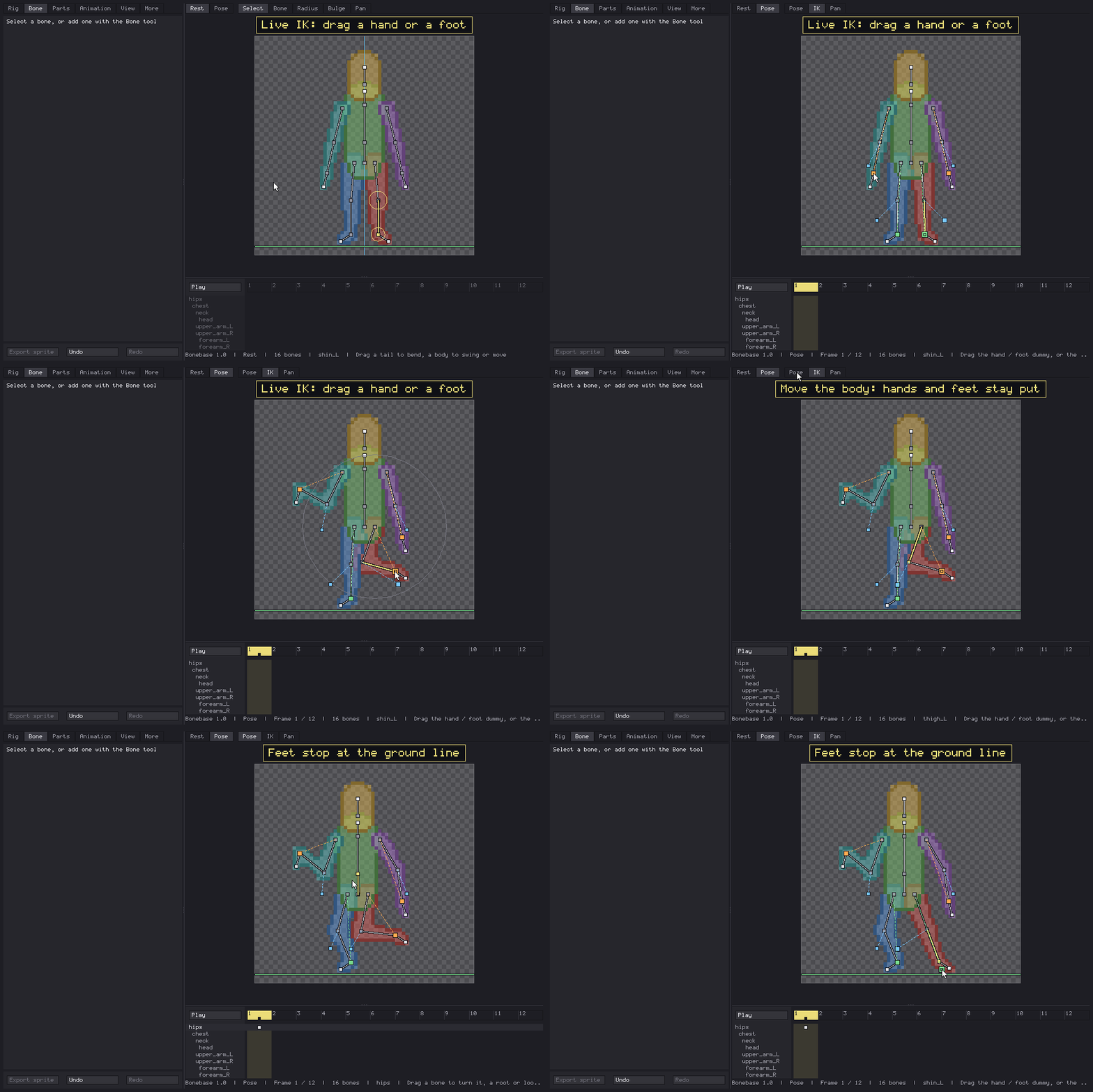
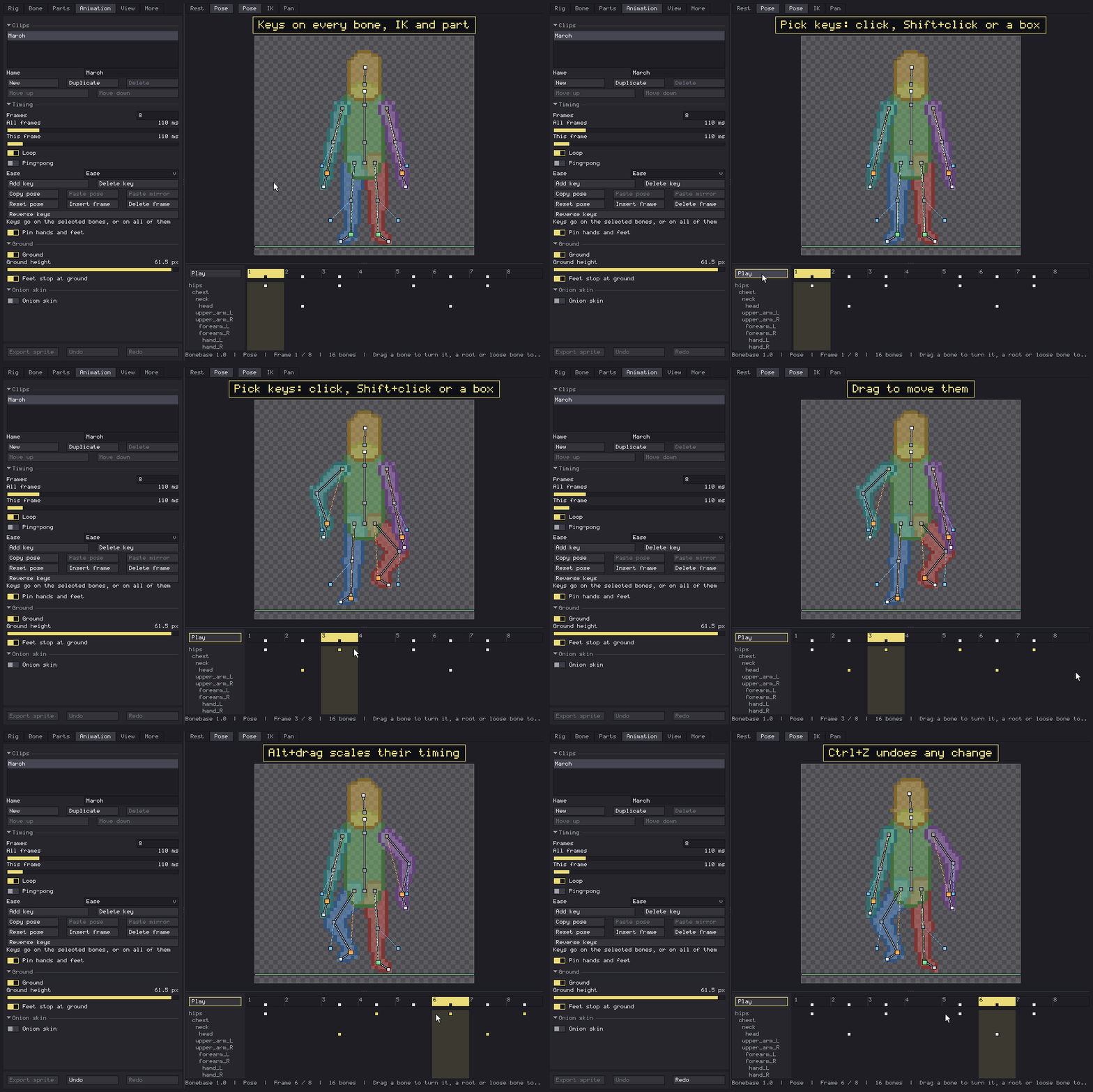
- Live IK on arms and legs: drag a hand or a foot, pick which way the elbow or knee bends, and feet stay planted when the hips move.
- A dope sheet, onion skin, several clips per rig, per-frame holds, ping-pong, eases, squash and stretch.
Draw over
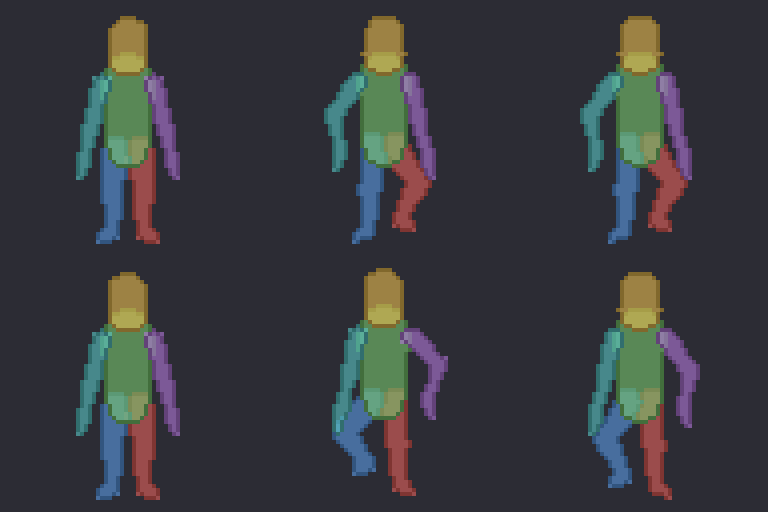
Export sprite adds a Bonebase group under your layers: one layer per part, one frame per animation frame, a tag per clip. Re-export any time; your own drawing is never touched, and the rig is saved inside the sprite.
More info, and the download: Bonebase by IceMaan
I’m adding something every week. Next up is reference images, so you can pose the rig over your own sketches. Questions and ideas are very welcome here.