An update to Go To to v2.0.0 was released - this update adds an extra dimension to the search capabilities - sprites. You can switch between open files as well as search within other open sprites. In addition, the results sorting algorithm has been modified to show the ones most similar to the user input first.
Changes:
[Feature] Allow searching for open sprites by their filename
[Feature] Allow searching for layers and tags within all open files
[Improvement] Improve sorting of the search results
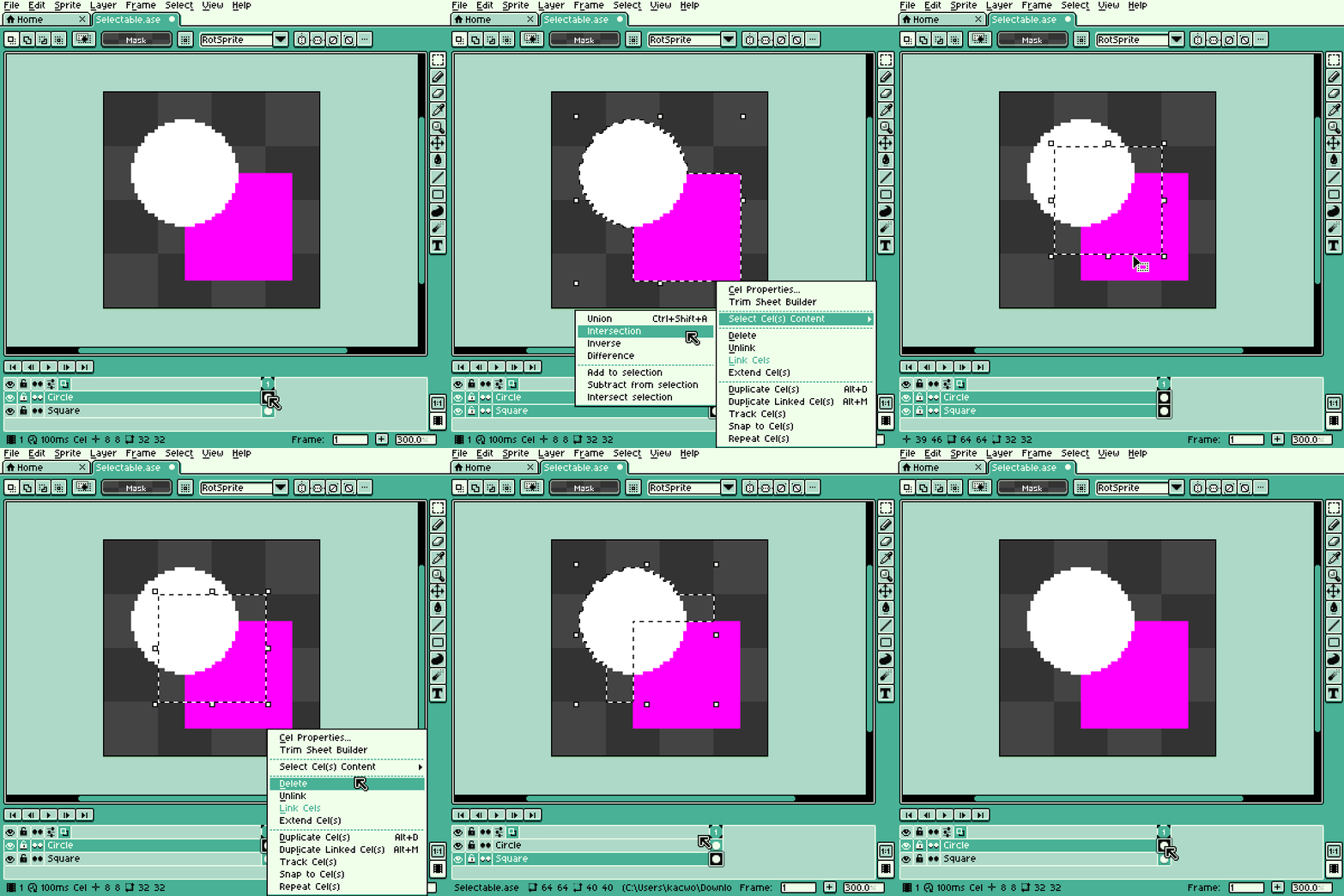
An update for Select Content to v2.0.0 was released.
Changes:
[Feature] Add new menu options for the cels context menu (accessible from the timeline) - “Select Cel(s) Content” (for Aseprite versions older than v1.3-rc2 it will appear as a single option)
[Feature] Add new content selection options for selecting an intersection, **complement **and difference of selected cels content (only for Aseprite v1.3-rc2 or newer)
An update for Center Image to v2.2.0 was released, I’m always shocked there’s more to add to this extension but here we are
This time the extension gets a handful of very useful options that should allow everyone to tweak it’s behaviour to their own use case. Alongside these I finally fixed the weighted center calculations, this will be especially impactful when centering images made out of multiple spaced out objects separated by transparency.
Changes:
[Fix] Weighted center of an image is now calculated correctly
[Fix] Centering an image will now display correctly as “Center” in the Undo History
[Improvement] Centering an image now displays a tooltip “Image centered”
[Improvement] Added new options for the extension under Edit > Center > Options, these include: cutting out or moving pixels outside selection, calculating a weighted center of a selection and ignoring solid Backgrounds Color pixels (thanks to Evidently Cube for the suggestion that inspired the last one)
An update for Playback Shortcuts to v1.1.0 was released.
Changes:
[Feature] Add a new “Sequence Randomized” playback option which plays the user-defined sequence of tags in a random order
[Improvement] Add separate commands for sequence and randomized sequence playbacks with default keyboard shortcuts (Alt+Enter and Alt+Shift+Enter respectively)