Download Link: Color Swap by CarbsCode
Announcement Video: https://youtu.be/esQa17X6vyY
Full Overview & How To Use Video: https://youtu.be/esQa17X6vyY
Color Swap is an extension for Aseprite that makes replacing multiple colors and even exporting your color swaps much faster. You’ll be able to create, save and edit color sets for later use as well. Saving heaps of time!
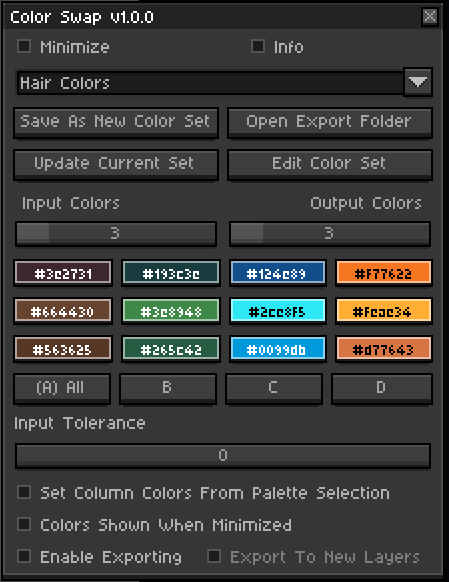
Requires Aseprite version 1.3.14 or newer.
This tool was created in collaboration with a few of our amazing pixel artist friendos. Lesma_Pixels as well as Seaoaur and Admuirn all had amazing ideas and input on this one!
The character featured below in the gifs and in the videos I created are from Lesma’s file that she let me barrow to test things out which is super appreciated 
Features:
Replacing Multiple Colors
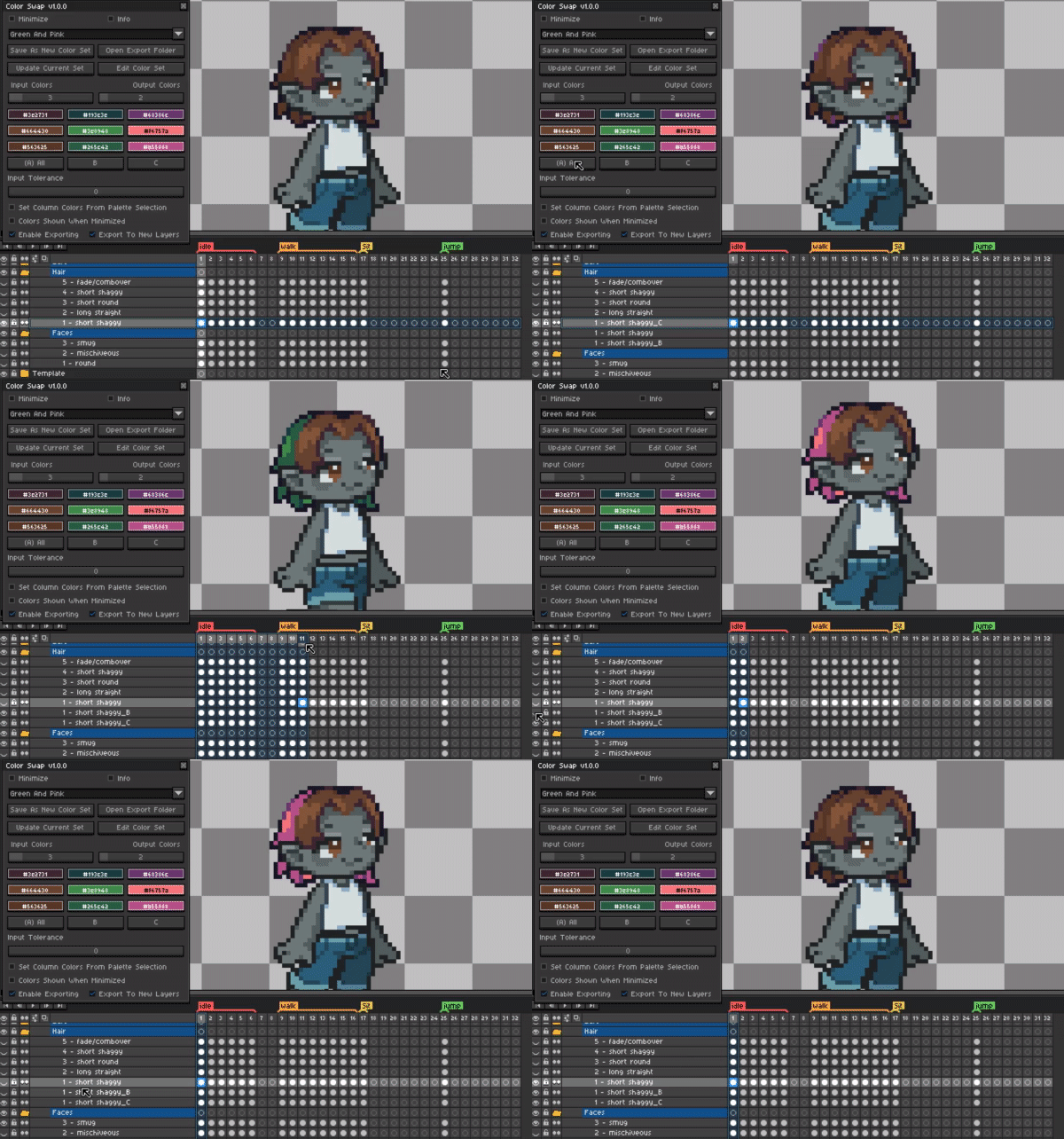
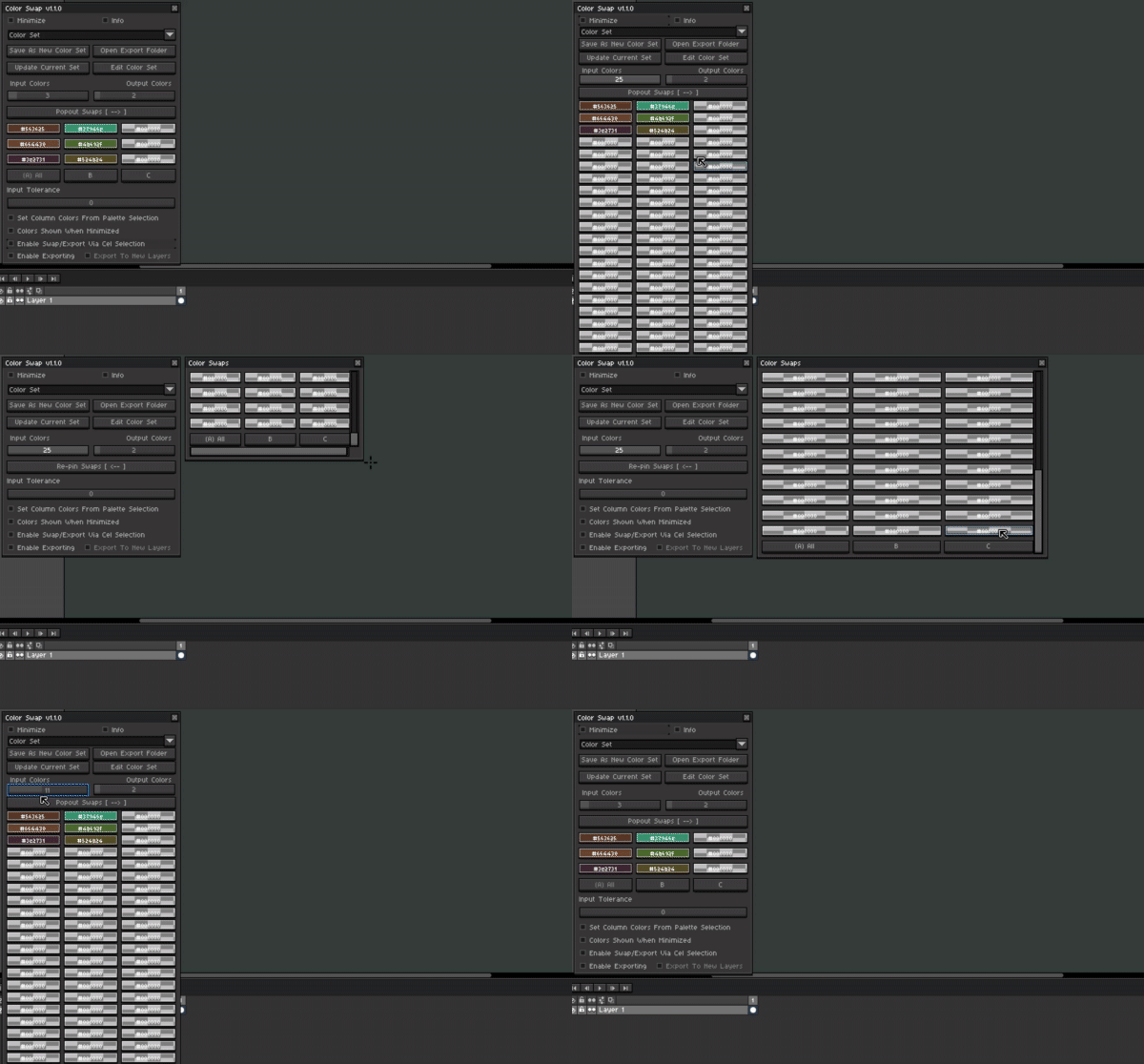
Pressing the A/All button will perform each swap from column A to B, C, D and so on. Swapping up to 16 colors at a time and up to 16 variations (B thru P) per color input.
Example when [ A / All ] is pressed:
A1 -> B1
A2 -> B2
A3 -> B3
Export (optional)
A1 -> C1
A2 -> C2
A3 -> C3
Export (optional)
and so on for each of the color columns.
Single Column Swap / Export
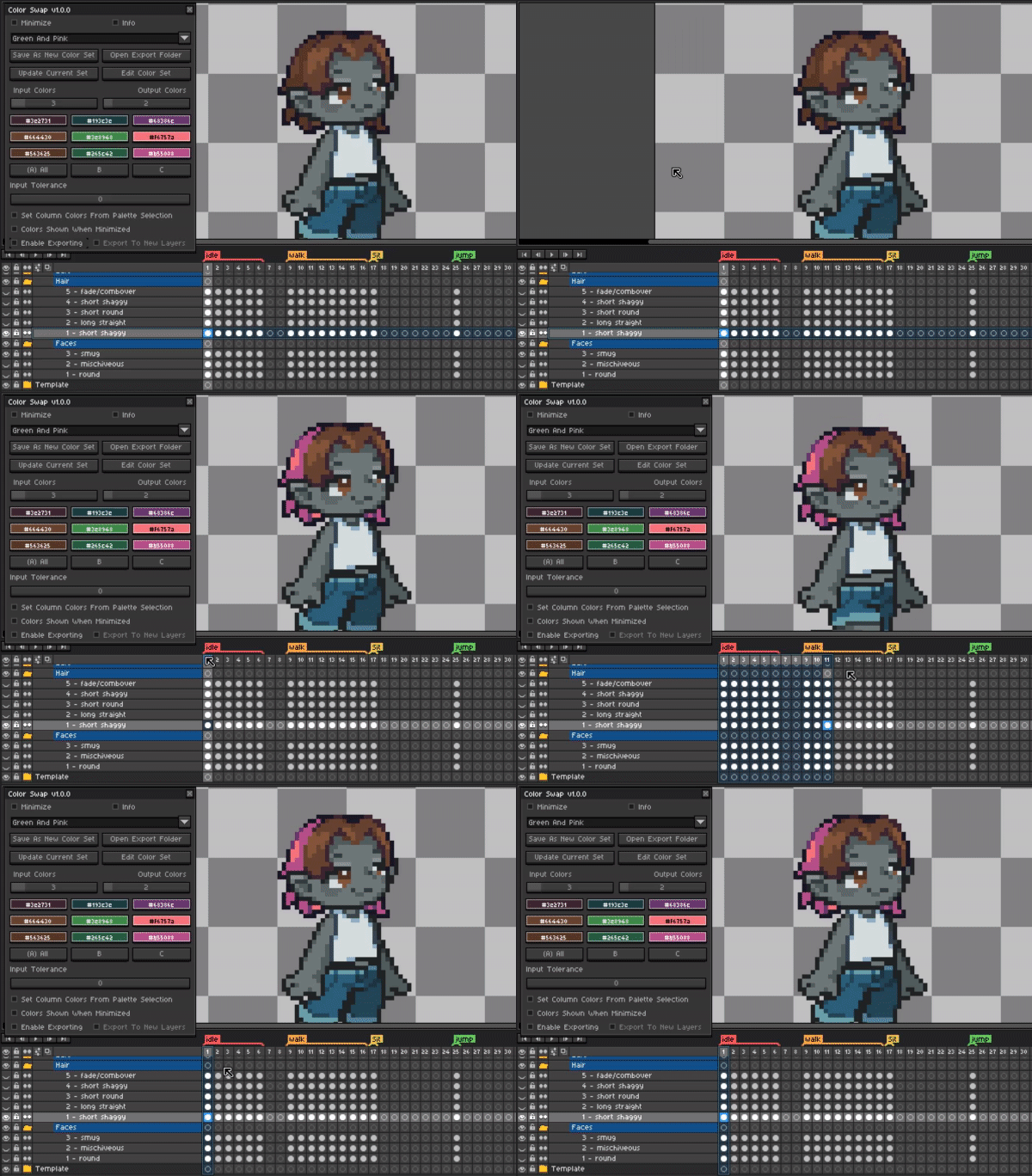
When pressing the individual column buttons (B C D etc.) Color Swap will only swap the colors from A to the output pressed. If export is not enabled this will simply perform the swap.
Example when [ C ] is pressed:
A1 -> C1
A2 -> C2
A3 -> C3
Export (optional)
Only this column pressed will swap and/or export.
Single Layer & Group Support
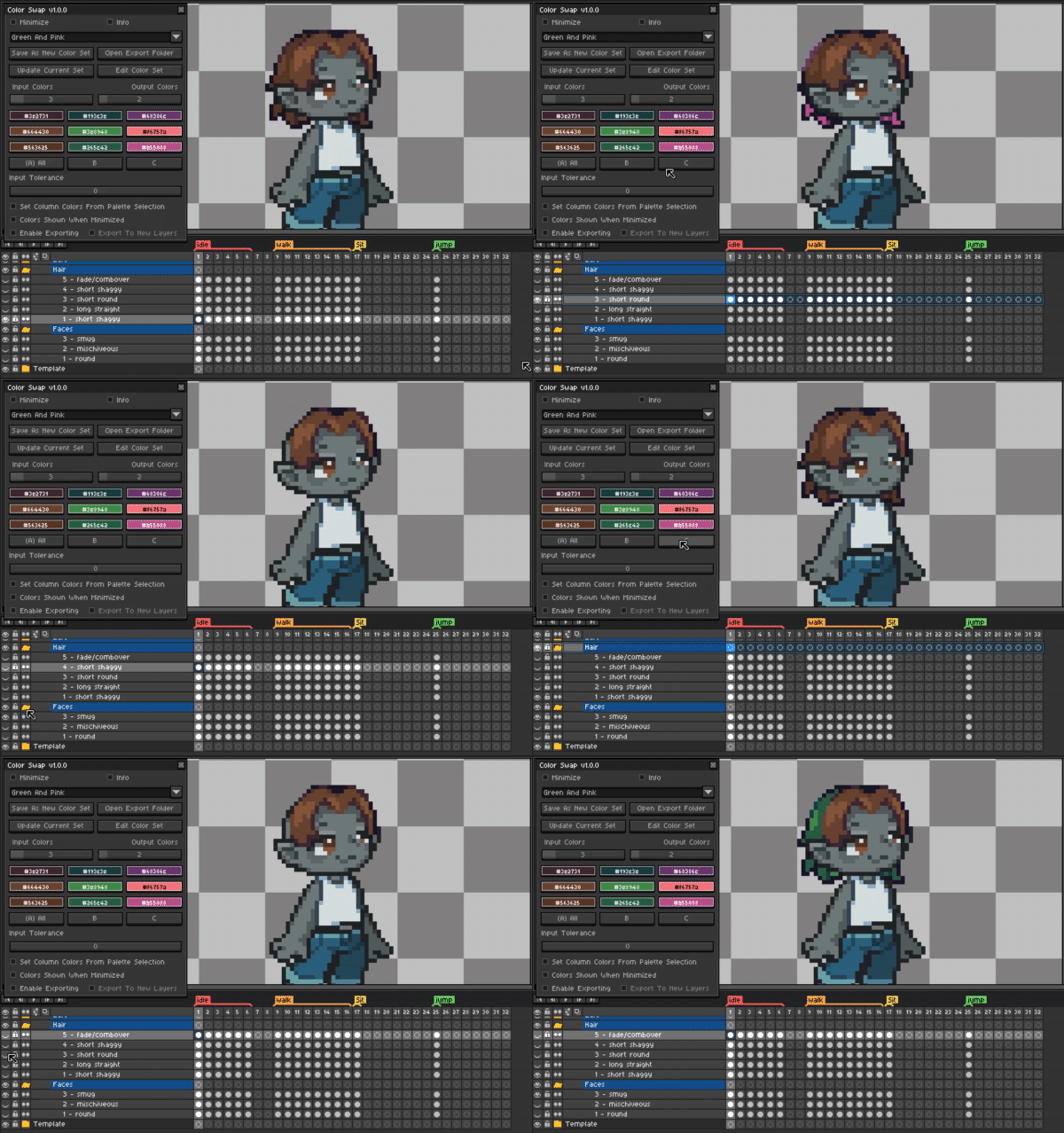
Selecting a single layer or even a group of layers Color Swap will progress though each layer and perform your color swaps.
Exporting To Sprite Sheet
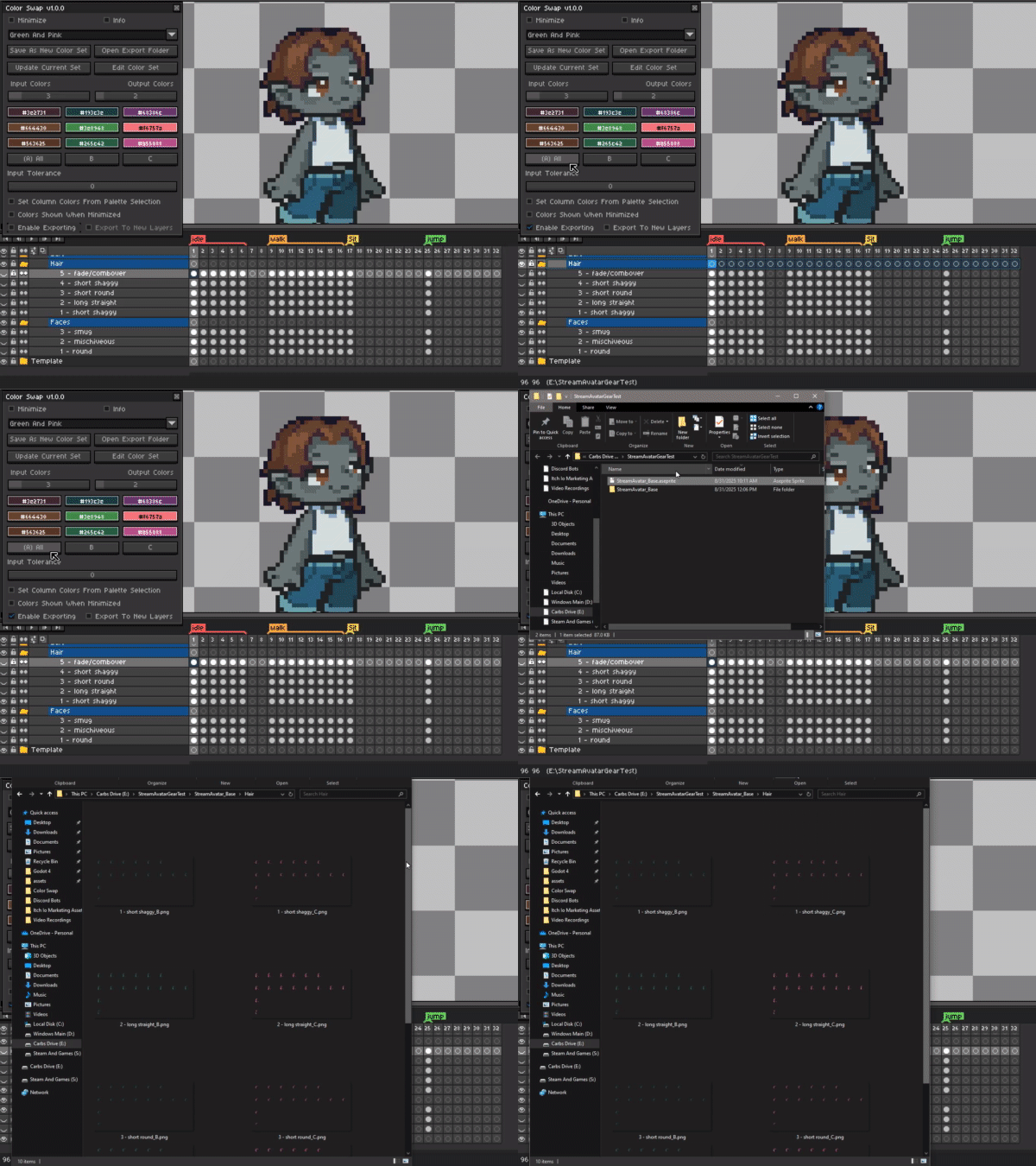
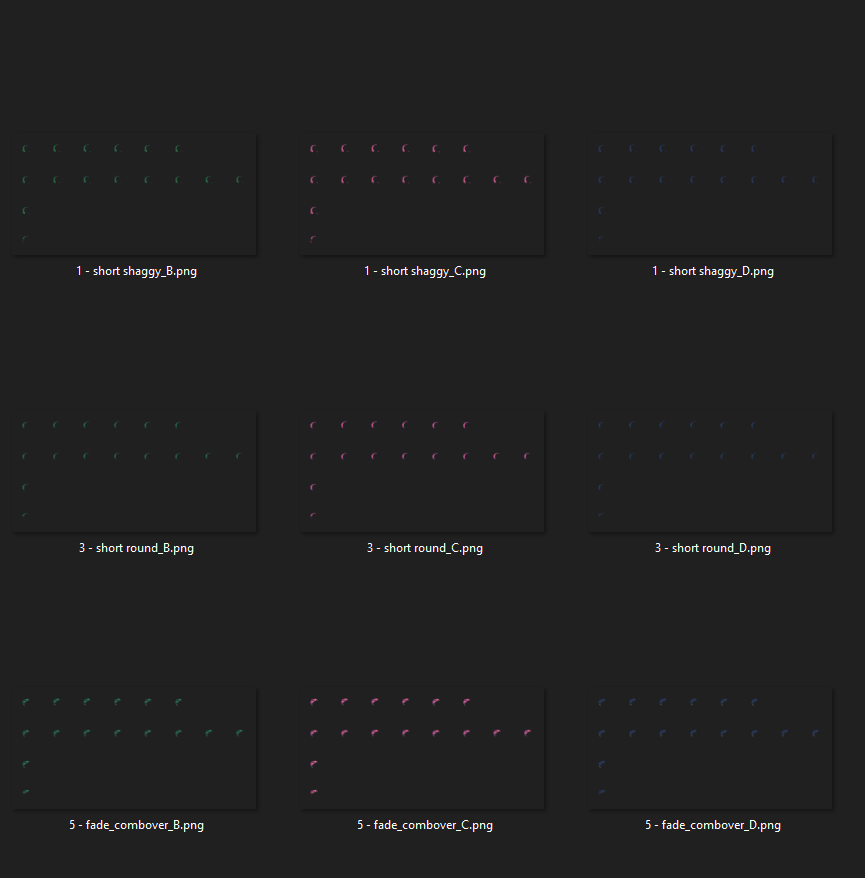
Color Swap can export to a sprite sheet when swapping your multiple colors. Each column will be saved in it’s own sprite sheet and have the suffix B C D etc.
Export To New Layers
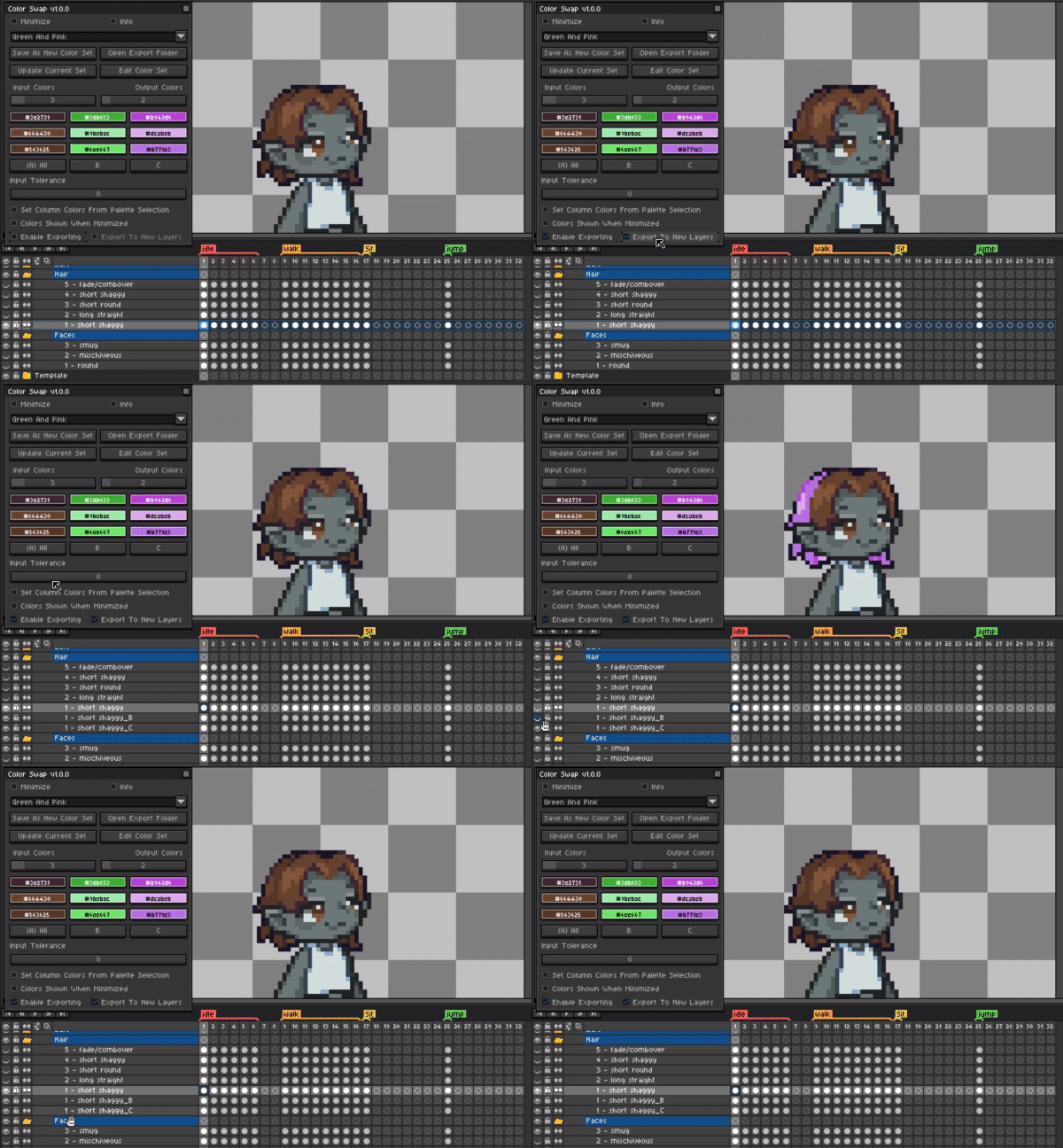
Color Swap can also export to new layers instead of to a sprite sheet. This could be handy if you would like to export the images yourself later on. Shoutout to Admurin for requesting this feature.
Selecting Your Colors:
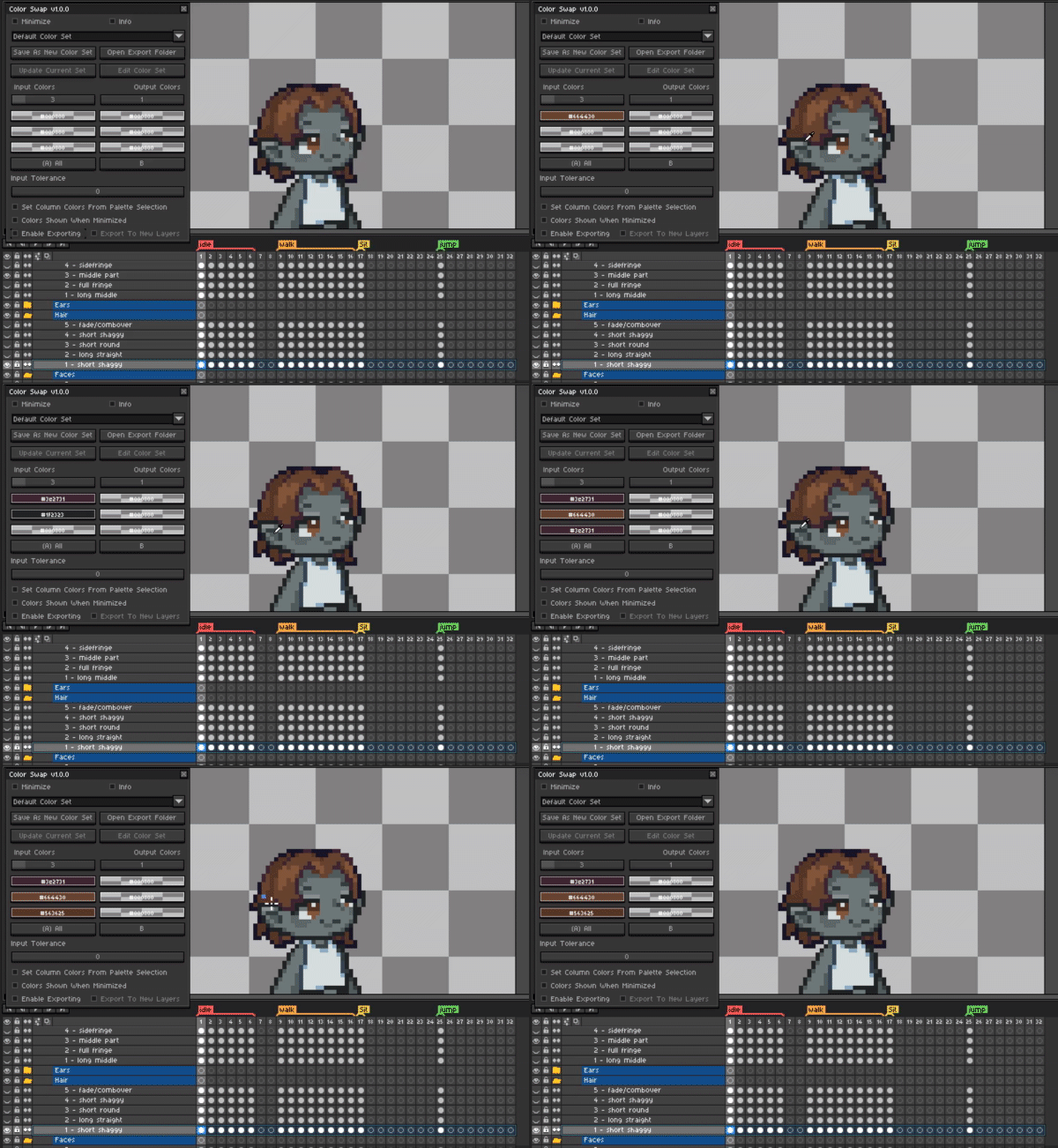
To select your colors for inputs and outputs simply drag from the color selector boxes to eyedrop a color from the canvas or color palette.
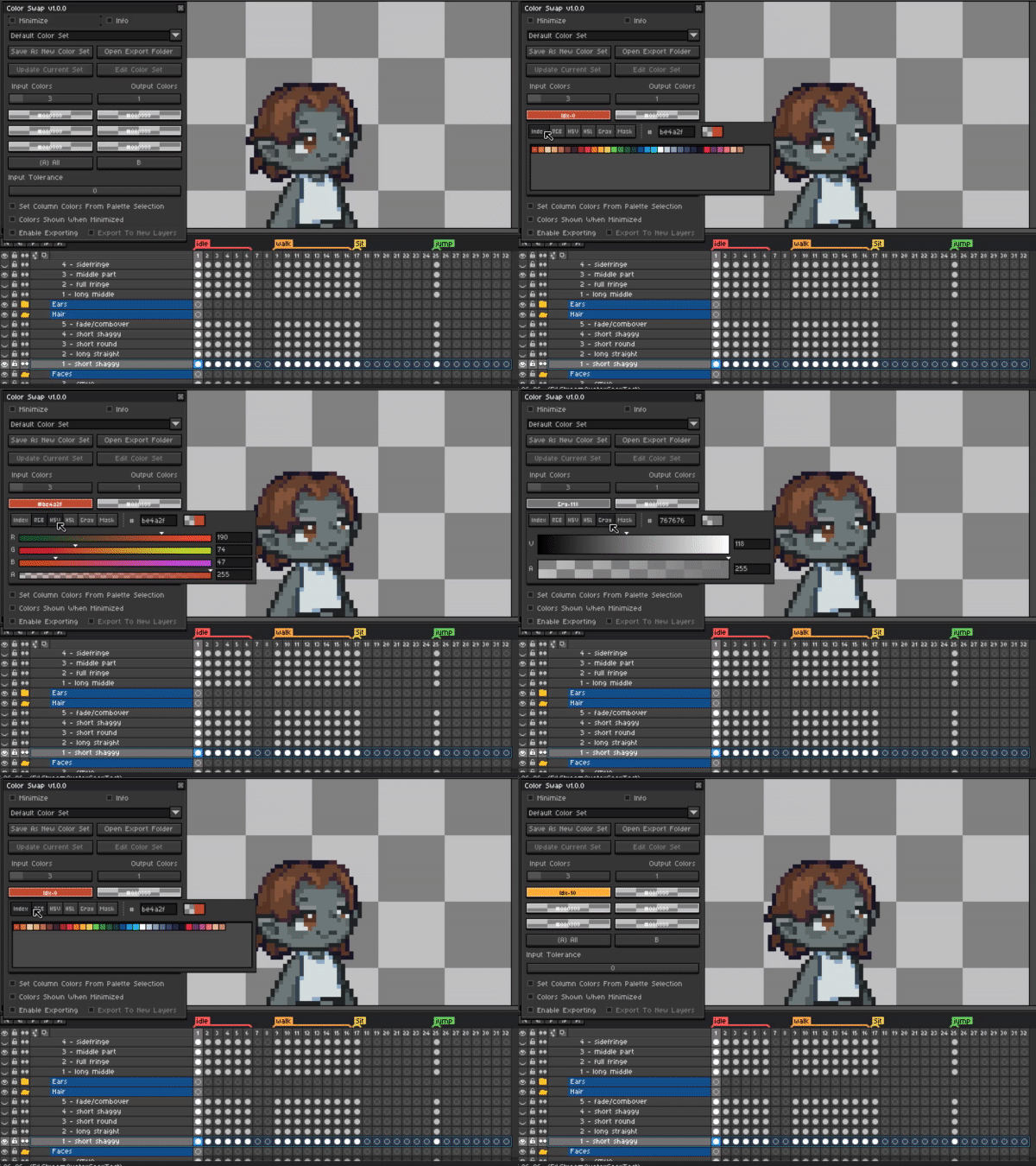
Colors can also be selected by left clicking on the color selector boxes as well to bring up the popup which has more controls such as RGB, HSV and Grayscale sliders.
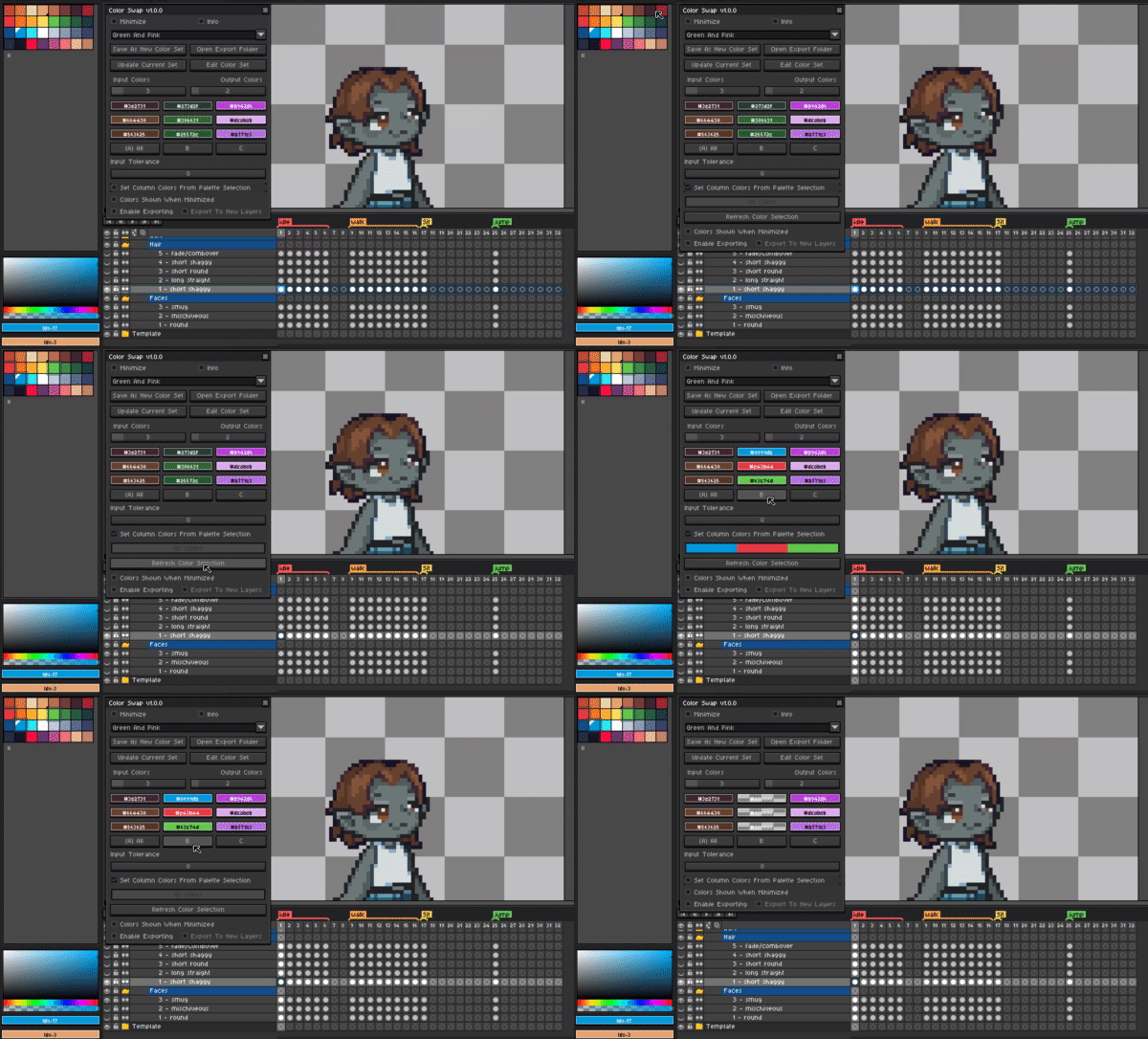
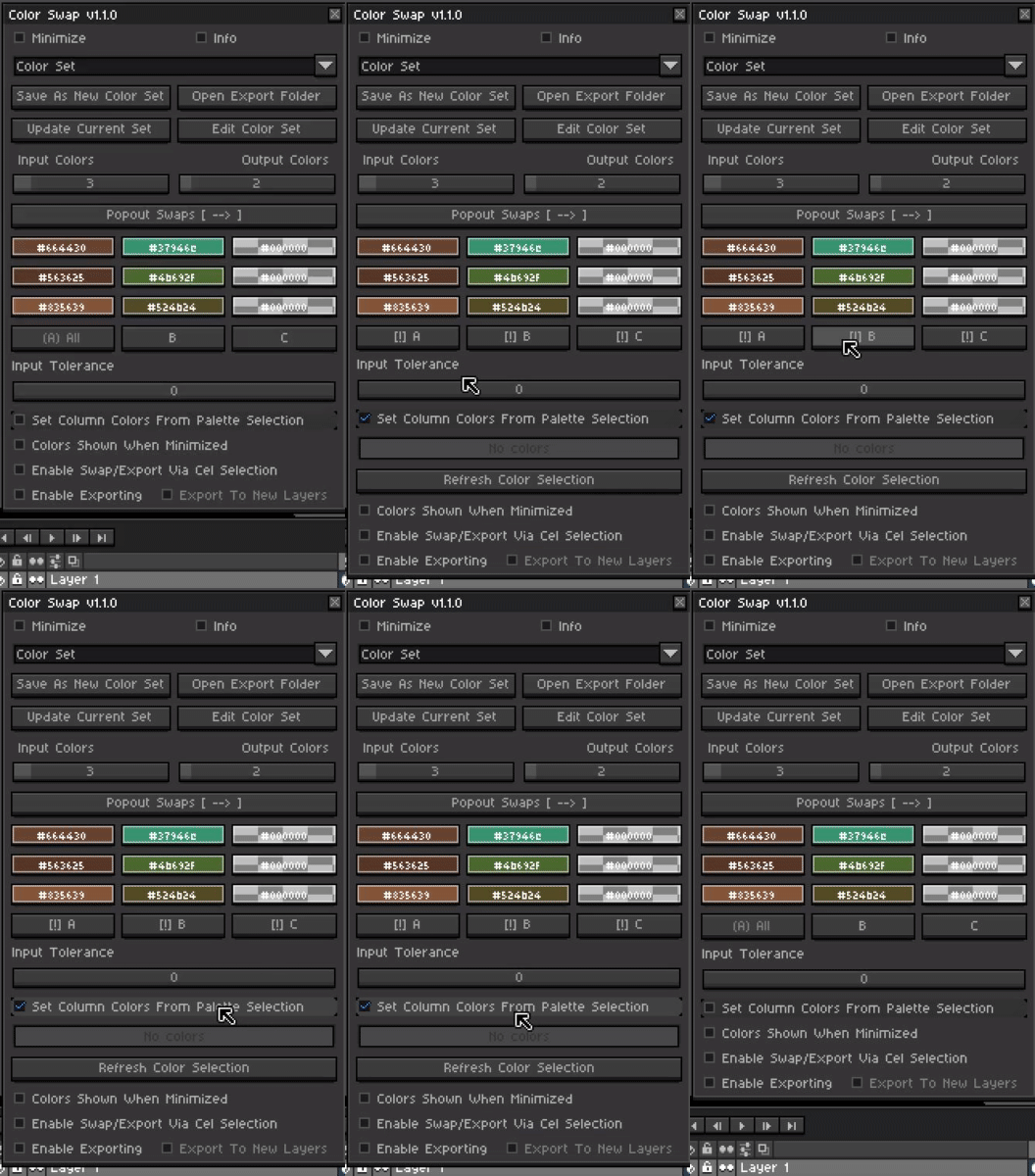
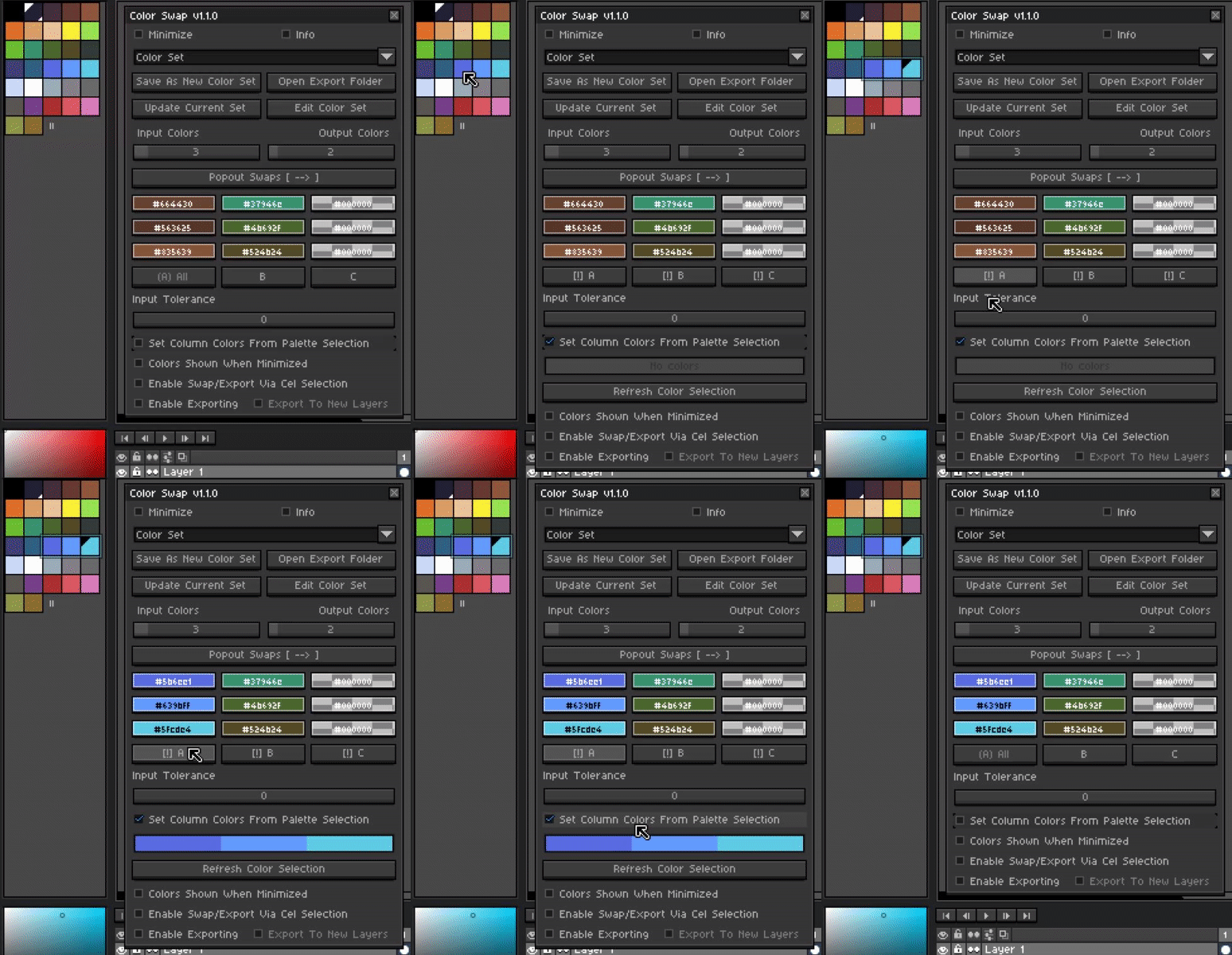
Colors can also be selected using multiple colors from the palette. While Set Column Colors From Palette Selection is enabled, simply hold control (Ctrl) and left click each color in the palette.
Colors can be reordered or removed by clicking and dragging them in the provided shades widget just below this toggle. Finally click on the column letter you would like to set the colors in.
If no color is set this will reset all colors in the selected column back to the mask color.
Minimizing Color Swap
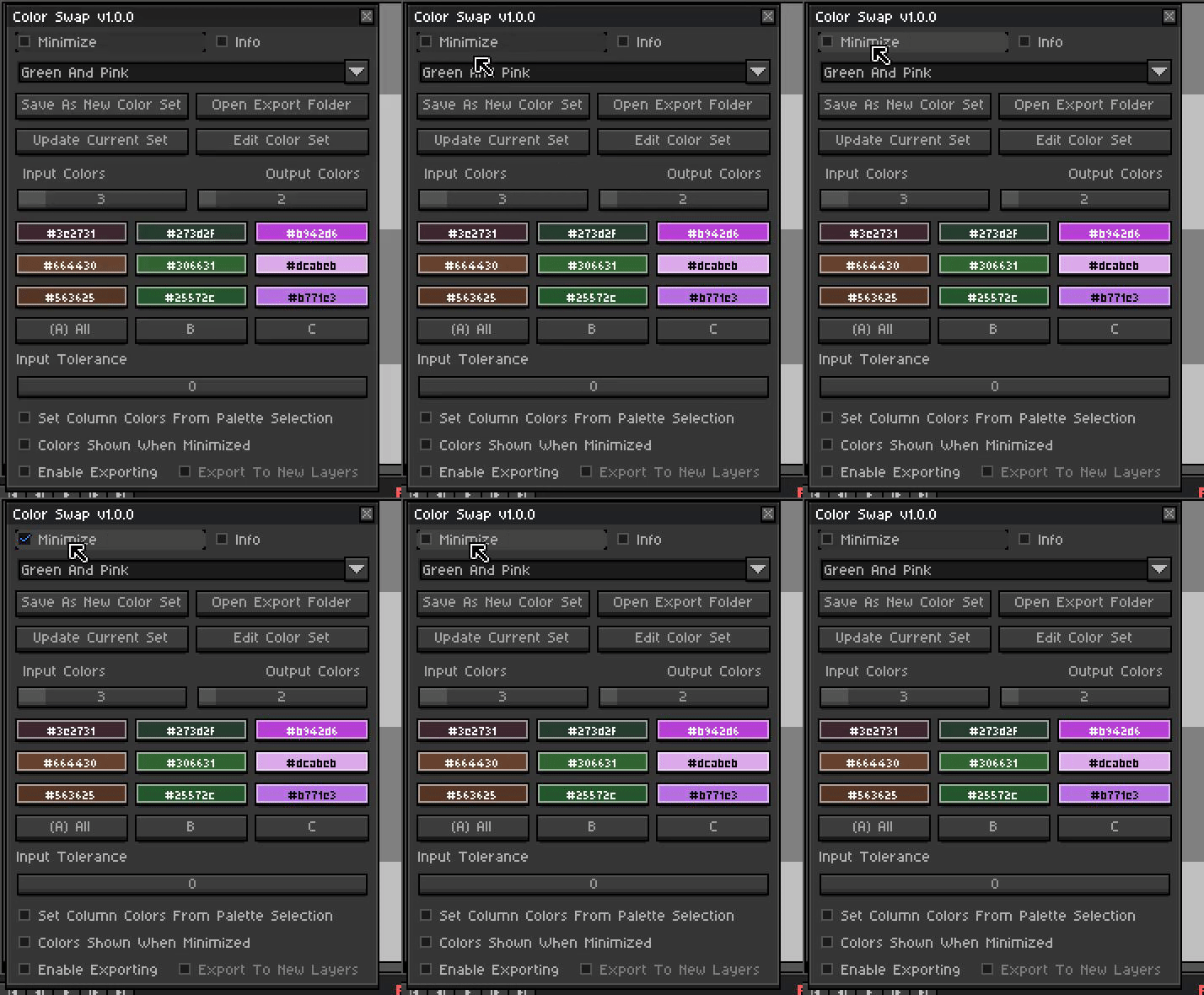
There are two different options when minimizing Color Swap. The first is completely minimizing which keeps the tool open while reducing and saving space on the screen.
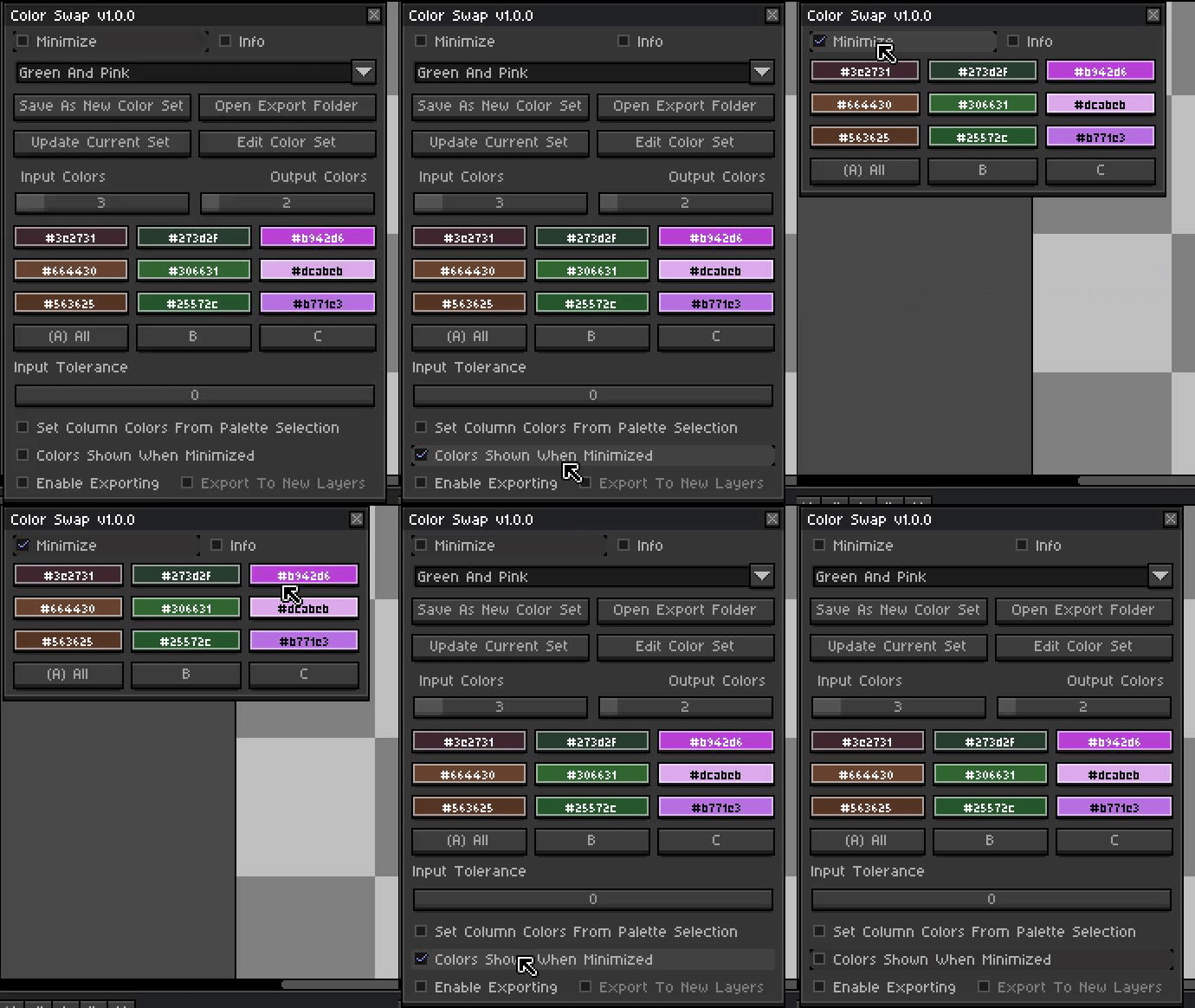
The second and perhaps more useful is minimizing the tool while keeping the color selectors and column buttons shown. This will hide all settings while keeping the colors ready to select or perform swaps.
Color Sets
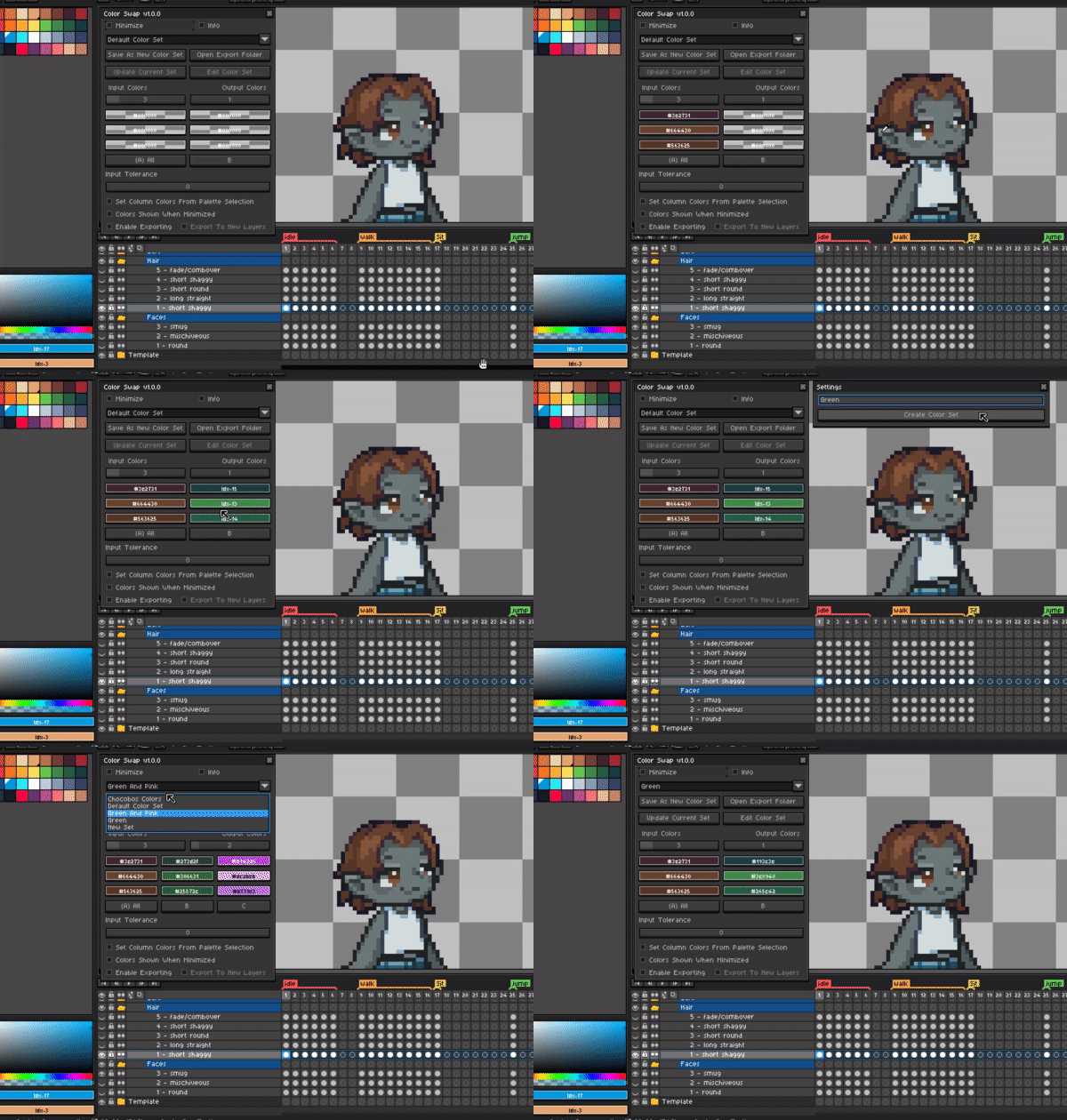
A set of color swaps can be saved by creating a color set. This set will contain all input and output colors and can be selected in the dropdown at the top of the tool.
Edit Color Sets
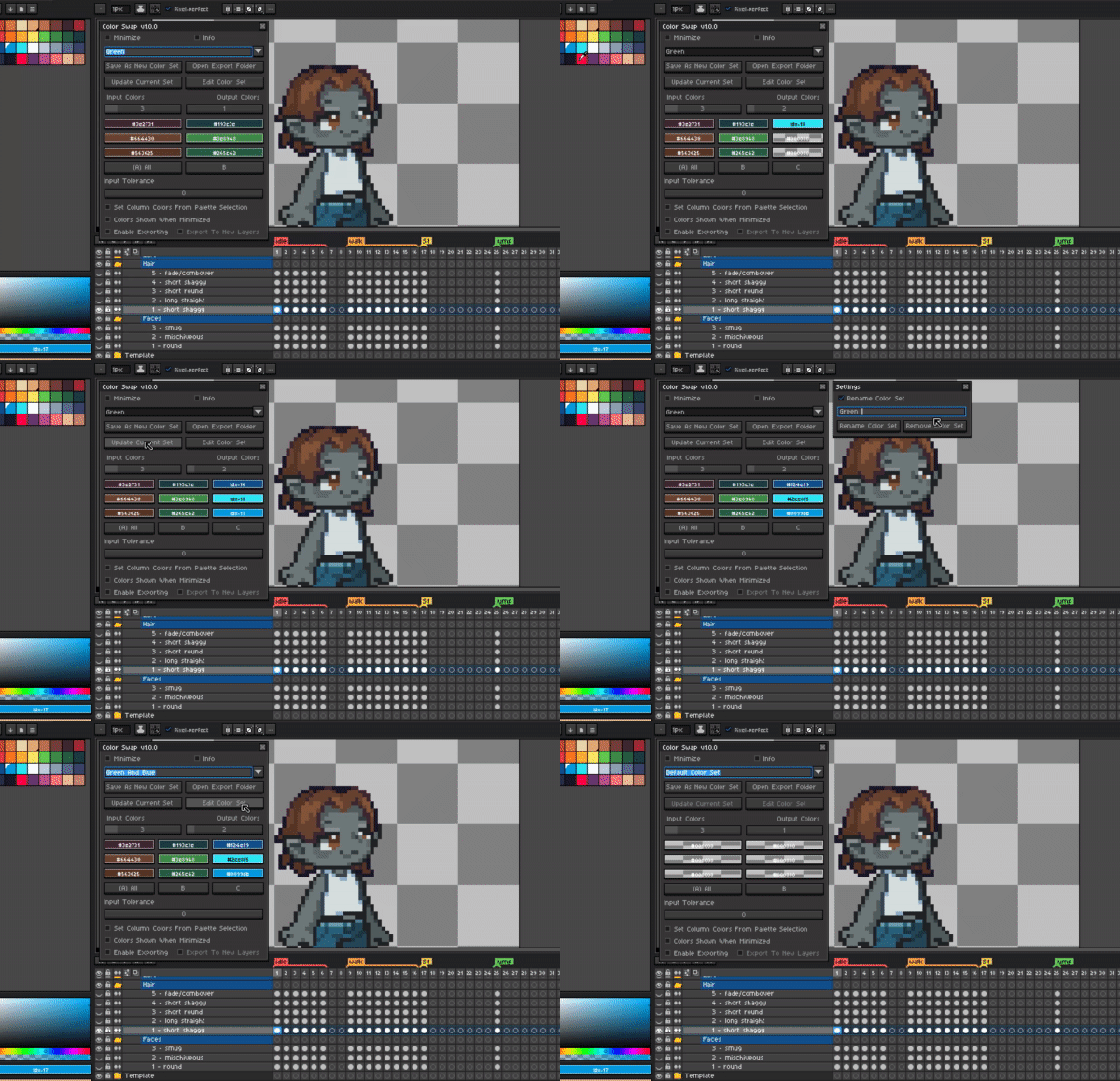
Color sets can be updated, renamed and even removed in the edit color set menu.
A Note About Custom Settings:
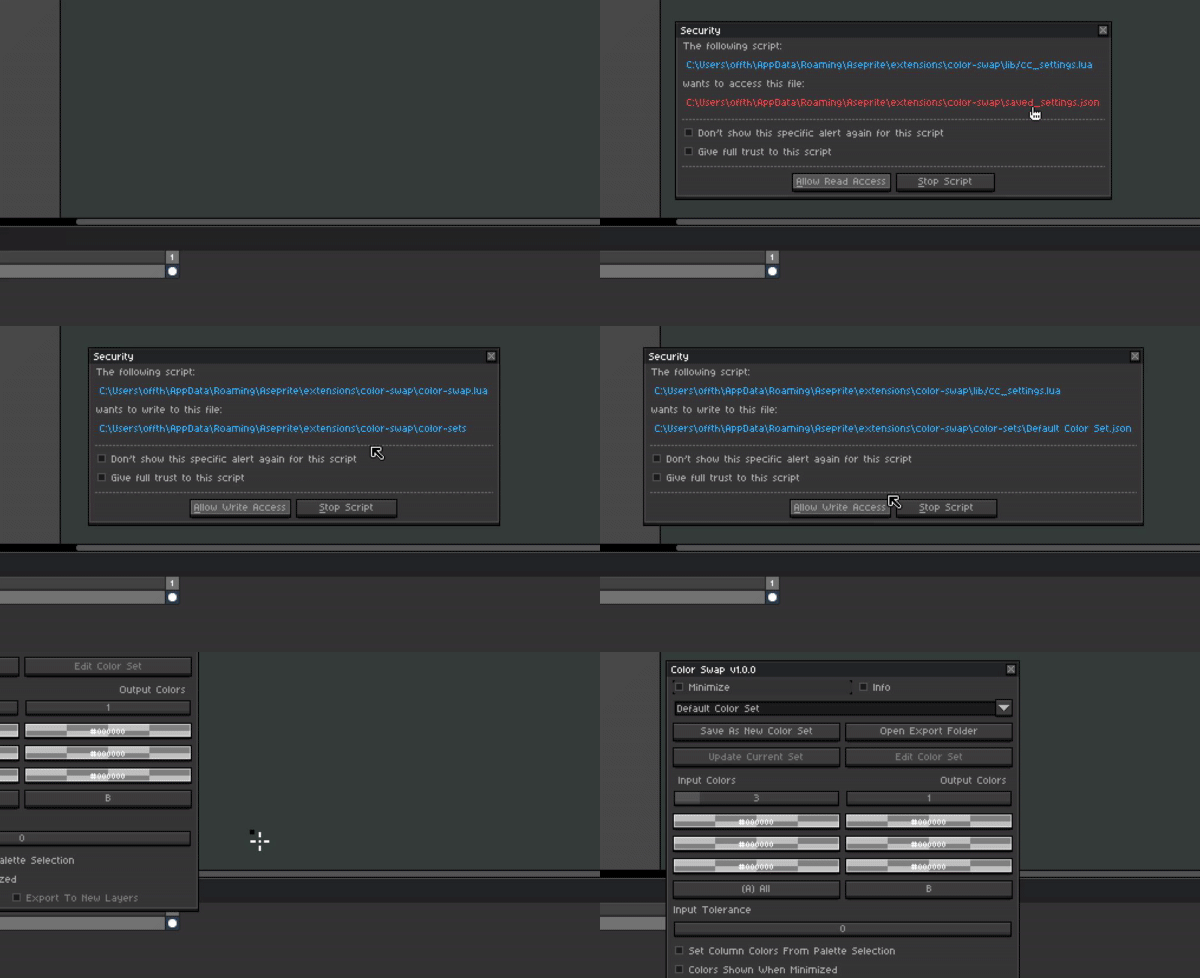
Please note:
[Allow Read Access] and [Allow Write Access] to saved_settings.json is required to save the color sets and options, This is part of a custom save system Carbs has put together to ensure more reliable and instant saving/loading of settings.
It is recommended to click “Don’t show this specific alert again for this script” when prompted so that the alert is not shown each time you save and load.
If “Stop Script” is pressed to the tool will BREAK Aseprite will need to be restarted before being able to use again so just keep this in mind.
Download Link: Color Swap by CarbsCode
Announcement Video: https://youtu.be/esQa17X6vyY
Full Overview & How To Use Video: https://youtu.be/esQa17X6vyY


 Requested by mrbrownjeremy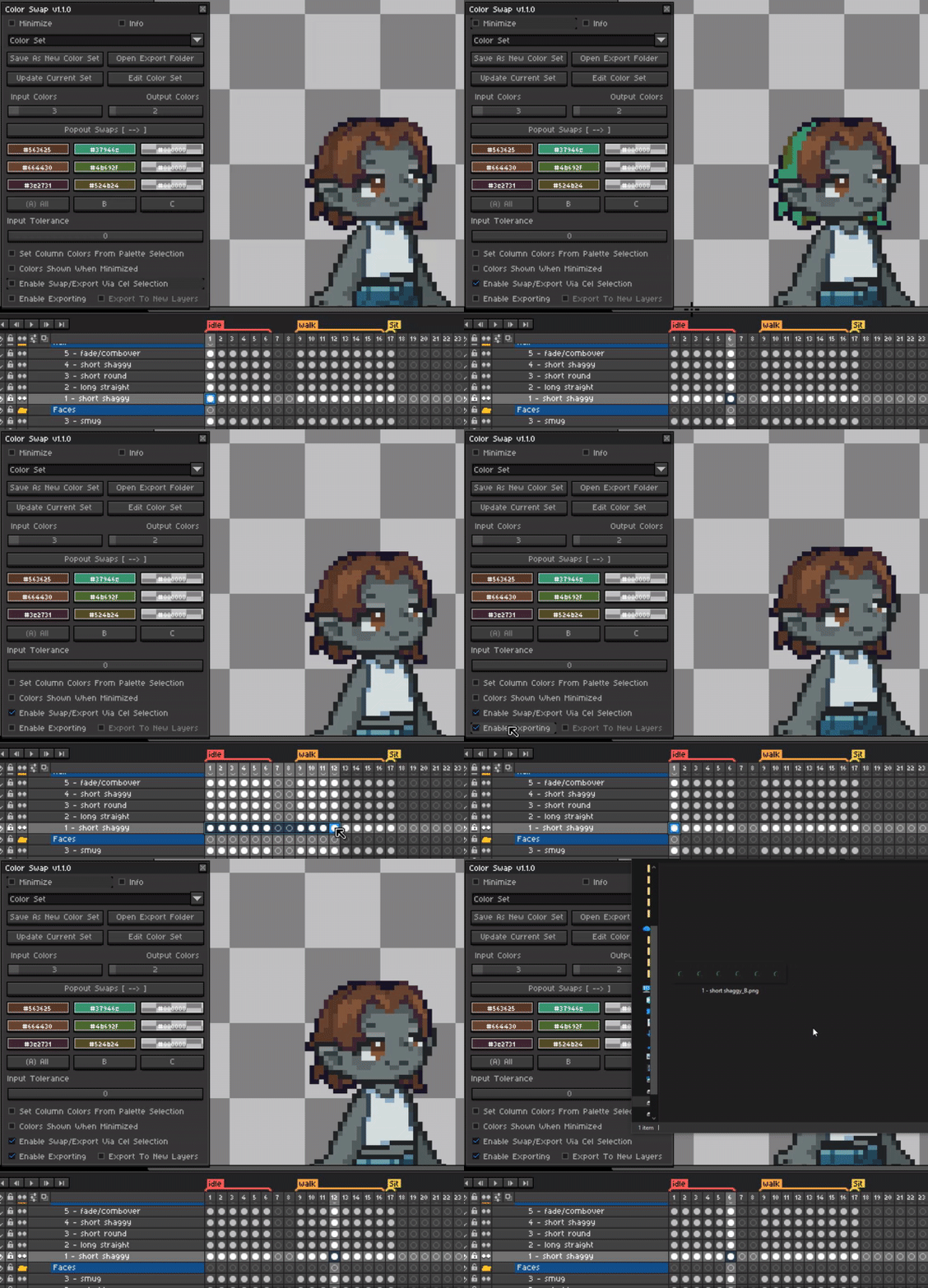
 Thanks as always for your continued support