Gentree - Procedurally generates trees and foliage in Aseprite - Download 
Gentree is an Aseprite extension that procedurally generates pixel art trees and foliage using customizable parameters and presets (No AI).
It’s designed to help you quickly create natural‑looking trees, forests, and vegetation for pixel‑art environments, tilesets, and game assets, while still keeping the process artist‑driven and editable.
Includes ready‑to‑use presets for fast iteration, plus a Forest Mode for generating multiple trees at once.
Quick Start
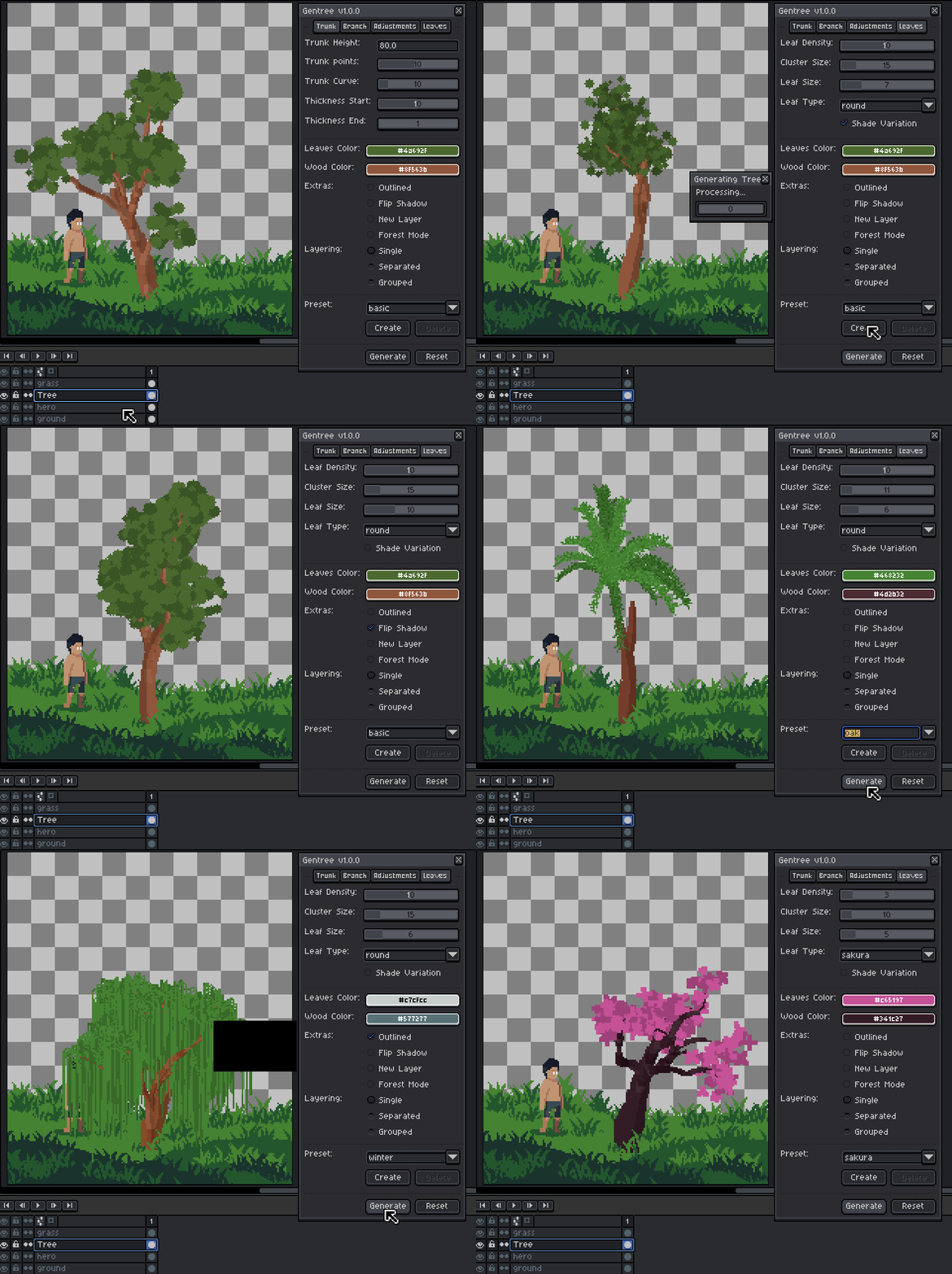
- Open Gentree: Go to Edit > Gentree in aseprite’s top menu.
- Select a layer (important for Single Layer mode)
- Select any tree from the preset.
- Click Generate
- Tweak values and regenerate until satisfied
You can also make a small selection to control where the tree is generated.
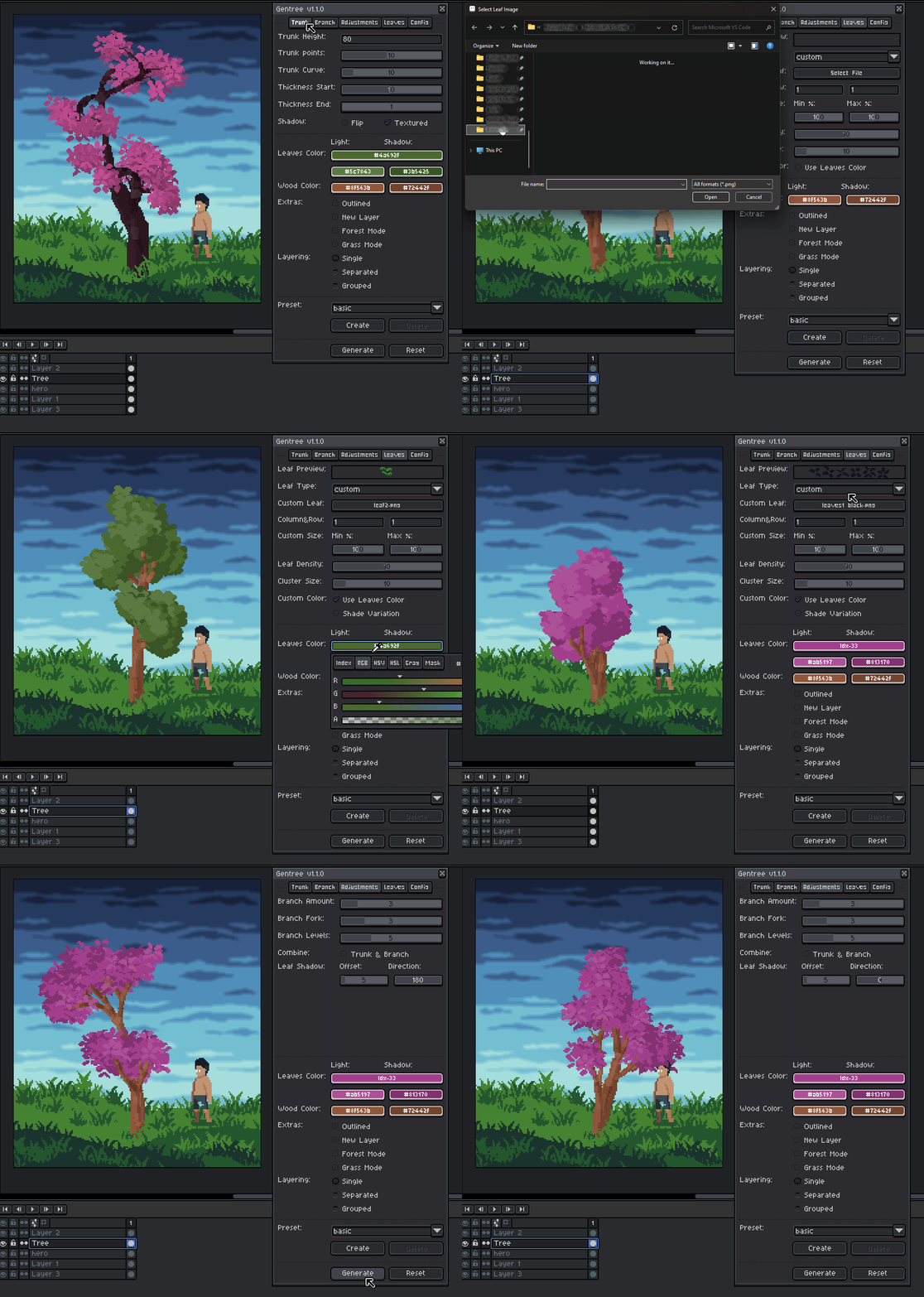
Trunk and Branch Tab
Controls the overall shape, thickness, and curvature of the trunk and branches.
- Trunk Height - Overall height of the main trunk.
- Branch Length - Average length of each branch.
- Trunk/Branch Points - Number of points used to form each path.
- Higher values produce smoother, more natural curves.
- Trunk/Branch Curve - Controls how much the trunk or branch bends.
- Thickness Start / End - Controls tapering from base to top.
- Flip Shadow - Flips the light/shadow direction of trunk.
- Trunk Textured - Adds bark-like lines to the trunk.
Structure & Complexity
Controls how dense and complex the tree becomes.
- Branch Amount - Number of branches on the trunk.
- Branch Fork - How often branches split.
- Branch Levels - Maximum recursion depth (tree complexity).
- Combine Trunk & Branch - Merges branch and trunk into the same layer.
- Offset & Direction - Controls the offset & direction of leaf highlights and shadow
High depth + high branch amount can get dense fast.
Leaves Tab
Controls leaf placement and style.
- Leaf Density - Number of leaf clumps.
- Cluster Size - Radius of each leaf cluster.
- Leaf Size - Size of individual leaves.
- Leaf Type - Shape used for leaves (round, triangle, etc.).
- Shade Variation - Adds subtle color variation for depth.
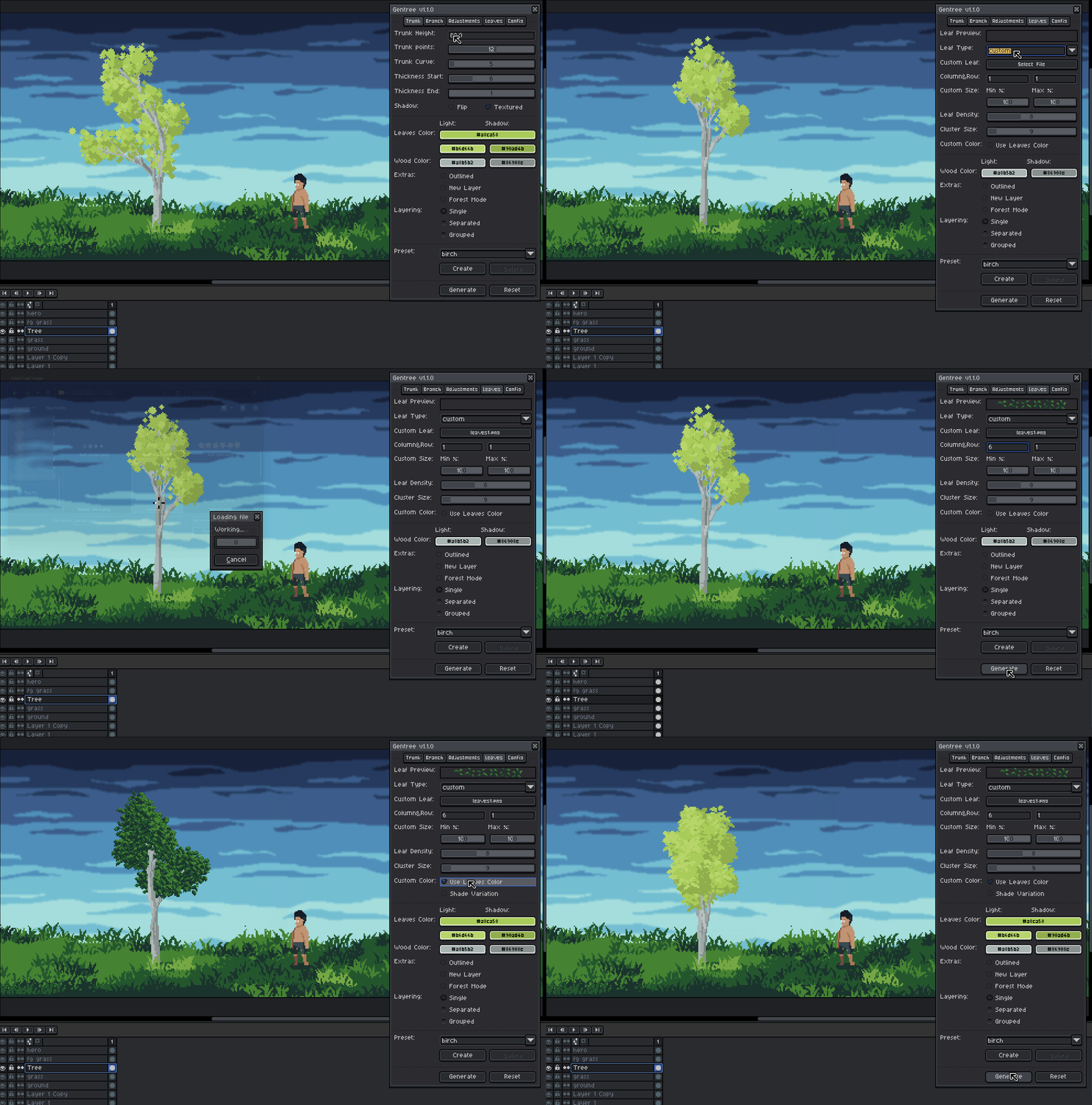
- Custom Leaf Type Mode:
- Column&Row - Splits the sheet into frames.
- Custom Size Min/Max - randomly scales each leaf.
- Custom Color - recolors the sprite using the selected leaf color.
Use Custom Leaf Image:
Decors and Roots:

Colors & Extras
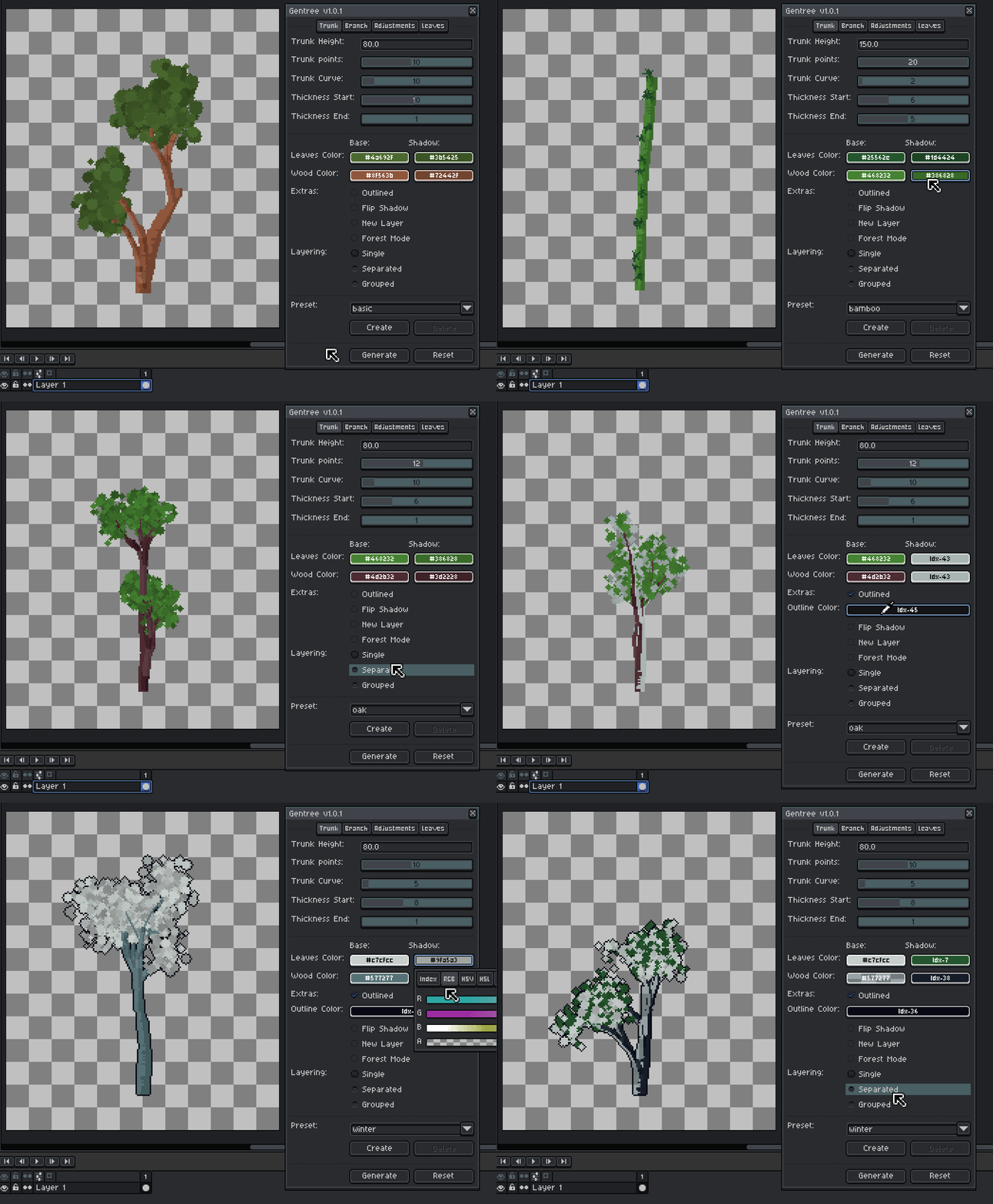
- Leaves Color - Base leaf color.
- Wood Color - Trunk and branch color.
- Outlined - Adds pixel outlines.
- New Layer - Forces generation onto a new layer.
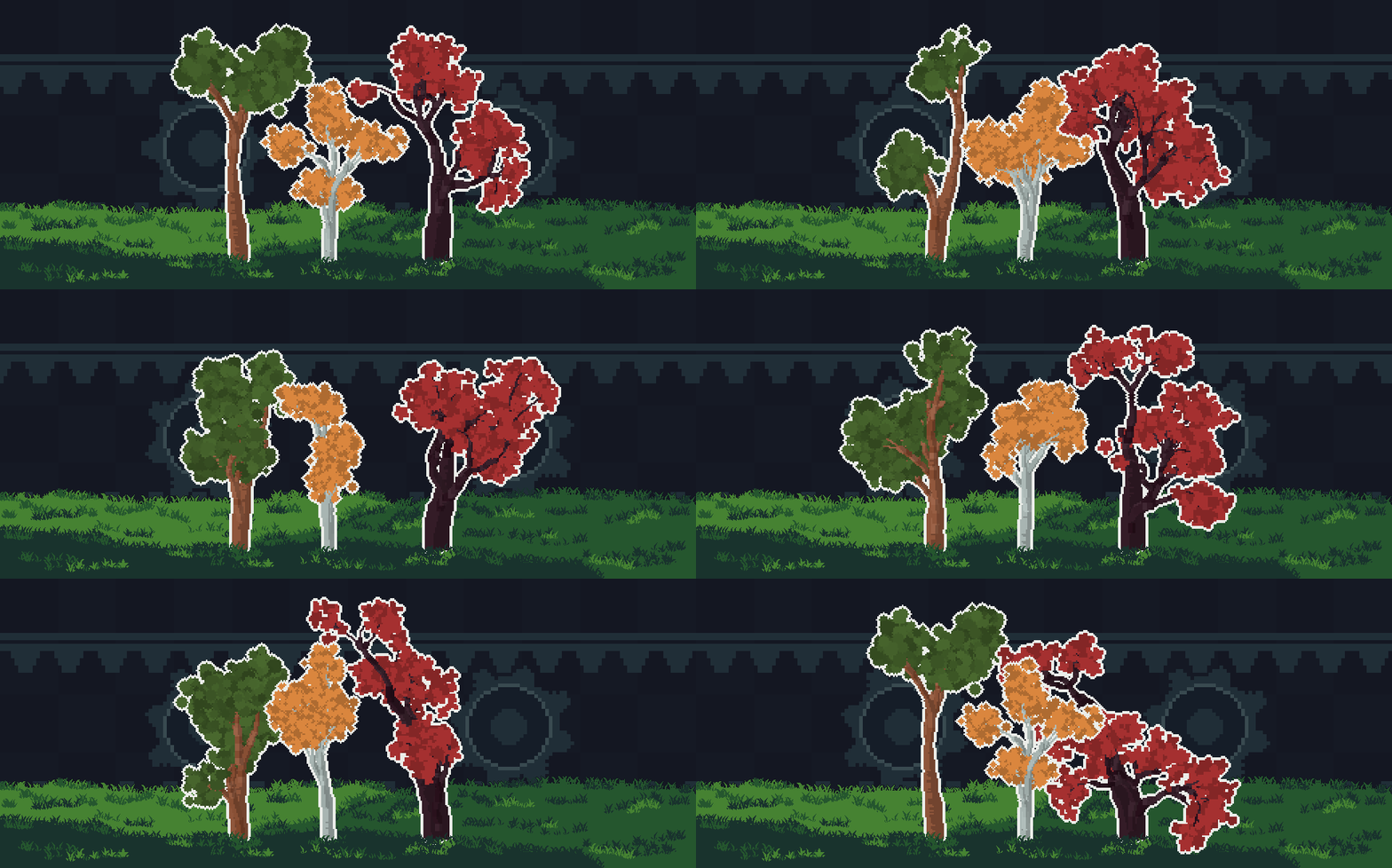
Forest Mode
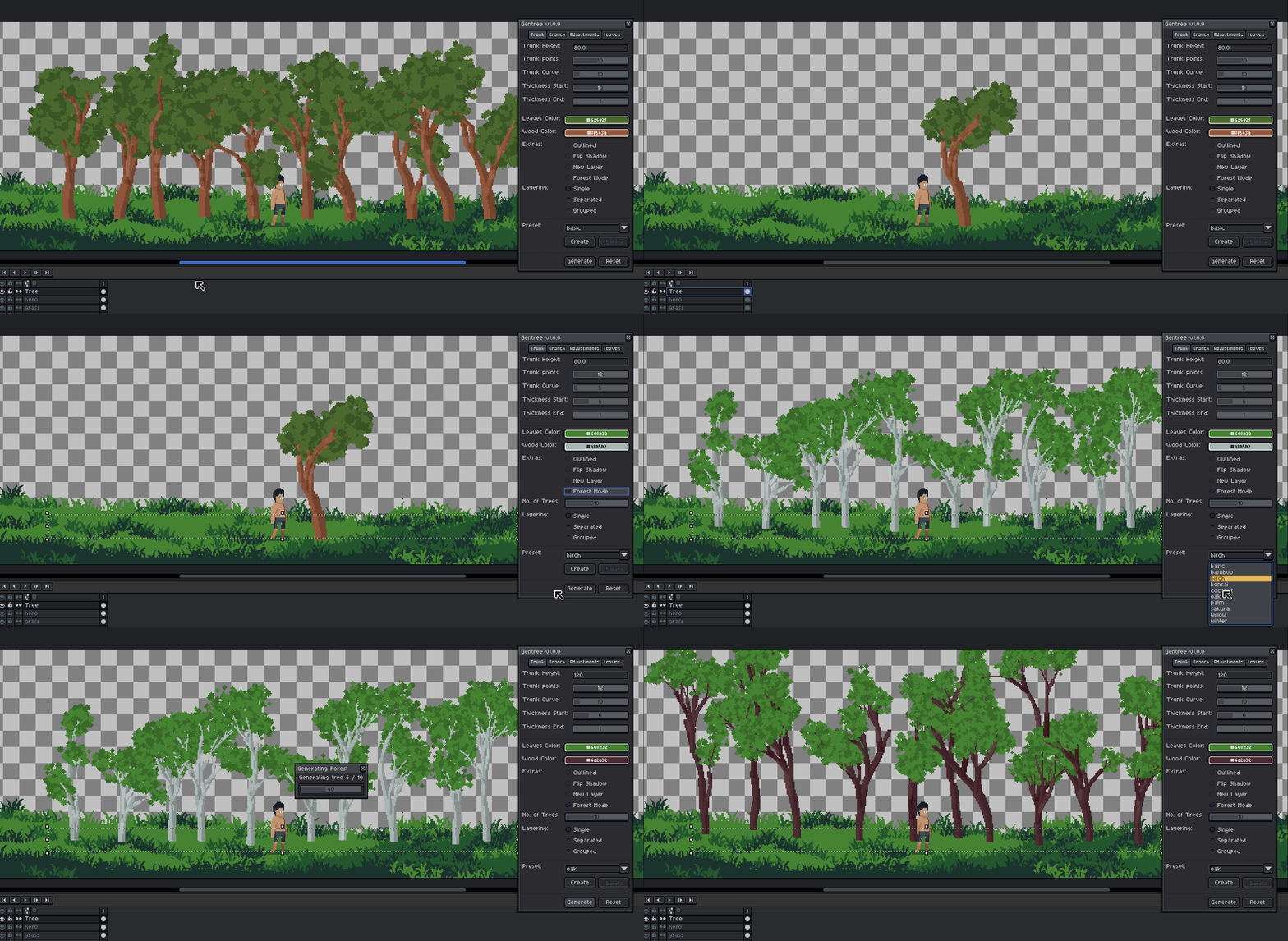
Generates multiple trees inside a selection.
- How it works:
- Make a horizontal rectangular selection
- Enable Forest Mode
- Set number of trees
- Click Generate
Trees are spaced with controlled randomness for a natural look.
Grass Mode
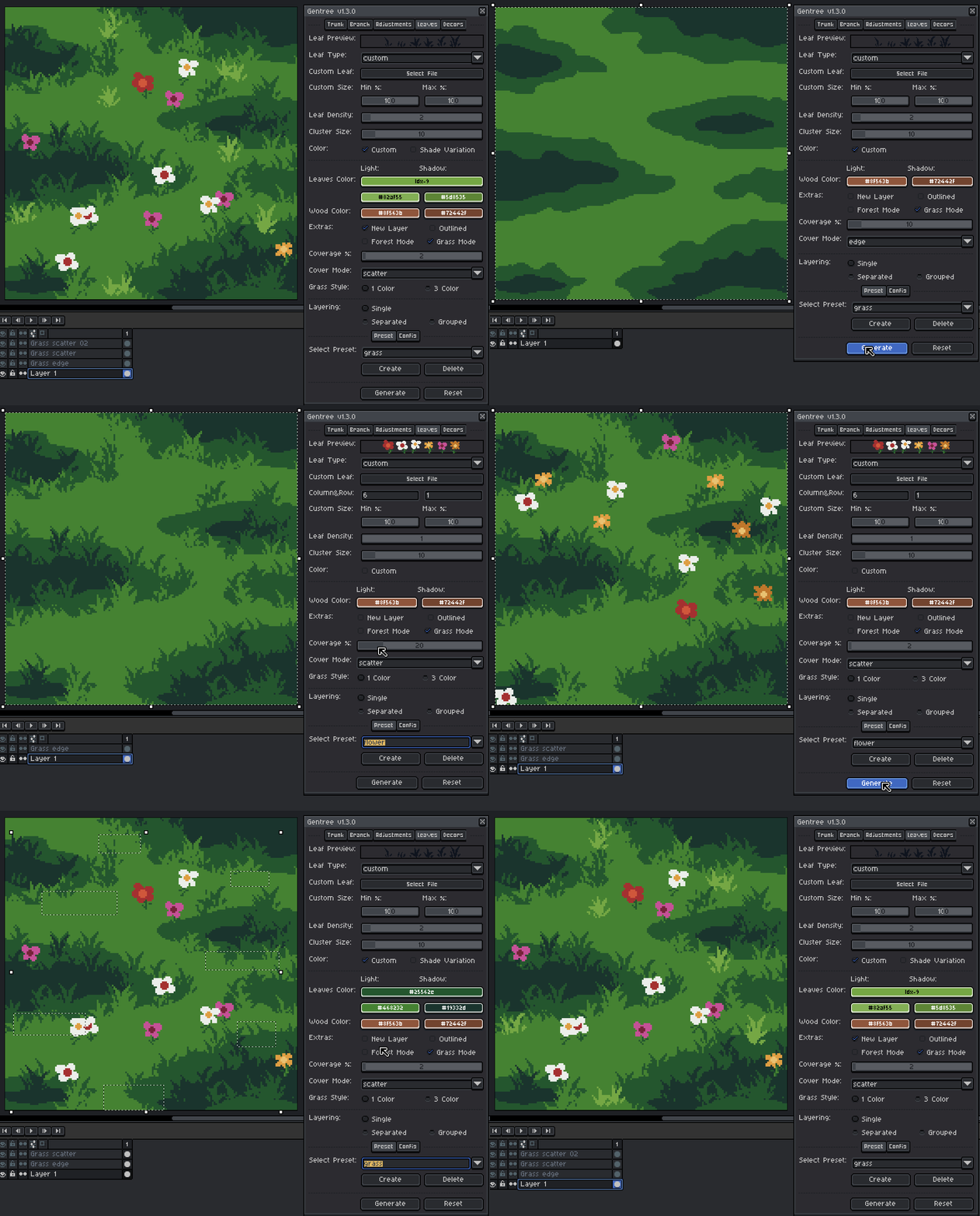
Generates grass elements within selection area.
- How it works:
- Make a selection
- Enable Grass Mode
- Set coverage percentage
- Choose cover mode:
- Scatter - randomly distributes grass inside the selection for natural ground coverage
- Edge - detects terrain edges and places grass along boundaries for more controlled foliage placement
- For scatter, select 1 color or 3 color style
- Click Generate
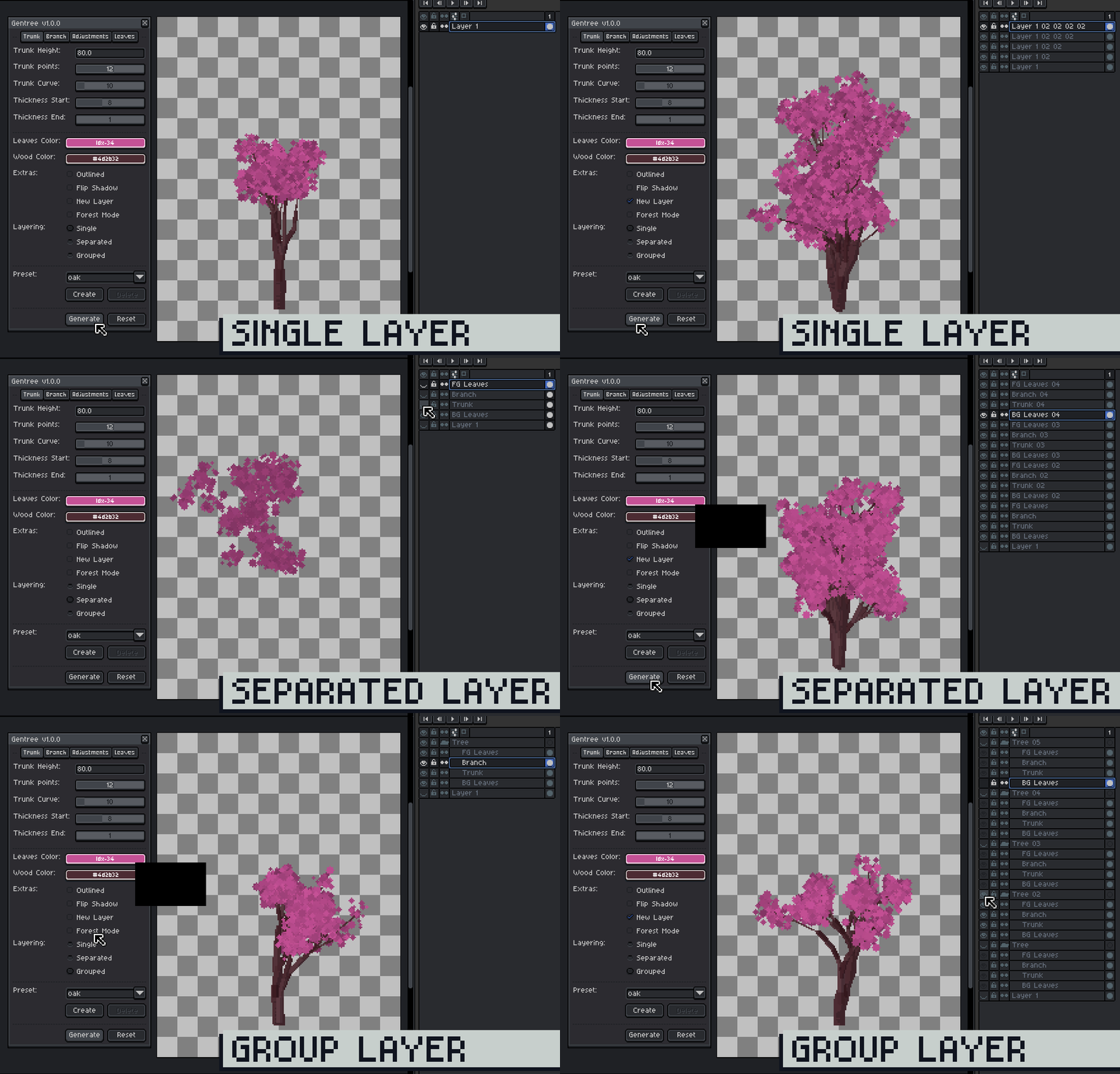
Layering Modes
Choose how generated elements are organized.
- Single Layer (Recommended)
- Draws on the currently selected layer
- Regeneration overwrite the same layer
Select a new layer if you want to keep the current tree.
- Separated
- Creates individual layers:
- Trunk, Branch, Foreground Leaves, Background Leaves
Group the four layers to keep the tree intact.
- Grouped
- Same as Separated, but inside a group
- Cleaner organization for complex scenes
Rename the group if you want to keep multiple trees.
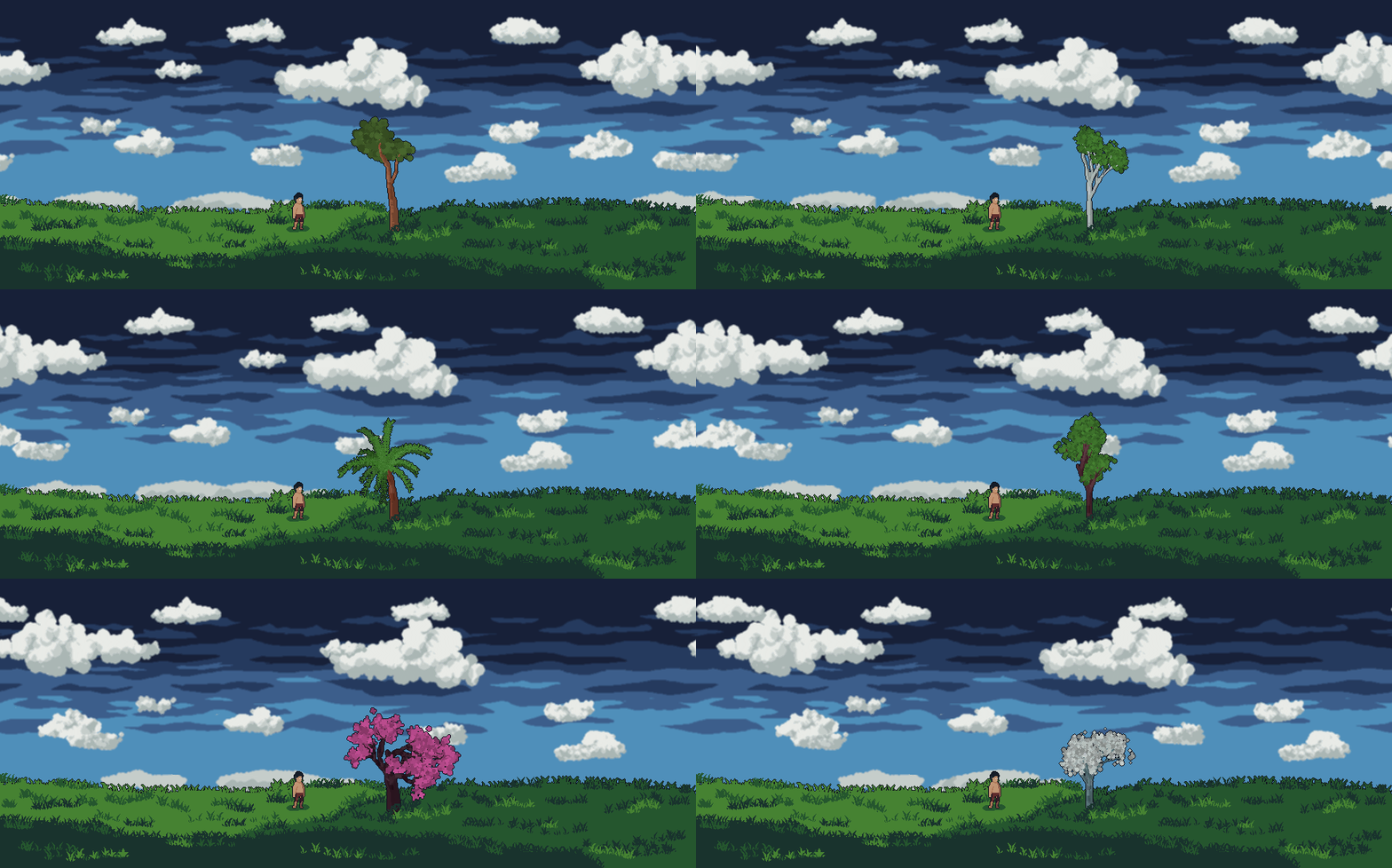
Presets
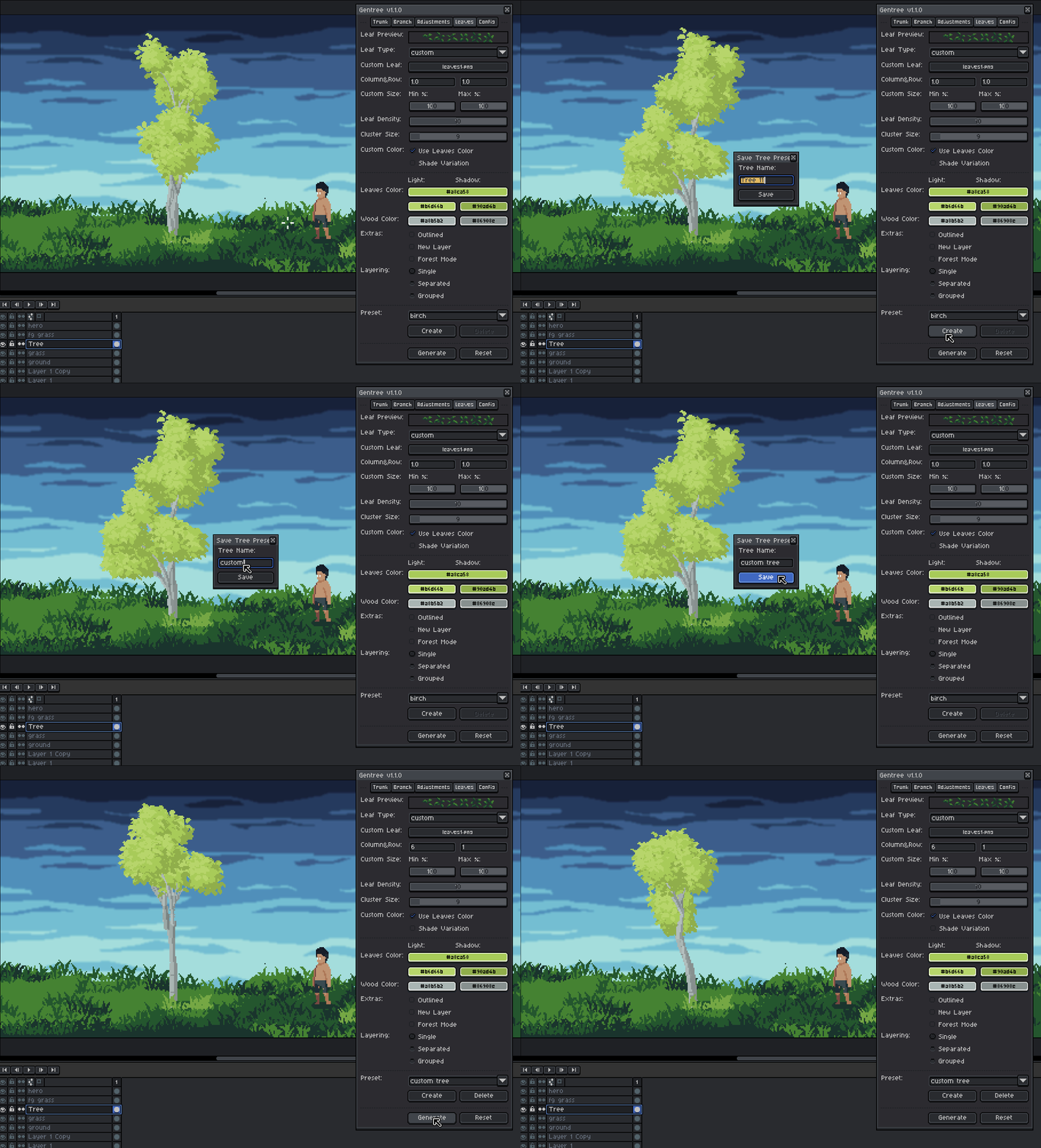
Presets let you instantly switch between different tree styles.
- Built-in presets for quick results
- Select a preset to instantly apply settings
- Create your own presets
- Default presets cannot be deleted or overwrite
Presets are great for exploring variations or getting a solid base before polishing by hand.
Create Preset:
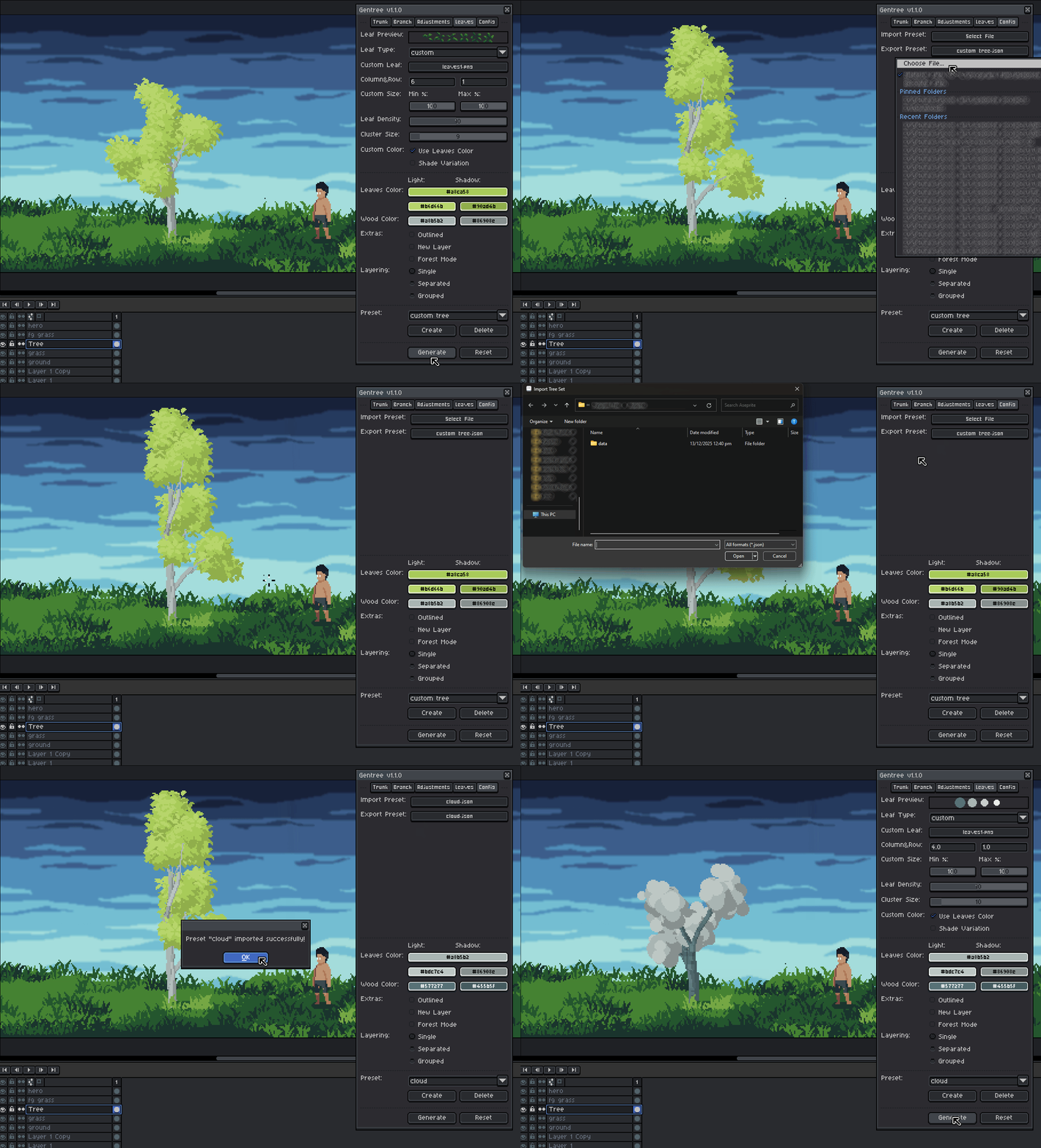
Import/Export Preset:
Tips & Best Practices
- Start with a preset, then tweak values to taste
- Begin simple: low depth, fewer branches
- Increase complexity gradually
- Use Single Layer mode while experimenting
- Flip Shadow to match scene lighting
- Gentree is designed to feel procedural, but artist-driven.
It doesn’t replace hand-drawn trees, it gives you a strong, editable starting point that you can tweak, polish, and make your own..