[Extension] Link Duplicate Cels

Created this small extension for some functionality I was missing while working on some larger animations. I thought it might come in useful for others as well, so I decided to pack it up nicely and release it. I hope it comes in helpful!

Link Duplicate Cels - Download

Link Duplicate Cels simply adds context menu options to detect all cels in the timeline that have exact-match (duplicate) images, and links them together. That saves you from having to go through dozens of frames, and selecting the cels one by one before linking them. Helpful when you’ve forgotten to put a layer on continuous, or you have frequently repeating frames in your animation.

New Functionality

The plugin adds three new context-based options:

  1. Link Duplicate Cels on Layer: Link all duplicate cels found on the selected layer, or any sublayers if this layer is a Group.
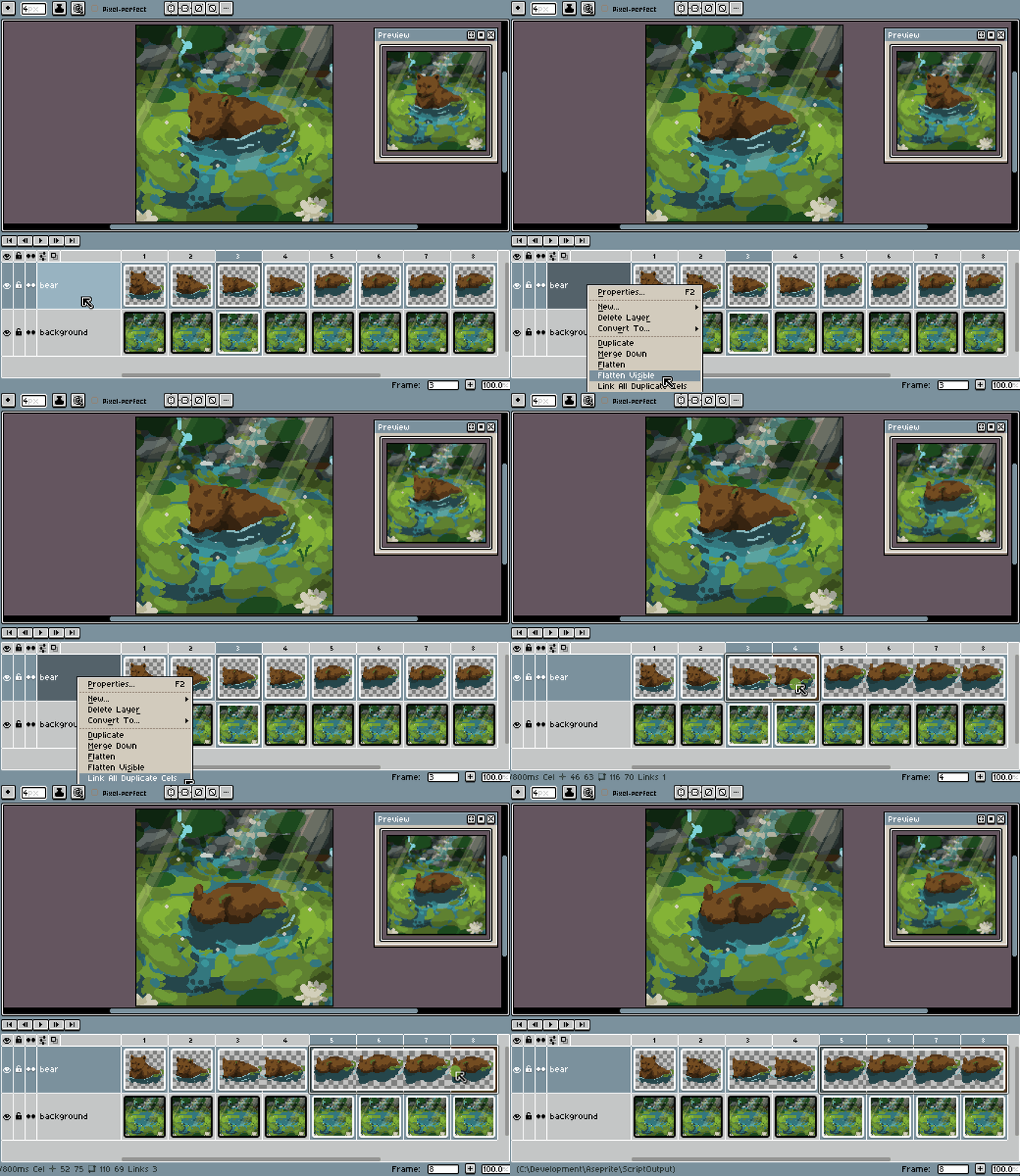
    link_duplicate_cels_on_layer
    layer context menu > link all duplicate cels

  2. Link Duplicates of Cel: Link all cels that are duplicates of the currently selected cel.
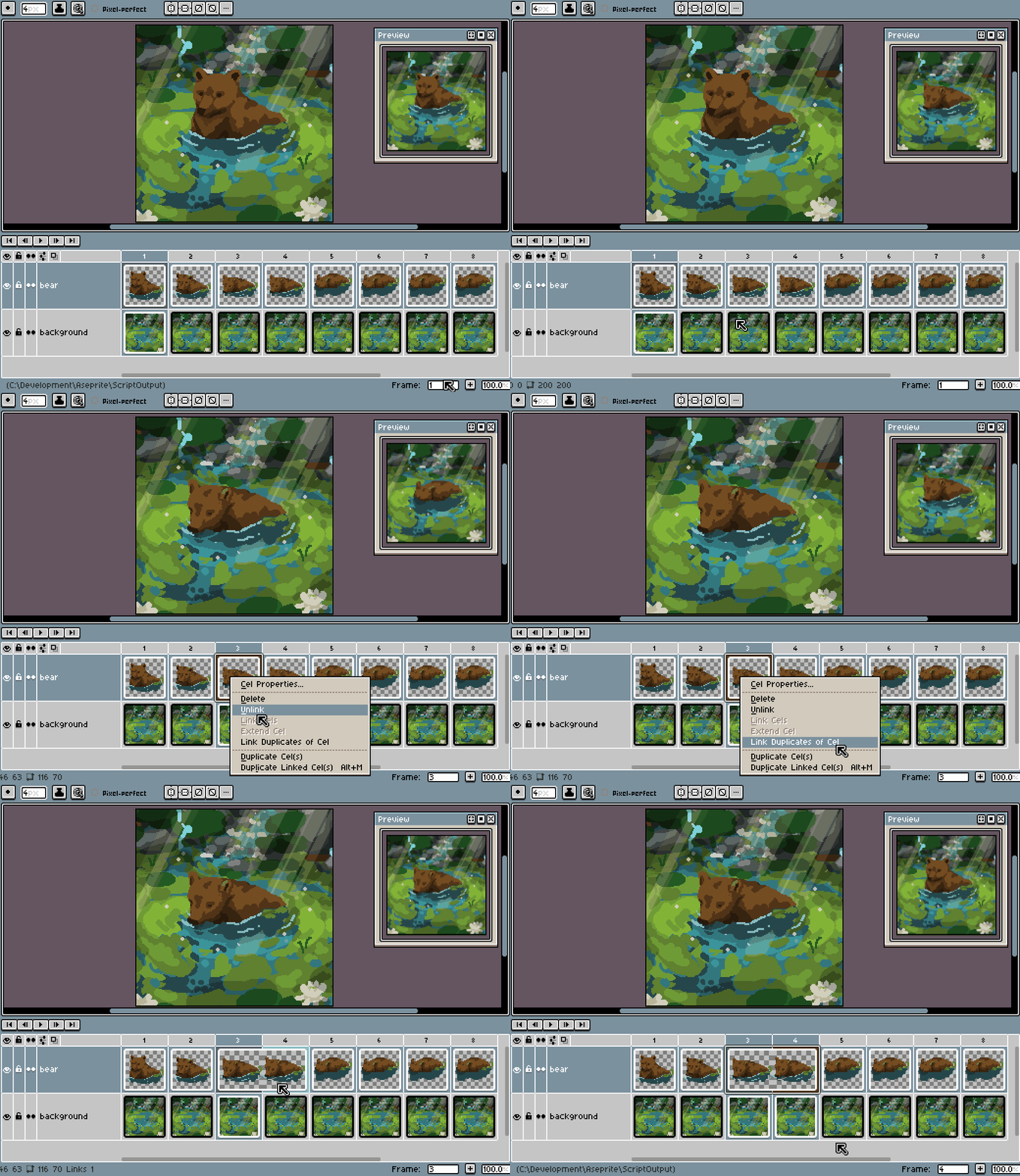
    link_duplicates_of_cel
    cel context menu > link duplicates of cel

  3. Link Duplicate Cels in Sprite: Link all duplicate cels in the entire sprite. Equivalent to calling ‘link all duplicate cels’ on each layer.
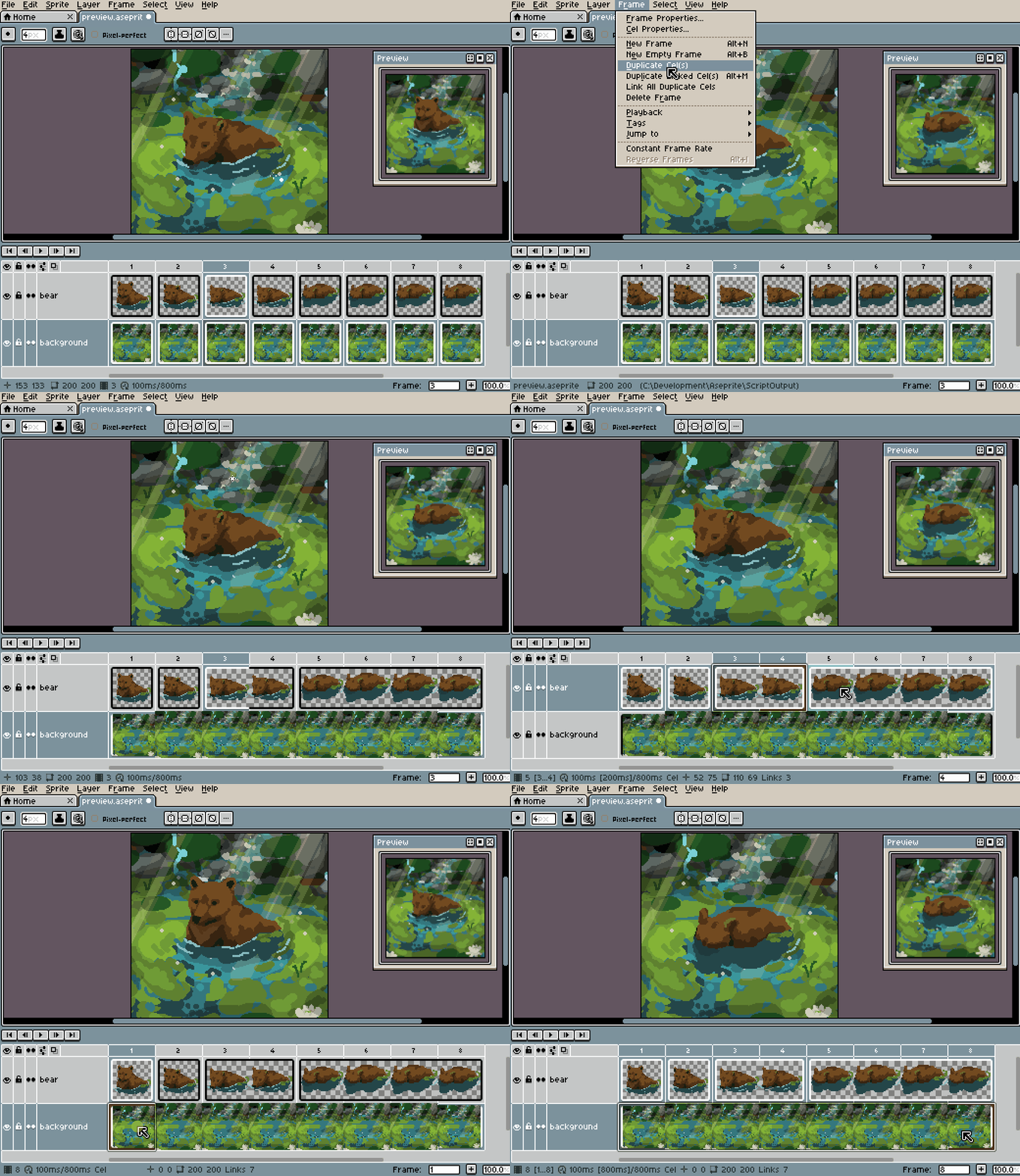
    link_duplicate_cels_in_sprite
    frame > link all duplicate cels

2 Likes

Bugfix: Cels with the exact same image at a different position no longer get incorrectly flagged to be linked with one another.

Bit of an embarrassingly dumb oversight on my part!

Released Version 1.1.0 of Link Duplicate Cels
A small update to add some additional convenience and a slight reorganization of the script. The 1.1 release is now the recommended version of the extension, but updating from 1.0 isn’t required.

▸All commands now respect the user’s Range selection in the Timeline, and will only link cels within that selection.
Keep in mind that when using ‘Link Duplicates of Cel’ with a range selected, the last selected cel is the one that will be checked for, not the cel that is visually clicked in the Timeline.
▸Cels with excess transparent space around their image are now also linked.
▸The extension no longer causes ‘empty’ undoable events, if it didn’t find any cels to link.
▸Adjusted script structure to avoid the extension being able to call functions inside other extensions (and vice versa), if they used the same naming.