Hi everyone,
I’m working on an extension called Reference Board for Aseprite, a floating reference board that makes it easier to paint from concept art, screenshots or any image without leaving the editor, and I’m looking for user feedback.
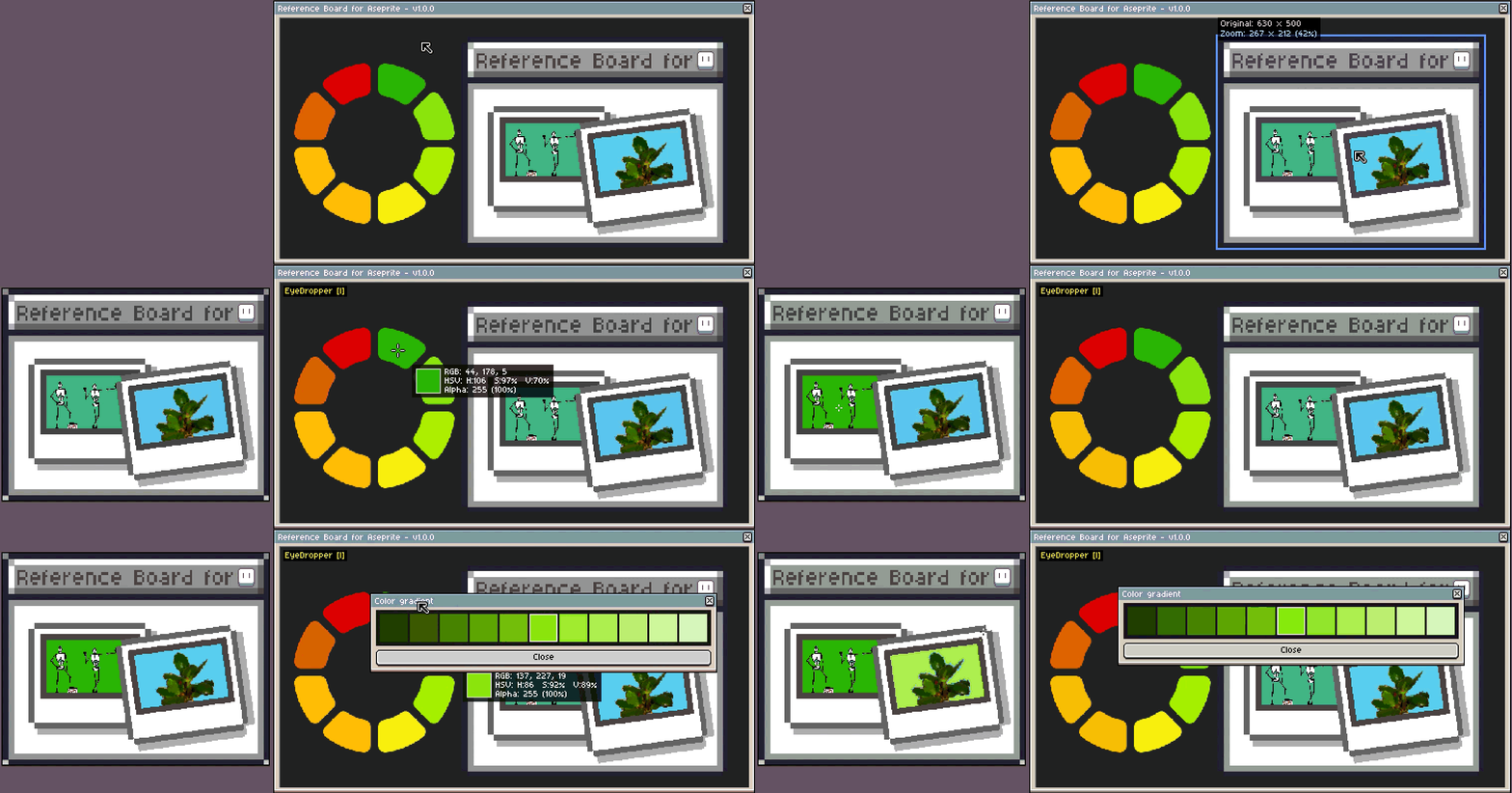
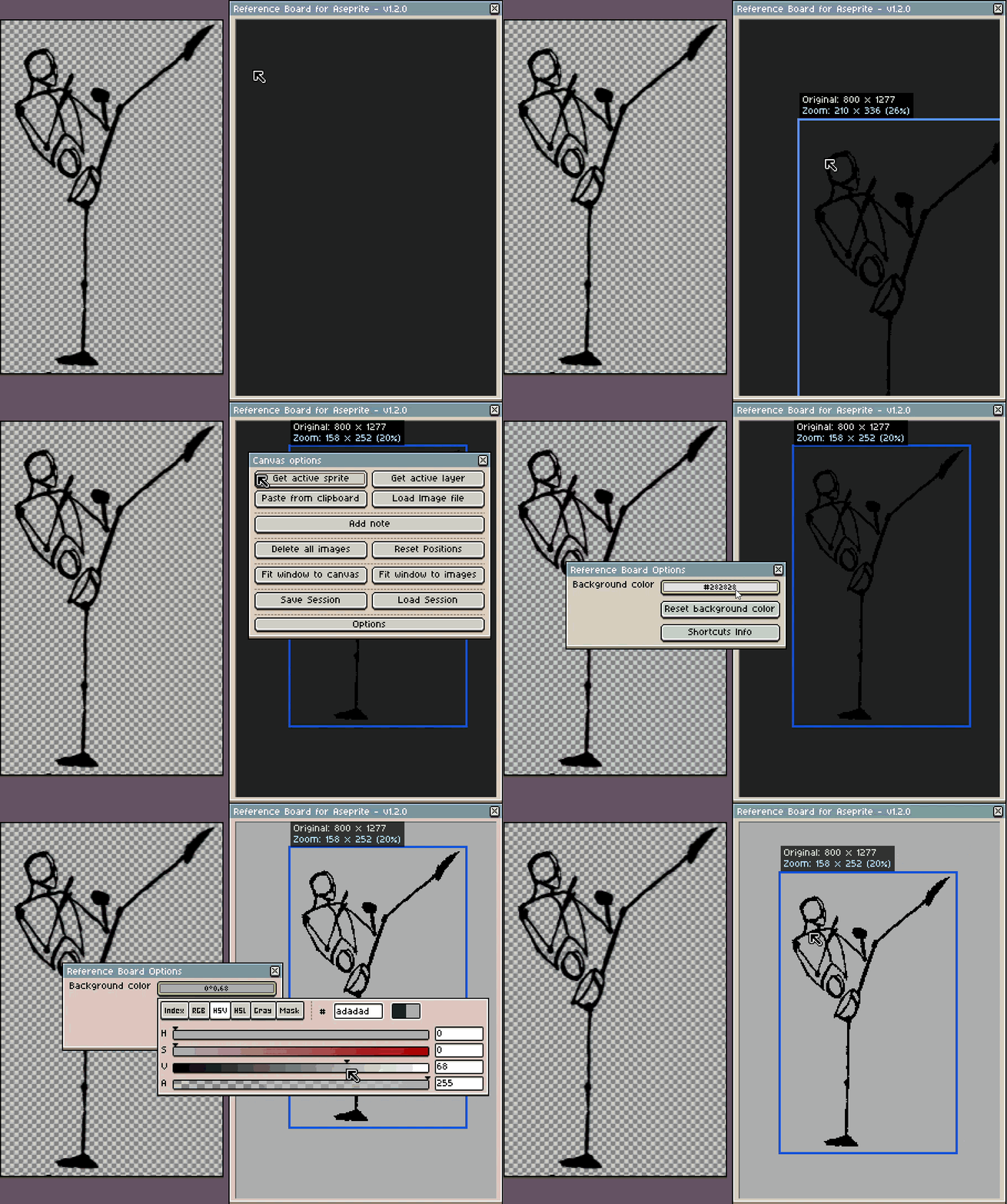
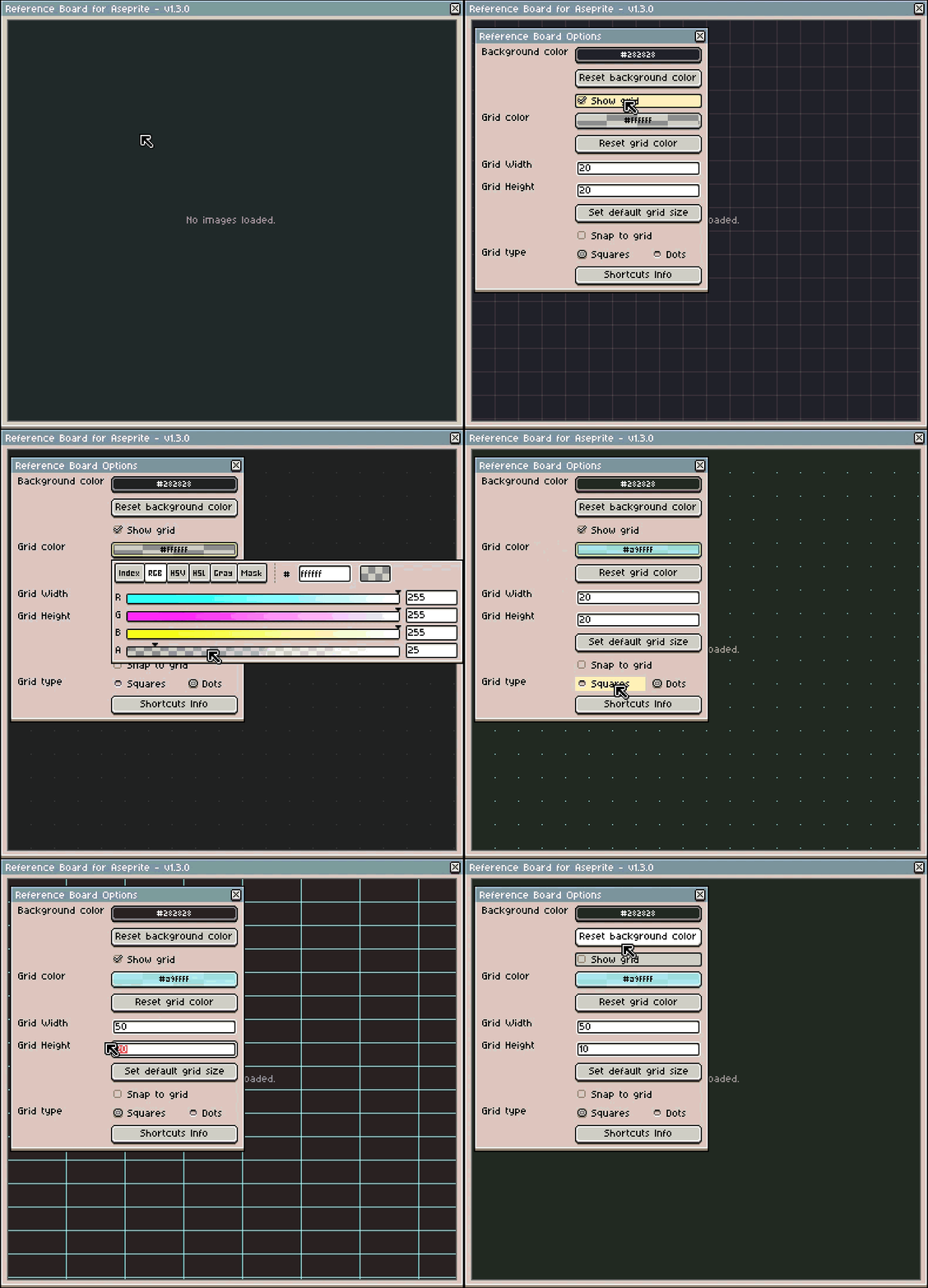
The extension adds a floating window where you can collect and organize all your reference images while you work on your sprite, animate or change tools. It is designed as an external reference space, always accessible and fully integrated into your creative process. Since it’s a floating window inside Aseprite, you can also keep it on a secondary monitor.
The extension is currently under active development, with a demo version planned in approximately 1–2 weeks and a full version in about 3 weeks.
Why I’m developing it
I’m a freelance developer who recently started a game‑dev journey, dealing mainly with programming but also with all the other parts of making a game, including art.
I often work with several pieces of reference at once (concept art, palettes, screenshots, animation frames) and found myself constantly switching windows or using external tools. I know there is a plugin called “Reference Viewer”, but I wanted a more advanced solution, closer to what PureRef offers.
Main features planned for the first full version
- Persistent, non‑blocking floating window.
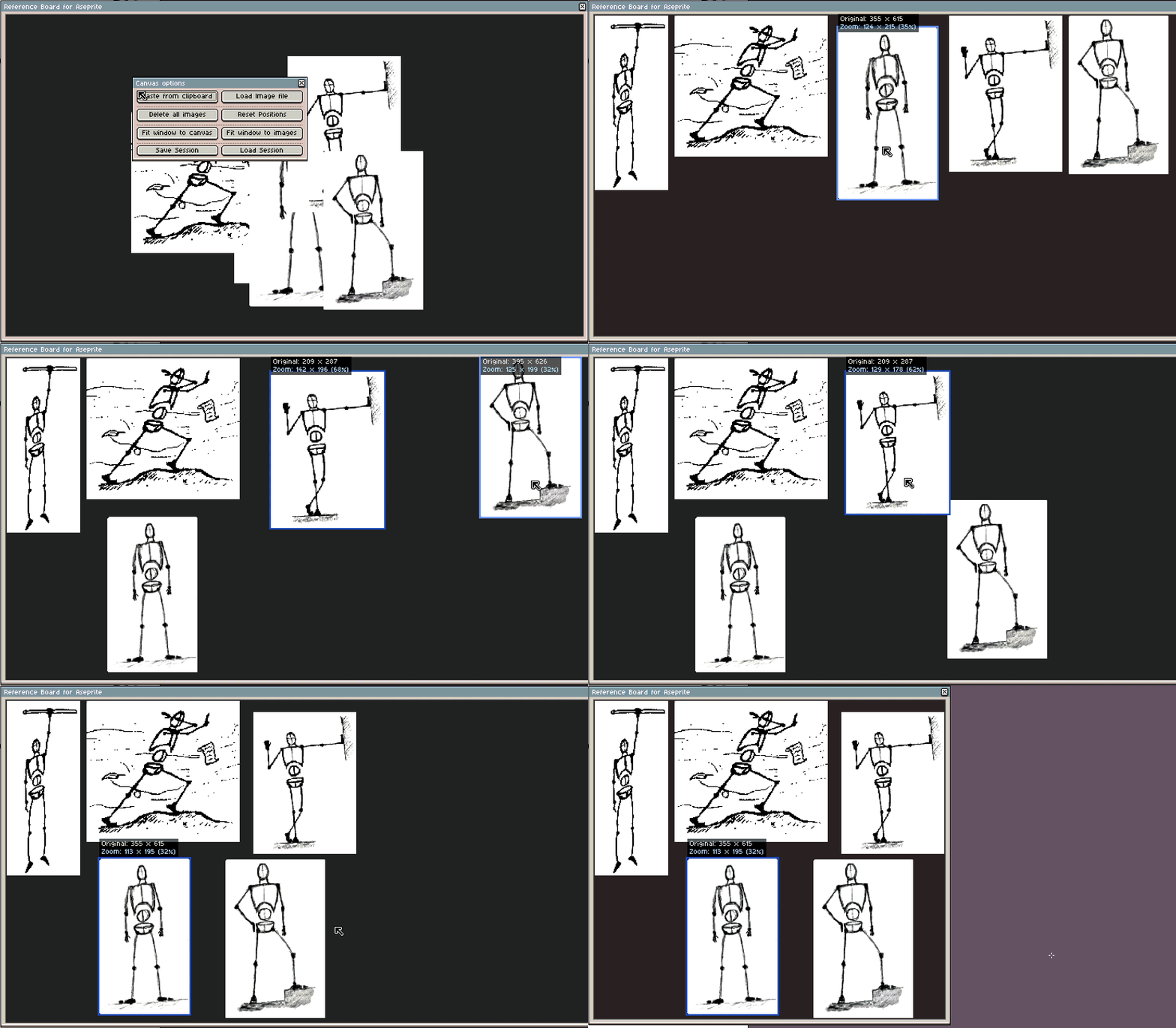
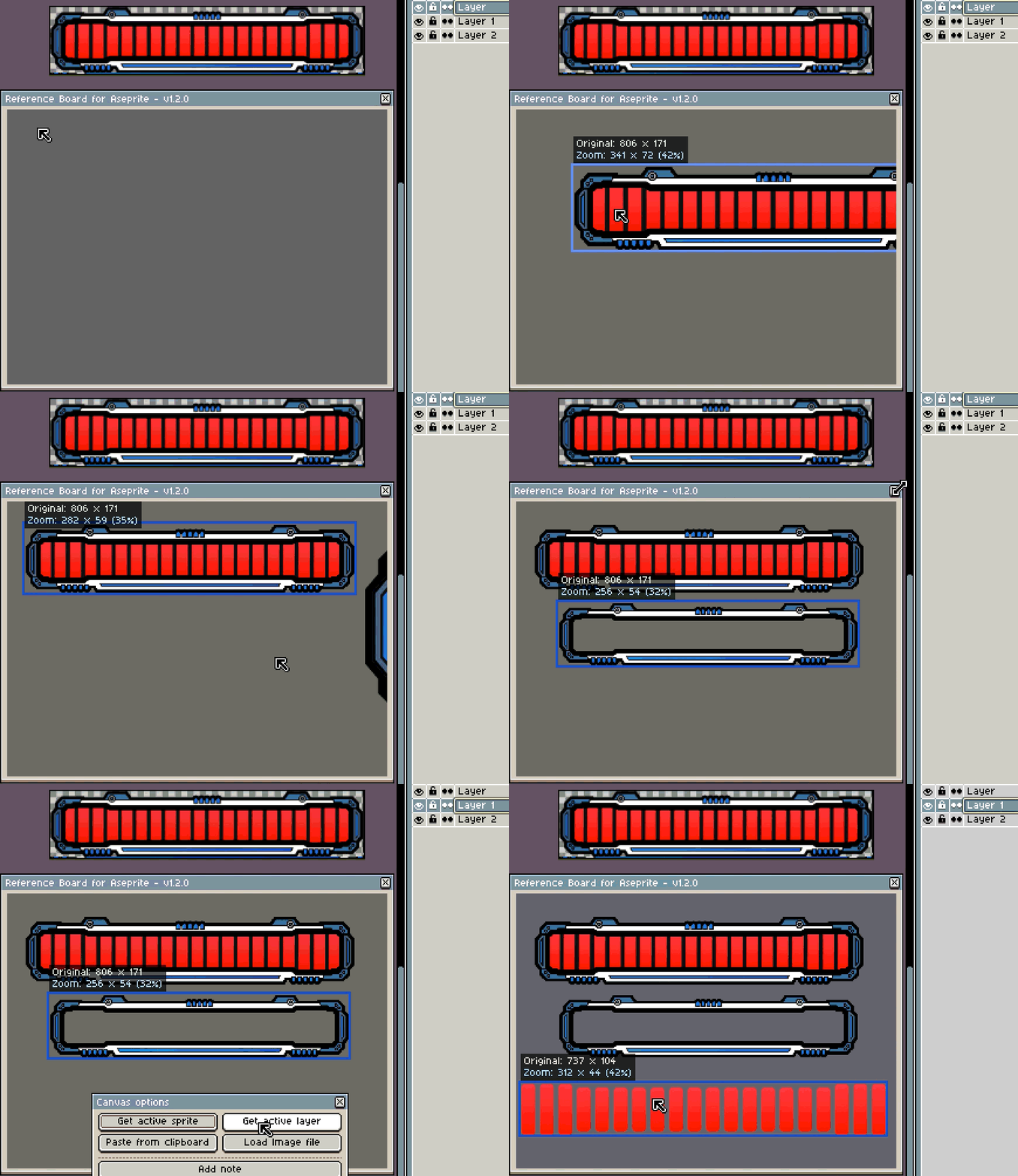
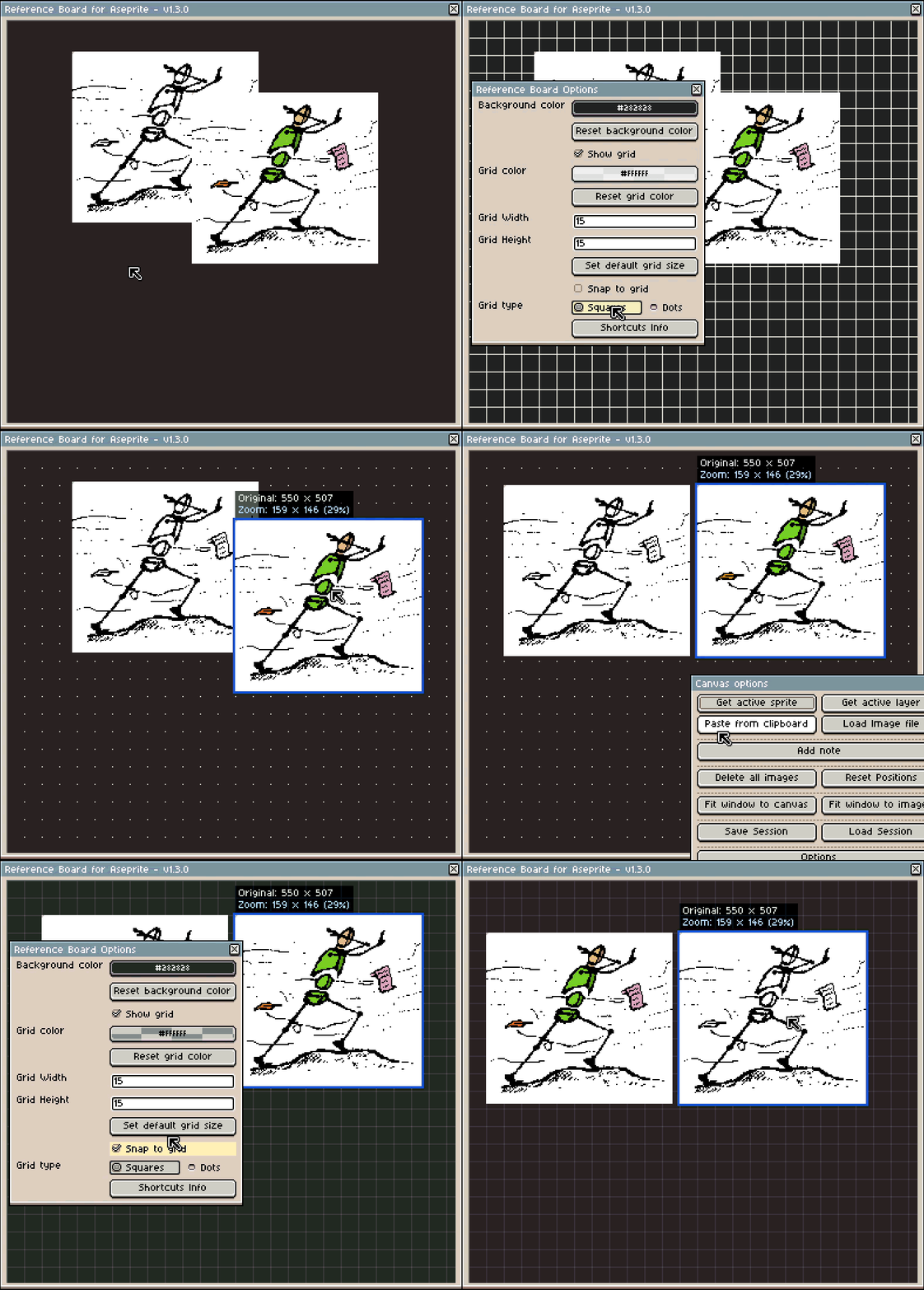
- Load multiple images (common formats like PNG, JPG, etc.) into a single floating window.
- Paste directly from the clipboard (great for grabbing references from the web or other apps).
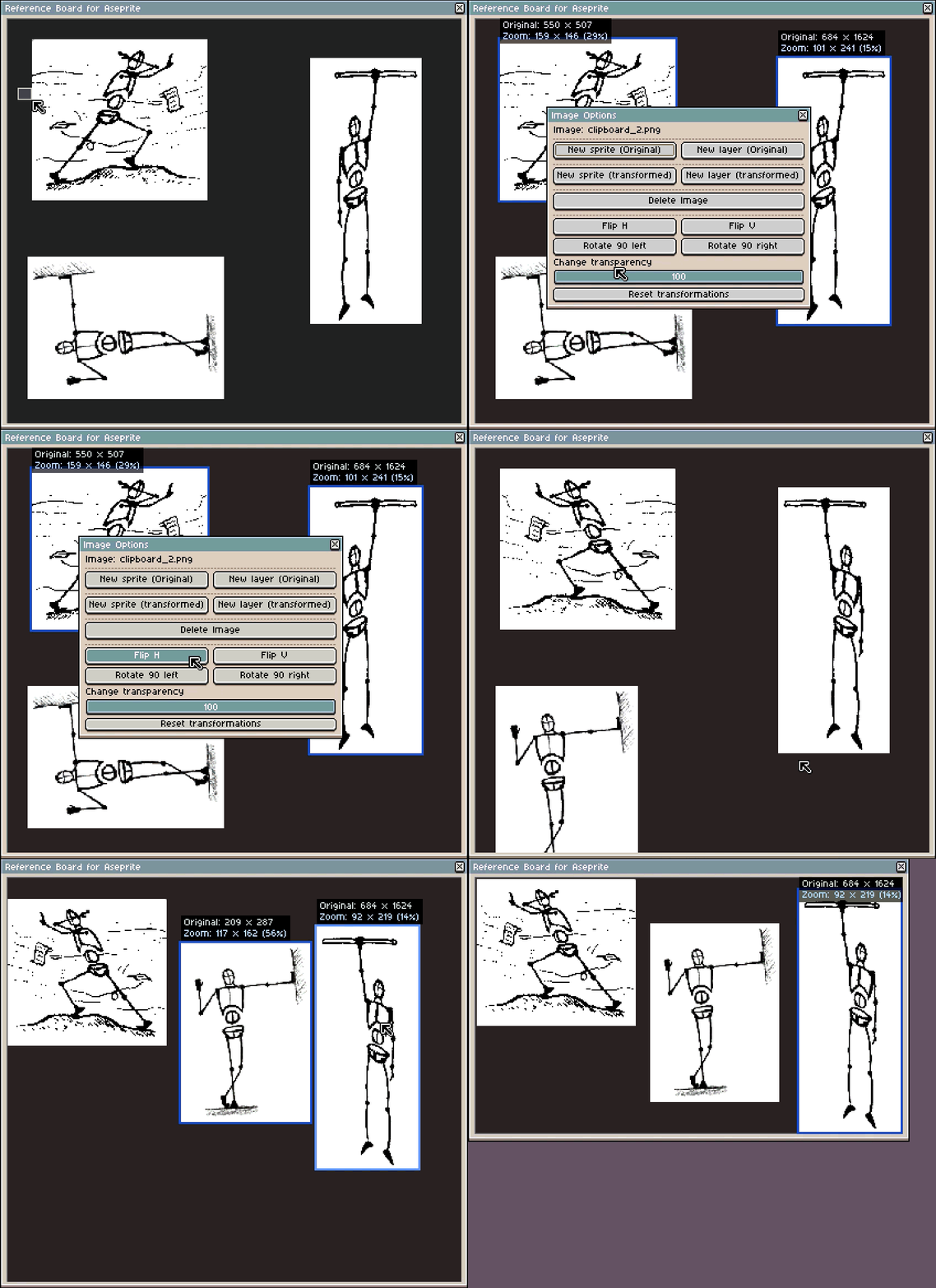
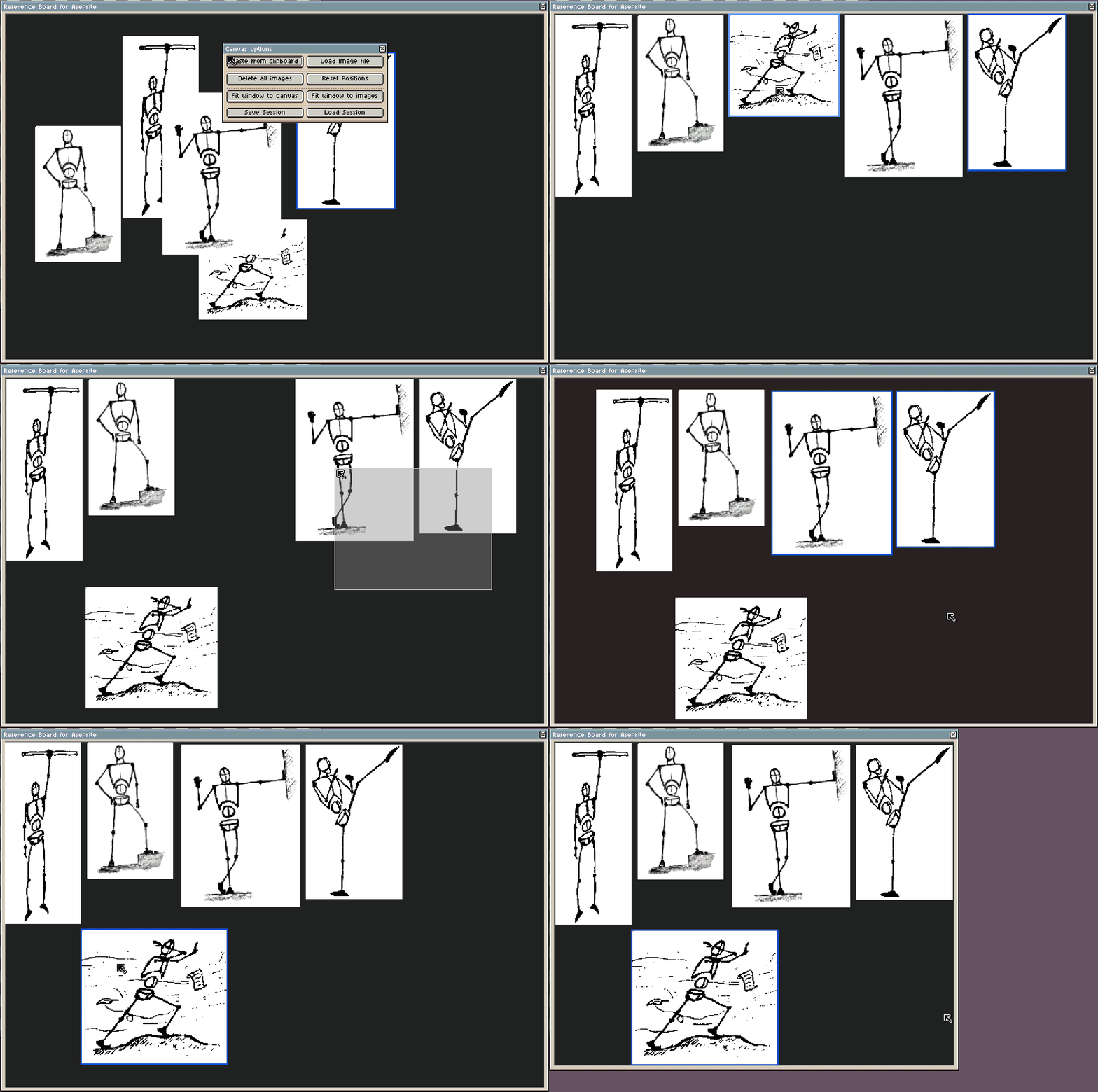
- Move and reorder images inside the window, with multi‑selection support.
- Per‑image zoom and pan, so you can focus on details without changing your canvas zoom.
- Delete images quickly to keep your board clean.
- Paste any reference image back into Aseprite as a new sprite or as a new layer on the current sprite.
- Save and load “sessions” of references, so you can reopen a project and recover your full reference setup.
Below, there is a short video showing some of the possibilities.
Possible future improvements
Besides the features planned for the first version, I’d like to add more functionality in the future, depending on what users find most useful. Some ideas:
- Better arrangement options.
- Snapping.
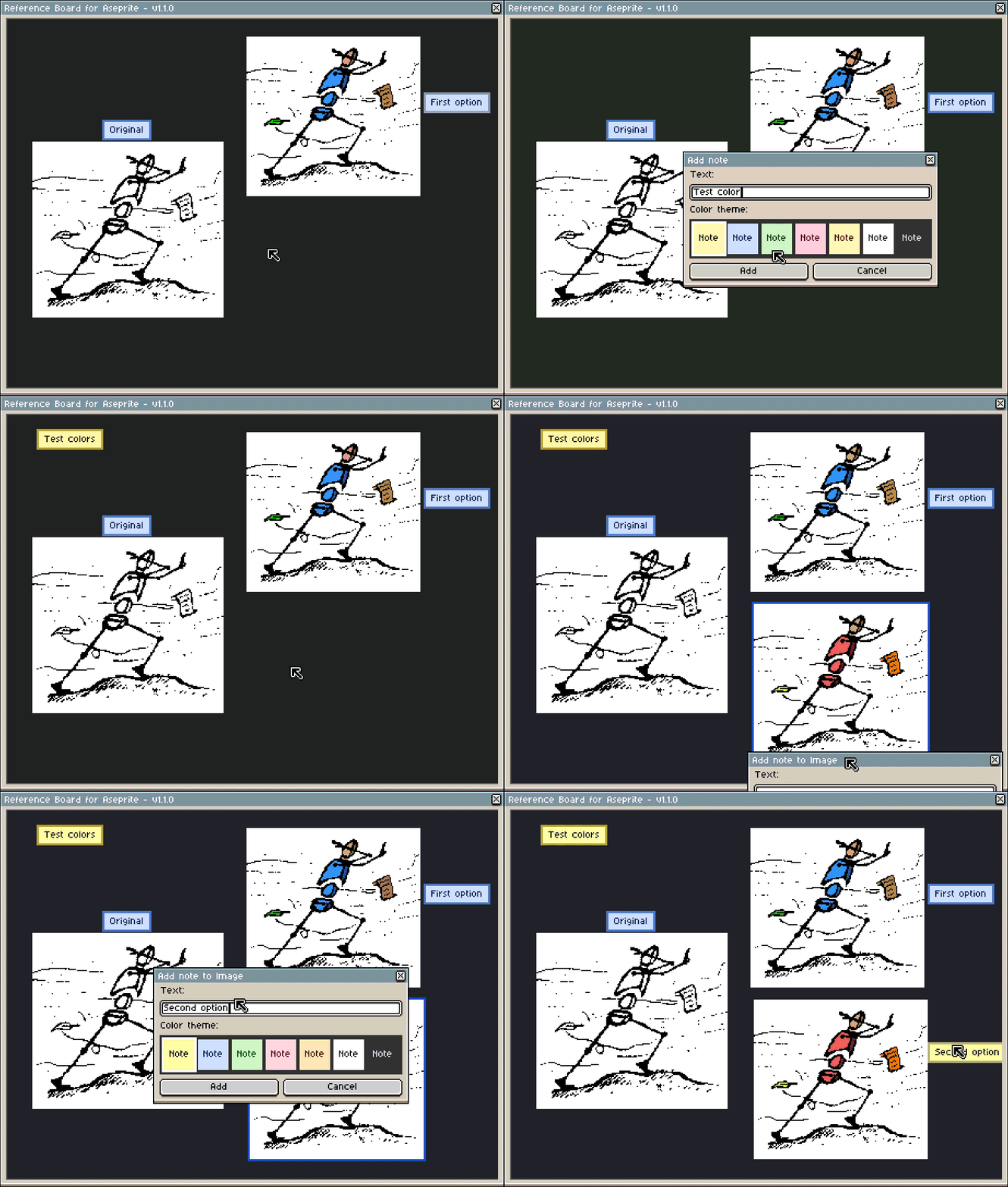
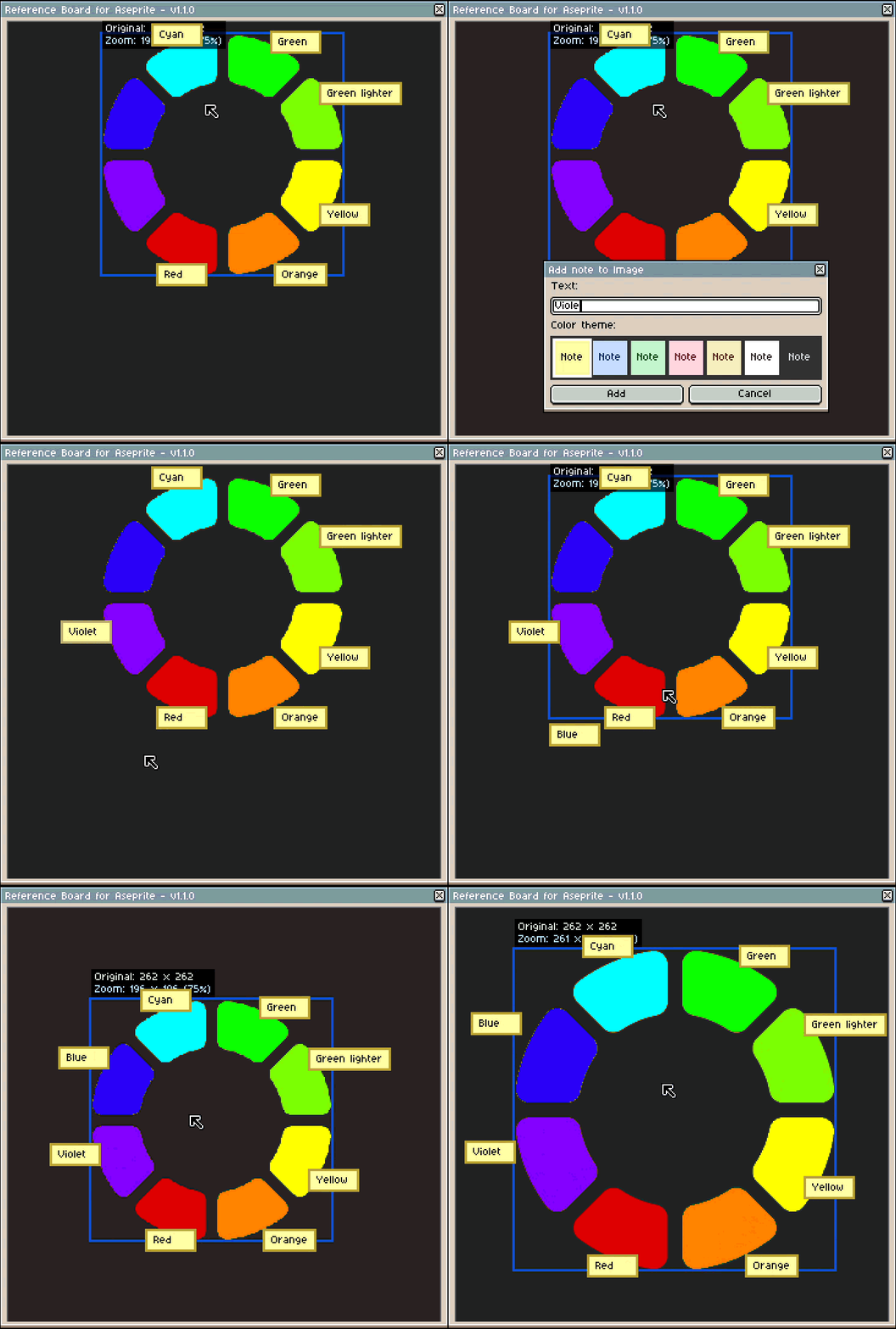
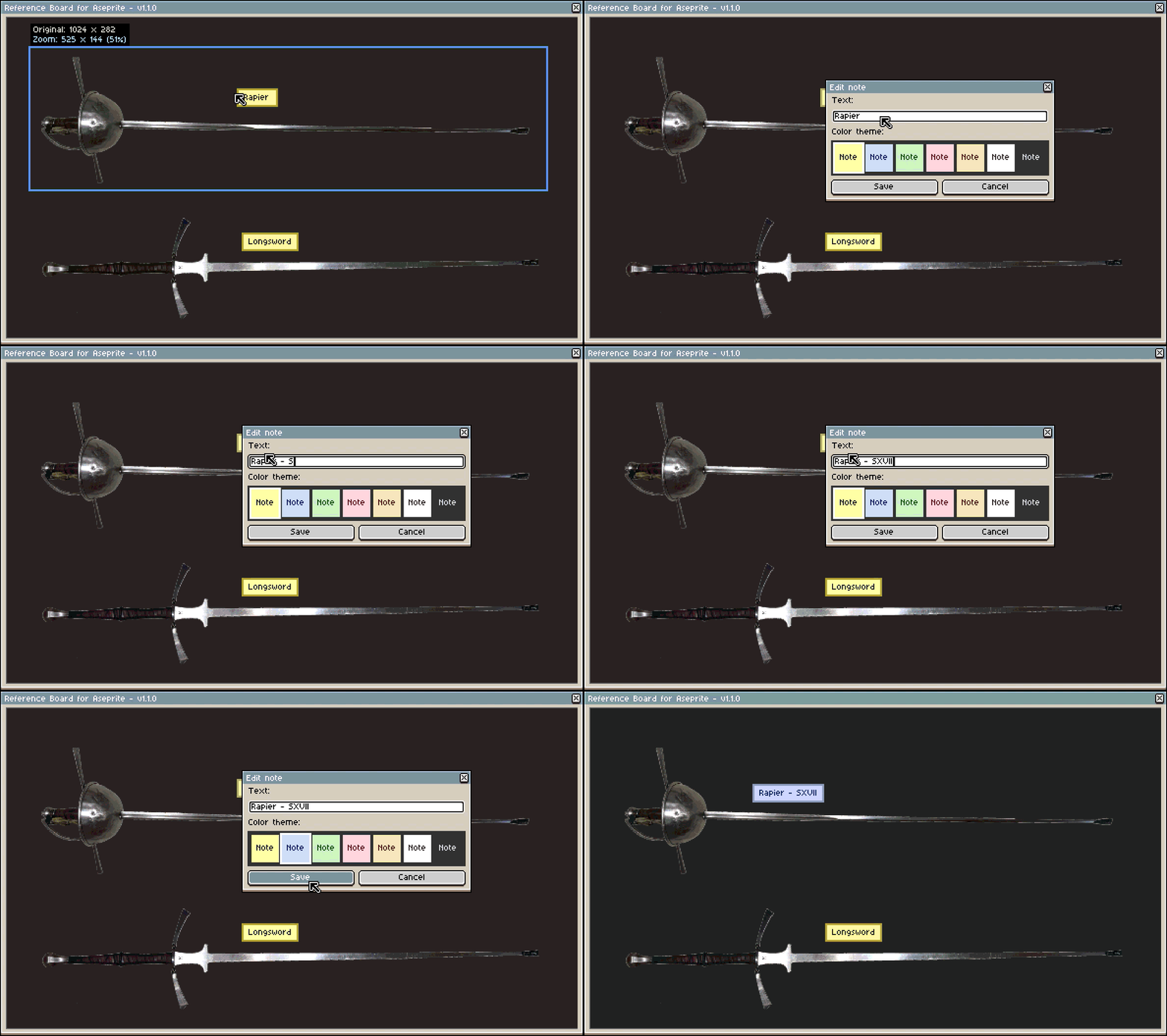
- Notes attached to images.
- Any other workflow improvements users suggest.
Who is it for?
For example:
- Artists who work with multiple references at once.
- Animators who need to compare poses or frames.
- Users who want to avoid constantly switching between applications.
- Anyone who currently uses an external “reference board” app alongside Aseprite.
Development status and price
The extension is under active development, with a full version release planned in approximately 3 weeks. The idea is that Reference Board for Aseprite will be a paid extension, available on Itchio as a one‑time purchase. Before that, there will be a free demo version with basic features so you can try out the workflow, evaluate the tool, and allow me to improve the final version based on your feedback.
Even though there is no downloadable version yet, I’ve created an Itchio page where you can find more information, devlogs, and a discussion board for users.
Feedback
I’d like to make sure this extension really fits with how people actually use Aseprite. I’m particularly interested in:
- How do you currently manage your references when working in Aseprite?
- What would you consider essential in a tool like this?
- Is there anything you feel PureRef (or similar tools) does that you’d really want inside Aseprite?
Any technical or real‑world feedback is very welcome.
Thank you for your time!