 Slice Renamer (FREE Tool) [ITCH.IO ✧]
How it started...
If you’ve ever created a large tileset, UI kit, or a custom brush pack, you know the pain. Selecting every single slice and typing prefixes by hand is a tedious nightmare.
I originally developed this utility to automate the organization of my own 605+ Premium Brush Collection. It’s now available for everyone to use for free!
Slice Renamer >> [ Download for FREE ] <<
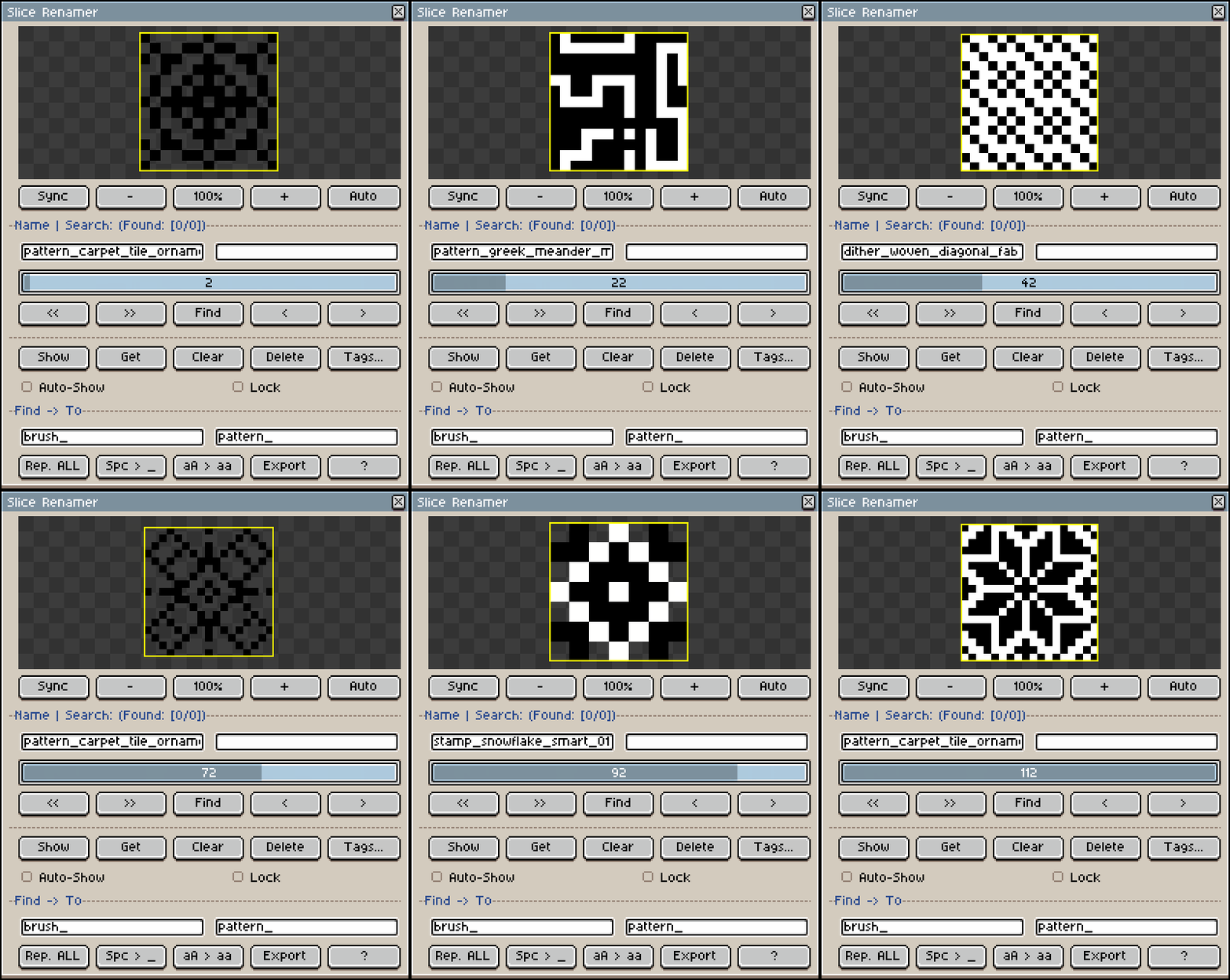
Rapid Slicing & Naming Workflow. Batch-rename, tag, find, and export your slices instantly!
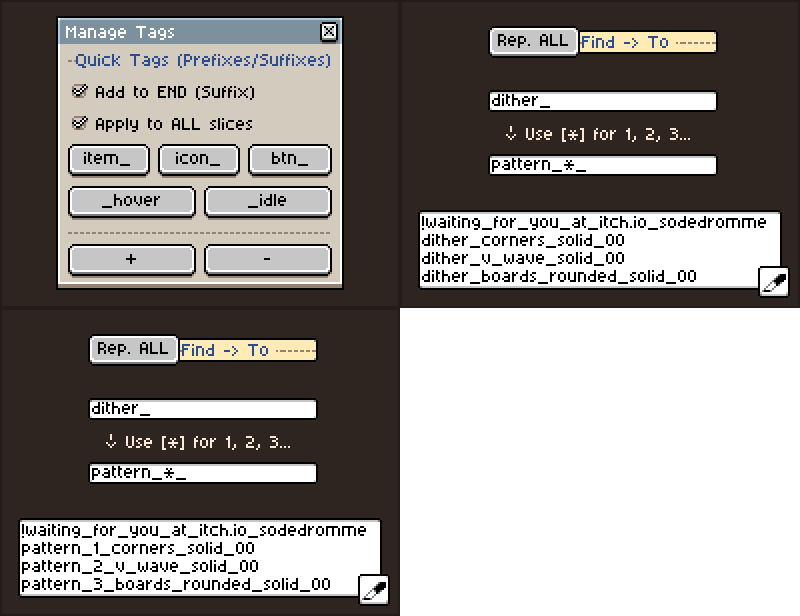
- Mass Replace & Auto-numbering: Rename dozens of slices instantly. Use the
[*]symbol in the replacement field, and the plugin will automatically generate sequential numbers (1, 2, 3…) for auto-numbering. - Quick Tags Manager: Save your frequent tags (like btn_, item_, _hover) as clickable buttons. Add them as prefixes or suffixes to ALL slices or search results with a single click.
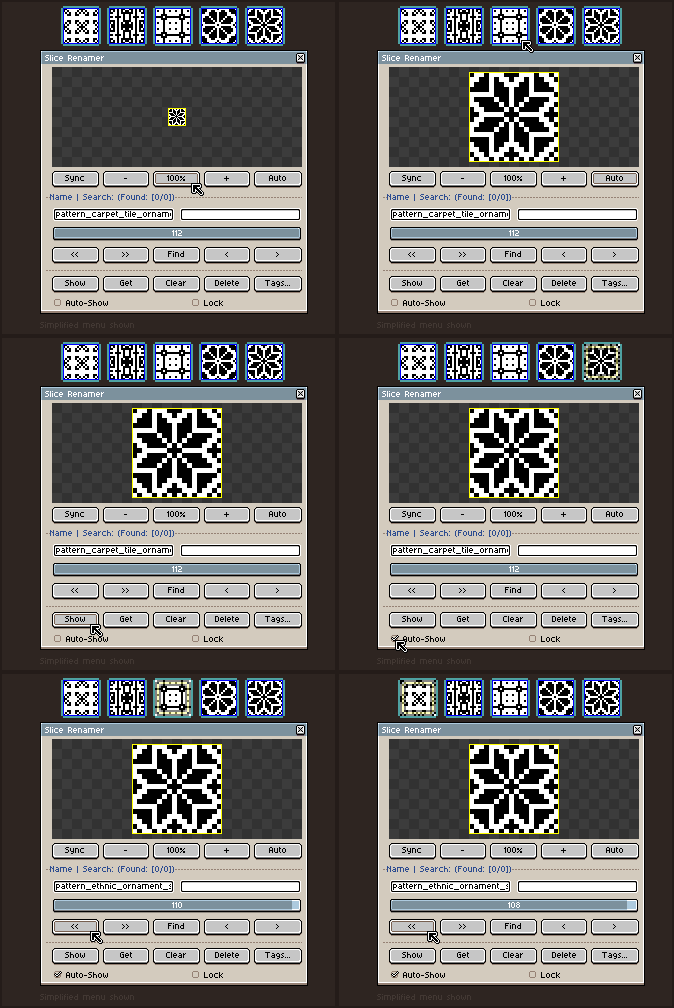
- Canvas Syncing: Click [Show] to focus the camera and highlight the slice on your canvas, or [Get] to instantly find your selected canvas slice in the list.
- Smart Navigation & Auto-Show: Scroll through slices using the slider or arrows with a built-in zoomable preview. Enable Auto-Show to automatically highlight slices on the canvas as you scroll through the list.
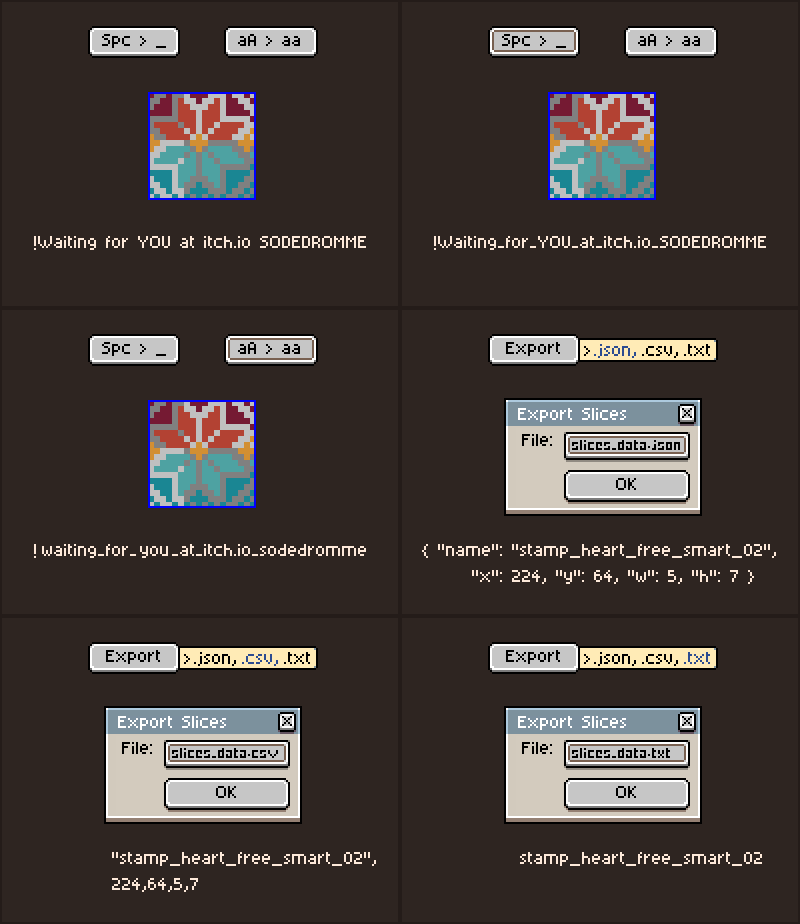
- Engine Fixes & Cleanup: Instantly replace spaces with underscores
[Spc > _]and force all names to lowercase[aA > aa]for game engine compatibility. - Data Export: Export your slice X/Y positions, widths, and heights as .JSON, .CSV, or .TXT files.
☆ Click to see all Slice Renamer features! ☆
- Live Search: Filter your slices by name instantly and use the
< >buttons to jump seamlessly between matches. - Add/Delete Custom Tags: Fully customize your Quick Tags menu by adding
[+]or removing[-]tags that fit your specific project workflow. - Lock Mode: Freeze the list on the current slice so you don’t accidentally lose it while editing.
- Quick Cleanup: Clear names completely or delete slices directly from the canvas without ever leaving the plugin menu.
✧ Ecosystem Integration: Works best with Brush Manager Pro! >> [ Download ] <<
Slice Renamer was originally developed as an internal tool to prepare massive libraries for my main Brush Manager Pro extension.
It allows you to quickly name and tag all your shapes on the canvas, ensuring they are perfectly categorized before you load them into the Manager!
I hope this utility speeds up your workflow. If you find it useful, a rating on the project page is highly appreciated!
Let me know if you run into any bugs or have feature requests in the comments (´。• ᵕ •。`)