Hey everyone, I made an Aseprite extension called Smart Palette and figured I should share it here. It’s a non modal panel that takes whatever color you have set as your foreground and gives you a bunch of related colors to work with.
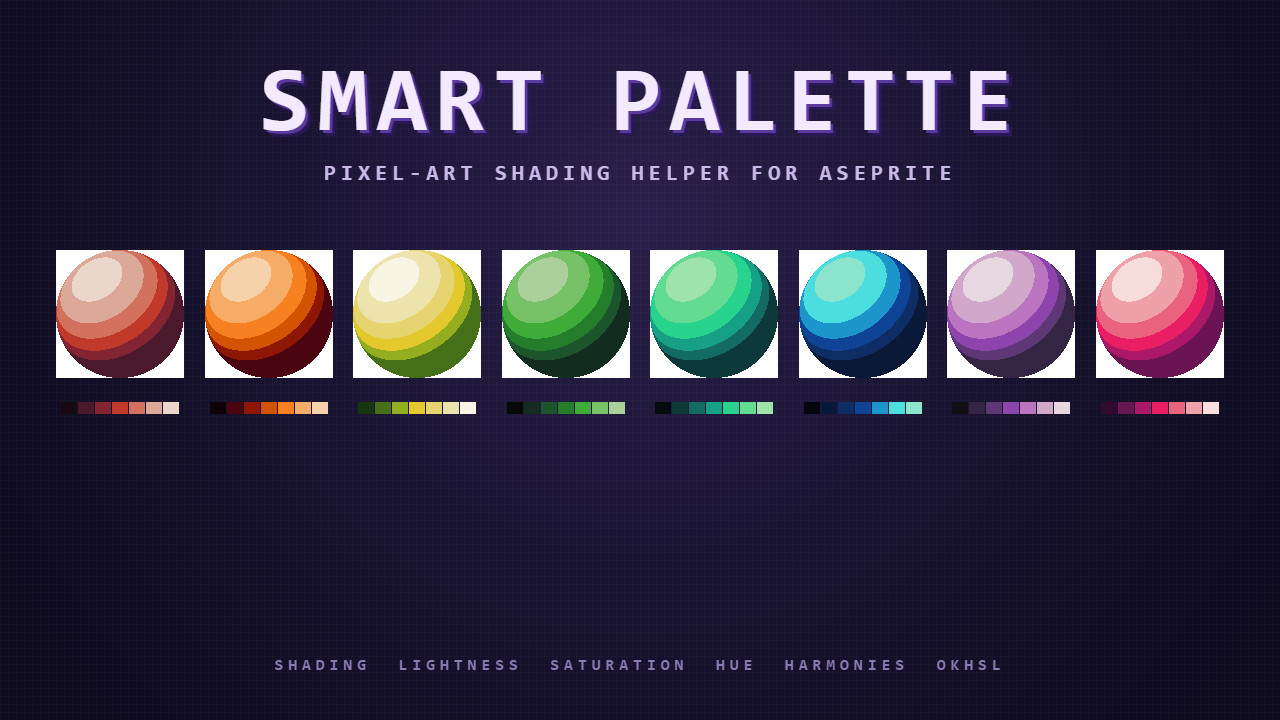
The basic idea is similar to dominickjohn’s Color Shading script that a lot of you have probably used. I wanted to extend that with a few things I kept wishing it had.
What’s in it
Four ramps generated from your foreground color: Shading (hue shifts toward warm at highlights and cool at shadows), Lightness, Saturation, and Hue. Right click any swatch sets it as background instead of foreground. Shift click adds a single swatch to your project palette. Each ramp also has a “+ Palette” button that drops the whole row in.
Harmonies tab: complementary, analogous, triadic, split complementary, tetradic, square.
A live shaded sphere preview that uses your current shading ramp, so you can see how the colors will read on a 3D form before painting anything.
Nine light source presets that change where the warm and cool anchors go. Sunny is the default but there’s also sunset, moonlight, underwater, dungeon torch, sci fi neon, candlelight, overcast, and a custom mode if none of them fit your scene.
OKHSL color space option that produces perceptually uniform ramps. If you’ve ever felt your HSL ramps look slightly off (yellow reads too bright, blue too dark at the same L value), switching to OKHSL fixes it.
Color blindness simulation overlay (protanopia, deuteranopia, tritanopia) for accessibility checks.
Download
Free on itch.io: https://rianakos.itch.io/aseprite-smart-palette
Drag the file onto Aseprite to install. Needs Aseprite 1.3 or newer. Once installed, hit Ctrl+Space and type “Smart Palette” to open the panel.
Credits
Numbers and conventions follow the dominickjohn / Slynyrd Pixelblog tradition. OkLab math is from Bjorn Ottosson’s blog posts. CVD matrices are simplified Brettel/Vienot 1999.
If you try it and something feels off, let me know. Early version, lots of room to improve, would love feedback.
Edit: Version 1.0.3 is out now! Just added a math overhaul for the color engine to this release.
-
Highlights now properly “sun-bleach” and desaturate at extreme brightness instead of turning neon.
-
Shadows curve toward ambient blue and drop saturation naturally so they do not look muddy.
-
The Harmonies tab was totally rewritten. It now uses proper pixel art context (like boosting the saturation of complementary accents) instead of just using flat math across the board.
(Quick note: If you run into a “nil value” crash after updating, Aseprite is just caching your old settings. Uninstall the extension, restart Aseprite, and install the new file to clear the cache.)