I’m on v1.3.15.4, though this has been happening on the past versions. I’m on Mac.
I’ve looked around but I’m not sure if anyone has had this problem. I couldn’t find it when I tried searching for hover text or opening files.
When I open Aseprite, and then I use File, Open to choose a file, and then pick a file, “ghost” filenames will appear when I leave my cursor on the screen, as if I am still in the Open menu. These names occur when you are in the normal Open menu; if the file name is long, then when you hover over the file, the full file name will appear. I have some pictures for examples.
[I had a picture here of the Open menu and hovering over a file name. Unfortunately I can’t upload more than one image for this bug report]
This is what I mean by hovering over the filenames. This is the Open menu. It shows you the file name if the name is too long when you hover over it.
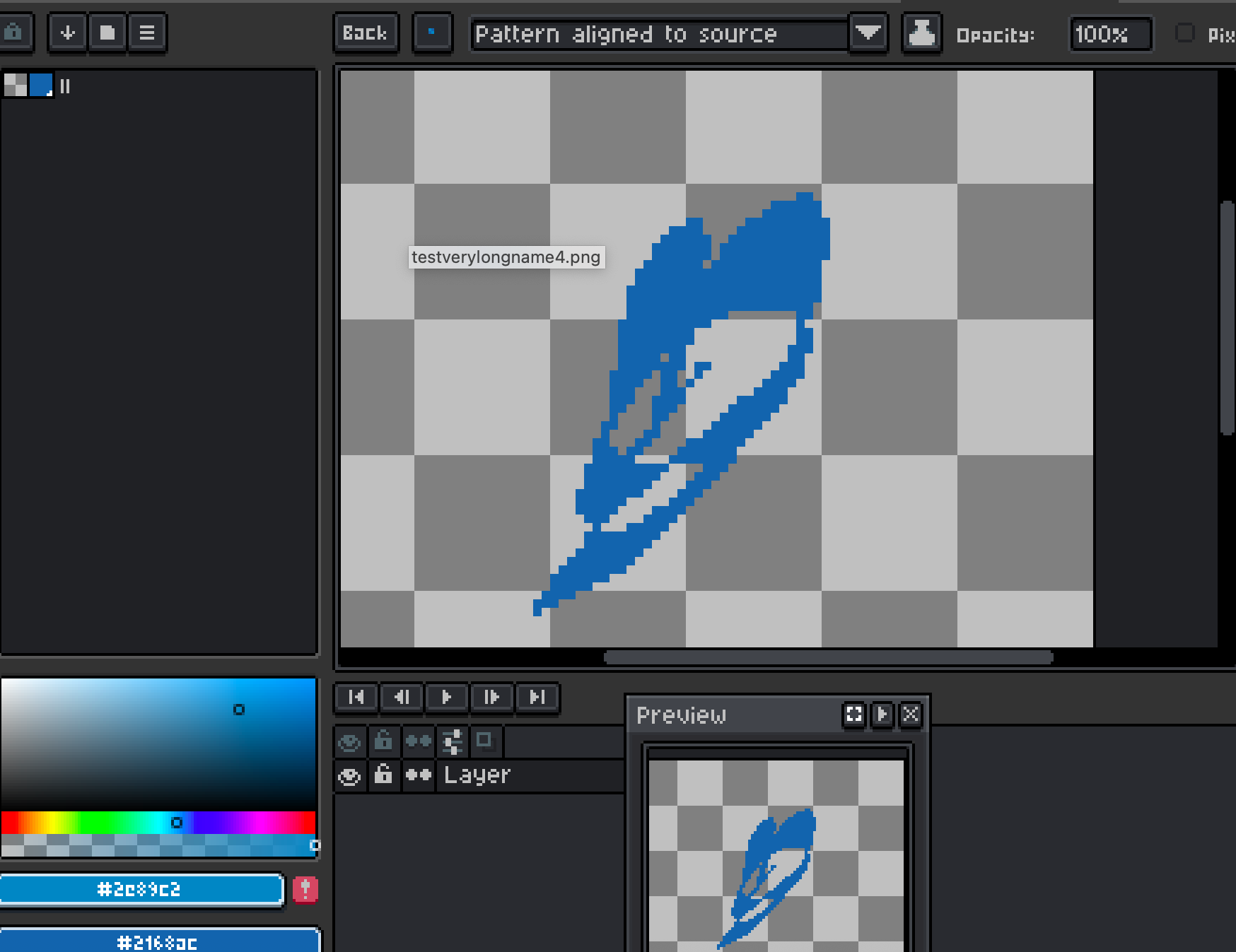
Here is a picture of my app open with a test program. I left my mouse sit for a little bit, and this file name came up. It’s annoying and it covers my workspace.
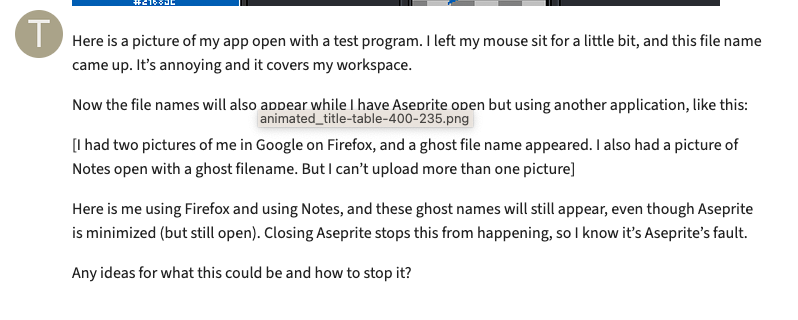
Now the file names will also appear while I have Aseprite open but using another application, like this:
[I had two pictures of me in Google on Firefox, and a ghost file name appeared. I also had a picture of Notes open with a ghost filename. But I can’t upload more than one picture]
Here is me using Firefox and using Notes, and these ghost names will still appear, even though Aseprite is minimized (but still open). Closing Aseprite stops this from happening, so I know it’s Aseprite’s fault.
Any ideas for what this could be and how to stop it?