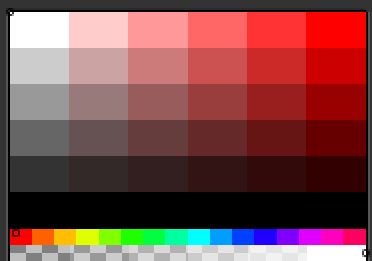
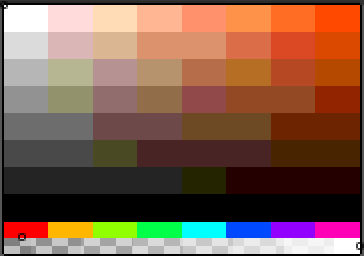
I see, Yeah there’s nothing like that. You can try this custom picker.
-- bit_depth_color_grid.lua
-- Shows every colour available for a given R/G/B bit depth, sortable,
-- with a grid that rescales with the window and always keeps square swatches.
-- Left click = set foreground, Right click = set background.
-- Requires Aseprite v1.3+ (Canvas widget).

if not app.isUIAvailable then return end

local MIN_W, MIN_H = 480, 360     -- canvas minimum / starting size
local INFO_H       = 20           -- info strip drawn under the grid
local MAX_CELL     = 64           -- biggest swatch we'll ever draw
local IMAGE_CACHE_THRESHOLD = 20000  -- above this many swatches, bake to an Image

local dlg                                  -- forward declaration
local rVals, gVals, bVals = {}, {}, {}
local order   = {}   -- flat array of packed rgb, in display order
local total   = 0    -- total colours for this bit depth
local shown   = 0    -- how many are actually laid out
local cell, cols, rows = 1, 1, 0
local gridW, gridH     = MIN_W, MIN_H
local offX, offY       = 0, 0
local gridImg  = nil
local useImage = false
local builtKey = nil                       -- invalidated on any change
local hover    = -1


-- Channel levels


local function channelValues(bits)
local n = math.floor(2 ^ bits)
if n < 2 then return { 0 } end
local step = 255 / (n - 1)
local t = {}
for i = 0, n - 1 do
t[i + 1] = math.floor(i * step + 0.5)   -- full-range expansion
end
return t
end


-- HSV helper: h 0..359.9, s 0..255, v 0..255


local function toHSV(r, g, b)
local mx = math.max(r, g, b)
local mn = math.min(r, g, b)
local d  = mx - mn
local h  = 0
if d > 0 then
if mx == r then h = ((g - b) / d) % 6
elseif mx == g then h = (b - r) / d + 2
else h = (r - g) / d + 4 end
h = h * 60
if h < 0 then h = h + 360 end
end
local s = 0
if mx > 0 then s = math.floor(d / mx * 255 + 0.5) end
return h, s, mx
end

local function luma(r, g, b)
return 0.299 * r + 0.587 * g + 0.114 * b
end


-- Sort keys (integer < 2^28 so it packs as key * 2^24 + rgb)


local SORT_NAMES = {
"Default (R,G,B)",
"Channels: B,G,R",
"Channels: G,R,B",
"Hue > Sat > Value",
"Hue bands > Luma",
"Luma (dark > light)",
"Value (dark > light)",
"Saturation (gray > vivid)",
}

local SORT_KEY = {}
SORT_KEY["Default (R,G,B)"] = false

SORT_KEY["Channels: B,G,R"] = function(r, g, b) return b * 65536 + g * 256 + r end
SORT_KEY["Channels: G,R,B"] = function(r, g, b) return g * 65536 + r * 256 + b end

SORT_KEY["Hue > Sat > Value"] = function(r, g, b)
local h, s, v = toHSV(r, g, b)
return math.floor(h * 2) * 65536 + s * 256 + v
end

SORT_KEY["Hue bands > Luma"] = function(r, g, b)
local h, s = toHSV(r, g, b)
local band = (s < 24) and 0 or (1 + math.floor(h / 30) % 12)
return band * 65536 + math.floor(luma(r, g, b)) * 256 + s
end

SORT_KEY["Luma (dark > light)"] = function(r, g, b)
return math.floor(luma(r, g, b) * 1000)
end

SORT_KEY["Value (dark > light)"] = function(r, g, b)
local h, s, v = toHSV(r, g, b)
return v * 262144 + math.floor(h) * 256 + s
end

SORT_KEY["Saturation (gray > vivid)"] = function(r, g, b)
local h, s, v = toHSV(r, g, b)
return s * 262144 + math.floor(h) * 256 + v
end


-- Ordered colour list. cap is how many swatches can physically
-- fit in the current canvas (1px each), so it scales with the window


local function buildOrder(cap)
order = {}
shown = 0

if total <= 0 or total > cap then return end   -- refuse to allocate millions

local keyFn = SORT_KEY[dlg.data.sortMode]
local t, n  = {}, 0

for _, r in ipairs(rVals) do
for _, g in ipairs(gVals) do
for _, b in ipairs(bVals) do
n = n + 1
local packed = r * 65536 + g * 256 + b
if keyFn then
t[n] = keyFn(r, g, b) * 16777216 + packed
else
t[n] = packed
end
end
end
end

if keyFn then
table.sort(t)                              -- numeric, C level comparator
for i = 1, n do t[i] = t[i] % 16777216 end
end

if dlg.data.reverse then
local i, j = 1, n
while i < j do
t[i], t[j] = t[j], t[i]
i = i + 1
j = j - 1
end
end

order = t
shown = n
end

local function colorAt(i)                      -- i is 0 based
local p = order[i + 1]
if p == nil then return 0, 0, 0 end
local r = math.floor(p / 65536)
local g = math.floor(p / 256) % 256
local b = p % 256
return r, g, b
end


-- Layout. One integer cell is used for width AND height, so the
-- swatches are always perfectly square no matter the window shape


local function computeLayout(gw, gh)
cell, cols, rows, offX, offY = 1, 1, 0, 0, 0
if shown <= 0 then return end

local colMode = dlg.data.colMode

if colMode == "Auto" then
-- largest square cell where every swatch still fits in gw x gh
local best = 1
for c = 1, MAX_CELL do
local cc = math.floor(gw / c)
if cc < 1 then break end
local rr = math.ceil(shown / cc)
if rr * c <= gh then best = c end
end
cell = best
cols = math.max(1, math.floor(gw / cell))
rows = math.ceil(shown / cols)
else
cols = tonumber(colMode)
rows = math.ceil(shown / cols)
cell = math.max(1, math.min(math.floor(gw / cols), math.floor(gh / rows)))
end

-- optional fixed swatch size, clamped so nothing gets clipped
local pref = dlg.data.cellMode
if pref ~= "Fit" then
cell = math.min(cell, tonumber(pref))
if colMode == "Auto" then
cols = math.max(1, math.floor(gw / cell))
rows = math.ceil(shown / cols)
end
end

-- centre the block in the available space
offX = math.max(0, math.floor((gw - cols * cell) / 2))
offY = math.max(0, math.floor((gh - rows * cell) / 2))
end


-- For big sets, bake to an Image once so resizing/hovering stays
-- smooth. For small sets, plain fillRect calls are cheaper


local function bakeImage()
gridImg = nil
if shown <= 0 then return end

local w = cols * cell
local h = rows * cell
local img  = Image(w, h, ColorMode.RGB)
local rgba = app.pixelColor.rgba
img:clear(rgba(0, 0, 0, 0))

for i = 0, shown - 1 do
local r, g, b = colorAt(i)
local px = rgba(r, g, b, 255)
local x0 = (i % cols) * cell
local y0 = math.floor(i / cols) * cell
for y = y0, y0 + cell - 1 do
for x = x0, x0 + cell - 1 do
img:drawPixel(x, y, px)
end
end
end

gridImg = img
end


-- Rebuild only when something that matters changed, including the
-- canvas size, so a window resize just reflows the grid


local function makeKey(gw, gh)
local d = dlg.data
return table.concat({ d.rBits, d.gBits, d.bBits, d.sortMode,
tostring(d.reverse), d.colMode, d.cellMode, gw, gh }, "|")
end

local function ensureBuilt(gw, gh)
local key = makeKey(gw, gh)
if key == builtKey then return end
builtKey = key

gridW, gridH = gw, gh

rVals = channelValues(dlg.data.rBits)
gVals = channelValues(dlg.data.gBits)
bVals = channelValues(dlg.data.bBits)
total = #rVals * #gVals * #bVals

buildOrder(gw * gh)
computeLayout(gw, gh)

useImage = (shown > IMAGE_CACHE_THRESHOLD)
if useImage then bakeImage() else gridImg = nil end

if hover >= shown then hover = -1 end
end

-- called from widget onchange handlers only (safe to touch widgets here)
local function invalidate()
builtKey = nil
local d = dlg.data
local rB, gB, bB = d.rBits, d.gBits, d.bBits
local n = math.floor(2 ^ rB) * math.floor(2 ^ gB) * math.floor(2 ^ bB)
dlg:modify{ id = "count",
text = string.format("%d colors   %d-%d-%d  (%d bit)", n, rB, gB, bB, rB + gB + bB) }
dlg:repaint()
end


-- Hit testing (uses the layout from the last paint)


local function indexAt(x, y)
if shown <= 0 then return -1 end
x = x - offX
y = y - offY
if x < 0 or y < 0 then return -1 end
local c = math.floor(x / cell)
local r = math.floor(y / cell)
if c >= cols then return -1 end
local i = r * cols + c
if i >= shown then return -1 end
return i
end


-- Canvas events


local function onPaint(ev)
local gc = ev.context
local gw = gc.width
local gh = gc.height - INFO_H

ensureBuilt(gw, gh)

gc.color = Color{ r = 24, g = 24, b = 24 }
gc:fillRect(Rectangle(0, 0, gc.width, gc.height))

if shown <= 0 then
gc.color = Color{ r = 255, g = 190, b = 60 }
gc:fillText("Too many colors to display: " .. total, 6, 8)
gc:fillText("Enlarge the window or lower the bit depths (fits " ..
(gw * gh) .. " at this size).", 6, 26)
return
end

-- swatches
if useImage then
if gridImg == nil then bakeImage() end
gc:drawImage(gridImg, offX, offY)
else
for i = 0, shown - 1 do
local r, g, b = colorAt(i)
gc.color = Color{ r = r, g = g, b = b }
gc:fillRect(Rectangle(offX + (i % cols) * cell,
offY + math.floor(i / cols) * cell,
cell, cell))
end
end

-- info strip
local iy = gh + 5

if hover >= 0 and hover < shown then
local r, g, b = colorAt(hover)
local x0 = offX + (hover % cols) * cell
local y0 = offY + math.floor(hover / cols) * cell

gc.strokeWidth = 1
gc.color = Color{ r = 0, g = 0, b = 0 }
gc:strokeRect(Rectangle(x0 - 1, y0 - 1, cell + 2, cell + 2))
gc.color = Color{ r = 255, g = 255, b = 255 }
gc:strokeRect(Rectangle(x0, y0, cell, cell))

gc.color = Color{ r = r, g = g, b = b }
gc:fillRect(Rectangle(4, gh + 3, 14, 14))
gc.color = Color{ r = 90, g = 90, b = 90 }
gc:strokeRect(Rectangle(4, gh + 3, 14, 14))

local h, s, v = toHSV(r, g, b)
gc.color = Color{ r = 225, g = 225, b = 225 }
gc:fillText(string.format("#%02X%02X%02X   R %3d G %3d B %3d   H %3d S %3d V %3d   #%d",
                          r, g, b, r, g, b, math.floor(h), s, v, hover), 24, iy)

else
gc.color = Color{ r = 150, g = 150, b = 150 }
gc:fillText(string.format("%d swatches   %dx%d grid   %dpx cells   L click = FG, R click = BG",
shown, cols, rows, cell), 4, iy)
end
end

local function onMouseMove(ev)
local i = indexAt(ev.x, ev.y)
if i ~= hover then
hover = i
dlg:repaint()
end
end

local function onMouseDown(ev)
local i = indexAt(ev.x, ev.y)
if i < 0 then return end
local r, g, b = colorAt(i)
if ev.button == MouseButton.RIGHT then
app.bgColor = Color{ r = r, g = g, b = b }
else
app.fgColor = Color{ r = r, g = g, b = b }
end
hover = i
dlg:repaint()
end


-- Extras


local function applyPreset()
local presets = {
["RGB111 (3 bit)"]  = { 1, 1, 1 },
["RGB222 (6 bit)"]  = { 2, 2, 2 },
["RGB332 (8 bit)"]  = { 3, 3, 2 },
["RGB444 (12 bit)"] = { 4, 4, 4 },
["RGB555 (15 bit)"] = { 5, 5, 5 },
["RGB565 (16 bit)"] = { 5, 6, 5 },
}
local v = presets[dlg.data.preset]
if v == nil then return end
dlg:modify{ id = "rBits", value = v[1] }
dlg:modify{ id = "gBits", value = v[2] }
dlg:modify{ id = "bBits", value = v[3] }
invalidate()
end

local function scaleWindow(factor)
local b = dlg.bounds
dlg.bounds = Rectangle(b.x, b.y,
math.max(320, math.floor(b.width  * factor)),
math.max(320, math.floor(b.height * factor)))
builtKey = nil
dlg:repaint()
end

local function setSpritePalette()
local spr = app.sprite
if spr == nil then app.alert("No active sprite.") return end
if shown <= 0 then app.alert("Nothing to export at this bit depth.") return end
if shown > 1024 then
app.alert("Too many colors (" .. shown .. ") for a palette. Max 1024.")
return
end
local pal = Palette(shown)
for i = 0, shown - 1 do
local r, g, b = colorAt(i)
pal:setColor(i, Color{ r = r, g = g, b = b })
end
app.transaction("Set bit depth palette", function()
spr:setPalette(pal)
end)
end


-- Dialog


dlg = Dialog{ title = "Bit Depth Color Grid" }

dlg:combobox{ id = "preset", label = "Preset",
option = "RGB332 (8 bit)",
options = { "RGB111 (3 bit)", "RGB222 (6 bit)", "RGB332 (8 bit)",
"RGB444 (12 bit)", "RGB555 (15 bit)", "RGB565 (16 bit)" },
onchange = applyPreset }

dlg:slider{ id = "rBits", label = "Red bits",   min = 1, max = 8, value = 3, onchange = invalidate }
dlg:slider{ id = "gBits", label = "Green bits", min = 1, max = 8, value = 3, onchange = invalidate }
dlg:slider{ id = "bBits", label = "Blue bits",  min = 1, max = 8, value = 2, onchange = invalidate }

dlg:separator{ text = "Sorting" }

dlg:combobox{ id = "sortMode", label = "Sort by",
option = SORT_NAMES[1], options = SORT_NAMES, onchange = invalidate }

dlg:check{ id = "reverse", text = "Reverse order", selected = false, onchange = invalidate }

dlg:separator{ text = "Layout" }

dlg:combobox{ id = "colMode", label = "Columns",
option = "Auto",
options = { "Auto", "8", "12", "16", "24", "32", "64", "128" },
onchange = invalidate }

dlg:combobox{ id = "cellMode", label = "Swatch size",
option = "Fit",
options = { "Fit", "1", "2", "3", "4", "6", "8", "12", "16", "24", "32" },
onchange = invalidate }

dlg:button{ text = "Window -", onclick = function() scaleWindow(0.8)  end }
dlg:button{ text = "Window +", onclick = function() scaleWindow(1.25) end }

dlg:label{ id = "count", label = "Palette", text = "" }

dlg:separator{ text = "Available Colors" }

dlg:canvas{ id = "grid",
width  = MIN_W,
height = MIN_H + INFO_H,
onpaint     = onPaint,
onmousemove = onMouseMove,
onmousedown = onMouseDown }

dlg:separator()
dlg:button{ text = "Set Sprite Palette", onclick = setSpritePalette }
dlg:button{ text = "Close", onclick = function() dlg:close() end }

invalidate()
dlg:show{ wait = false }   -- non-modal so you can keep paintin
g