When moving pixel with different layer we need to select each layer to move, but why not instead by grouping it and when the group is selected, it will move all the pixel in each layer inside the group and the move preview also shows and follow through. Just an idea, Thanks.
There is a pending feature: Possibility to move groups as a unit · Issue #3224 · aseprite/aseprite · GitHub
At the moment, you can move the grouped layers as a unit if you select the group in the timeline, then press Ctrl + hold left click + move mouse (CMD + hold left click + move mouse on MacOS).
Note: For this to work, there must be no active selection, and you must click in an area where there are no painted pixels (otherwise because “Auto Select Layer” is enabled, the layer will be selected and then only the newly selected layer will be moved. This behavior can be disabled in the context bar, as shown at the top of the GIF below).
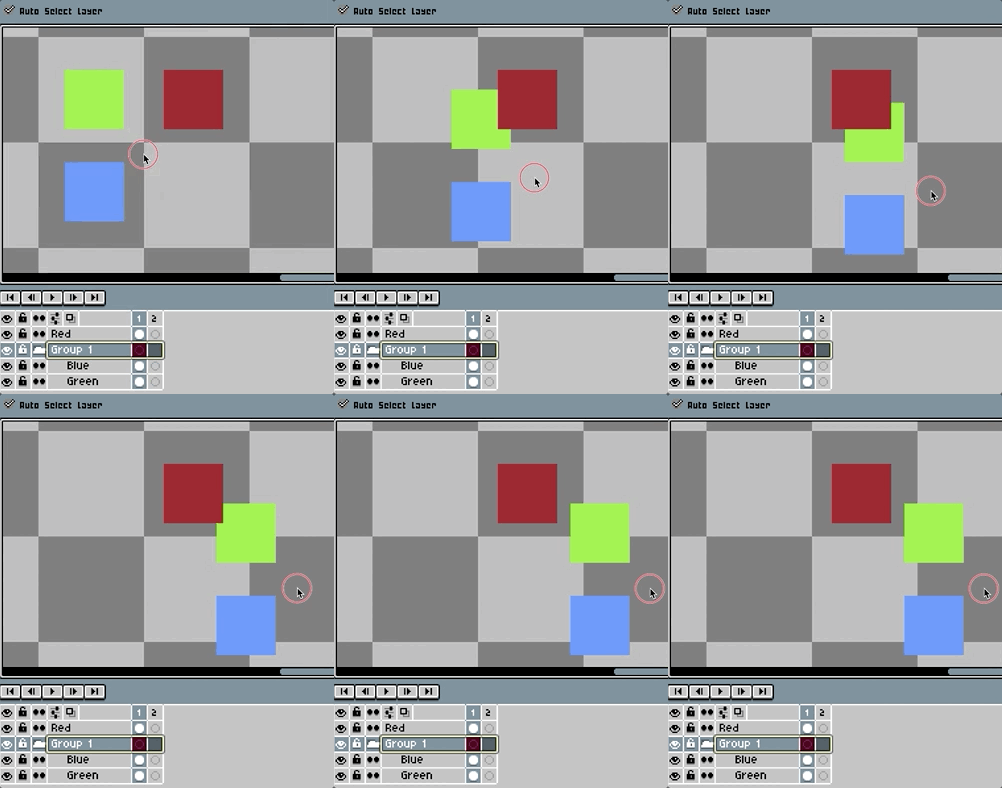
The future goal is that active selection + group selection + transformation will allow the group to transform as a single unit.
2 Likes