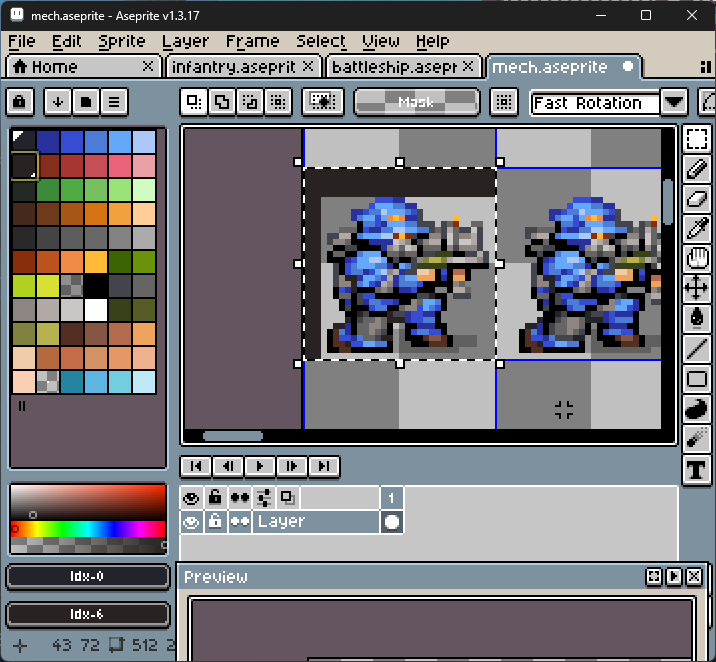
I’m replacing index 0 to index 6 and Aseprite replaces the transparent colors (index 61) up to the first non-transparent color in both the x and y direction. I don’t expect this to happen. If I make index 0 the transparent color, then replace index 1 to index 7, it works. See screenshots below for the bug.
Aseprite v1.3.17
Edit: [Before image was lost]
Result: