Hello!
My name is SeVs! I noticed a bug in Aseprite.
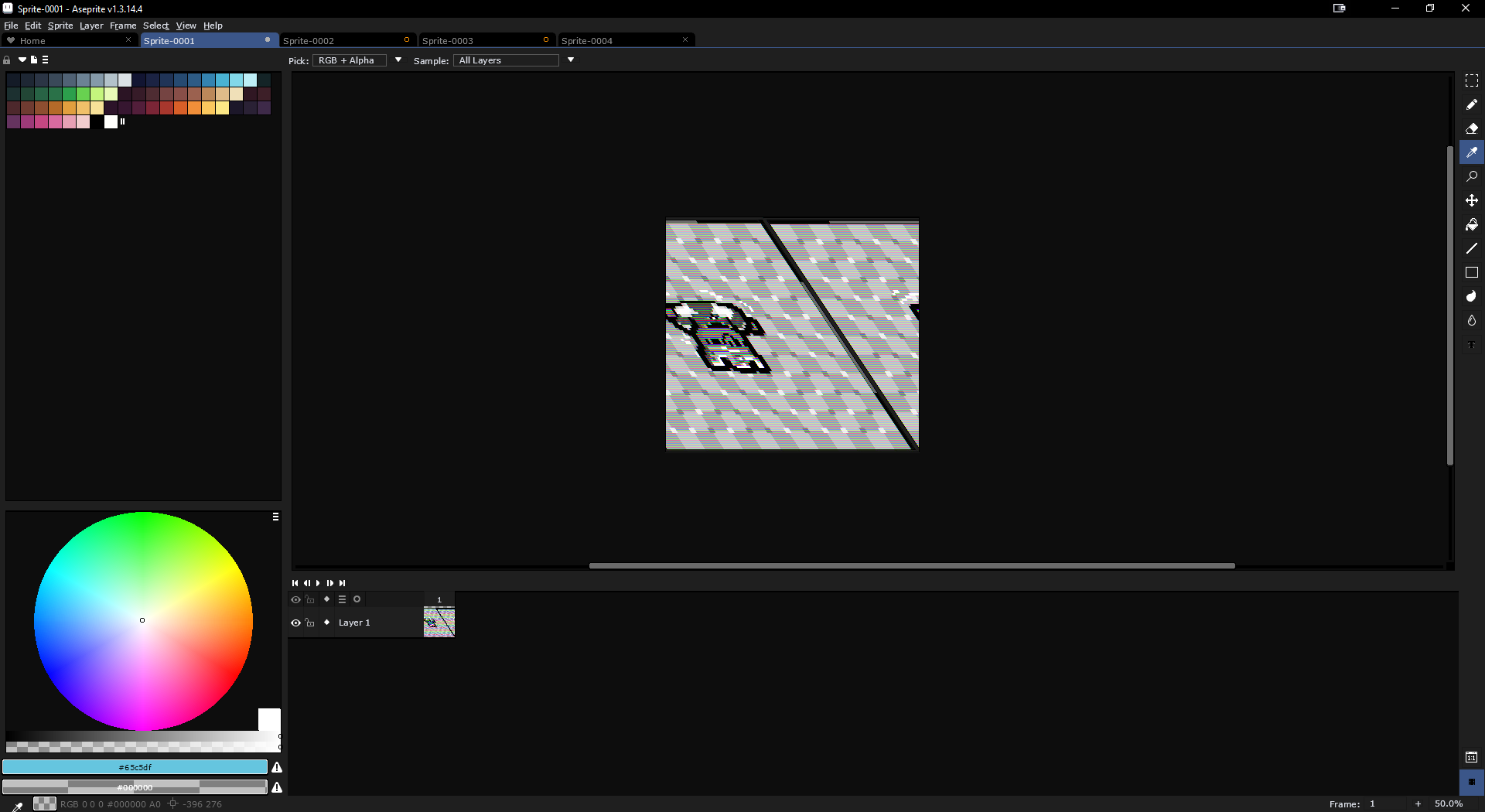
If you copy a screenshot from Steam (specifically from Steam) to the clipboard and paste it into Aseprite, this happens! (See the photo)
And no, this isn’t a Steam issue because if you paste the image from the clipboard somewhere else, it works fine.
This is really bothering me, and I’d be glad if you could fix it.
Anyway it looks like a Steam bug, in some way we can bypass the bug, but probably we might introduce other problems reading the clipboard content of older programs. We’ll see.
Confirming that my current version of Aseprite (v1.3.15.4) creates this bug when copying-pasting clipboard content from Photoshop (v7.0) on my end (Windows 10.0.19045)
Using the following image as a reference, I open it in Photoshop and copy the layer contents to the clipboard:
When I paste it into Aseprite, however, I get the following image as a result:
I understand most people opt for newer versions of software, but I have my own preferences for using this version of Photoshop for refinements/touch-ups (before anyone suggests upgrading).
I’m just curious if this bug will be persistent going forward. If so, I’ll find workarounds to it. Would love to know if a fix is in the works, however.
Hi @Blue, would you mind to use FreeClipViewer to save the clipboard content from Photoshop v7.0? You can save the content as a .cl7 file so then I can load the clipboard content here.
Thanks @Blue, I was able to reproduce this, we’ll have to revert the change. I’ve contacted Steam to see if they can fix their client, because it’s an issue from their side (not even MSPaint cannot paste their clipboard content).