I’ve found it tedious to create palettes by hand when what I was doing could be automized. When I found your script, I changed a bunch of values and “attempted” to make them not mess each other up when opening multiple different versions of the script.
This didn’t work, because I didn’t actually know until recently, where and how colors were saved. Hence why my changes are very amateurish and some completely unnecessary.
Anyways, I’ve only really changed numbers, added more colors for pretty much my own needs. I’m only just now considering posting this here, because someone might stumble over it and find that it does exactly what they want.
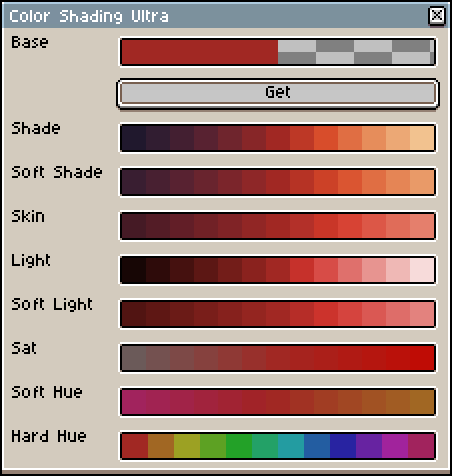
Besides adding hard and soft versions to shade and light variations, I’ve also added a “Skin” shading option, that I’ve tuned to shade skin tones. It’s by no means perfect, but did a good enough job for me.
The hue shifting also has two different versions, but their point is to shift to evenly spaced hues. With the hard hue dividing the color circle into 12 sections and the soft hue giving you the inbetweens of the neighboring colors.
If this interests you, you can find my (very unfinished) scripts here:
They come in three flavors of different amounts of shades. light with the original number, mega with some more shades and ultra with pretty much all my additions and the most shades.
There are things I wanted to add, like saving entire lines to the palette (or generating a full palette with different hues), but I decided that since I want to do some very specific things, I’ll make a script from scratch, because I don’t know how half the functions in this even work. Besides, my edits ALREADY aren’t in the spirit of the original.