Hey, I wanted to try and make a SNES-game styled scene, so I make 16 layers of 16 colors to start with, making 256 colors. Then, I set one final color in my palette to a transparent color and then set the transparent color to be that last color, color 257.
When I try to draw with this (to erase easily and such) not only does it draw the first color in the palette instead, but it also draws it too thick and causes a few other odd bugs too. Like when I click off to do anything else it then fills the entire drawing area with the first color??? Help.
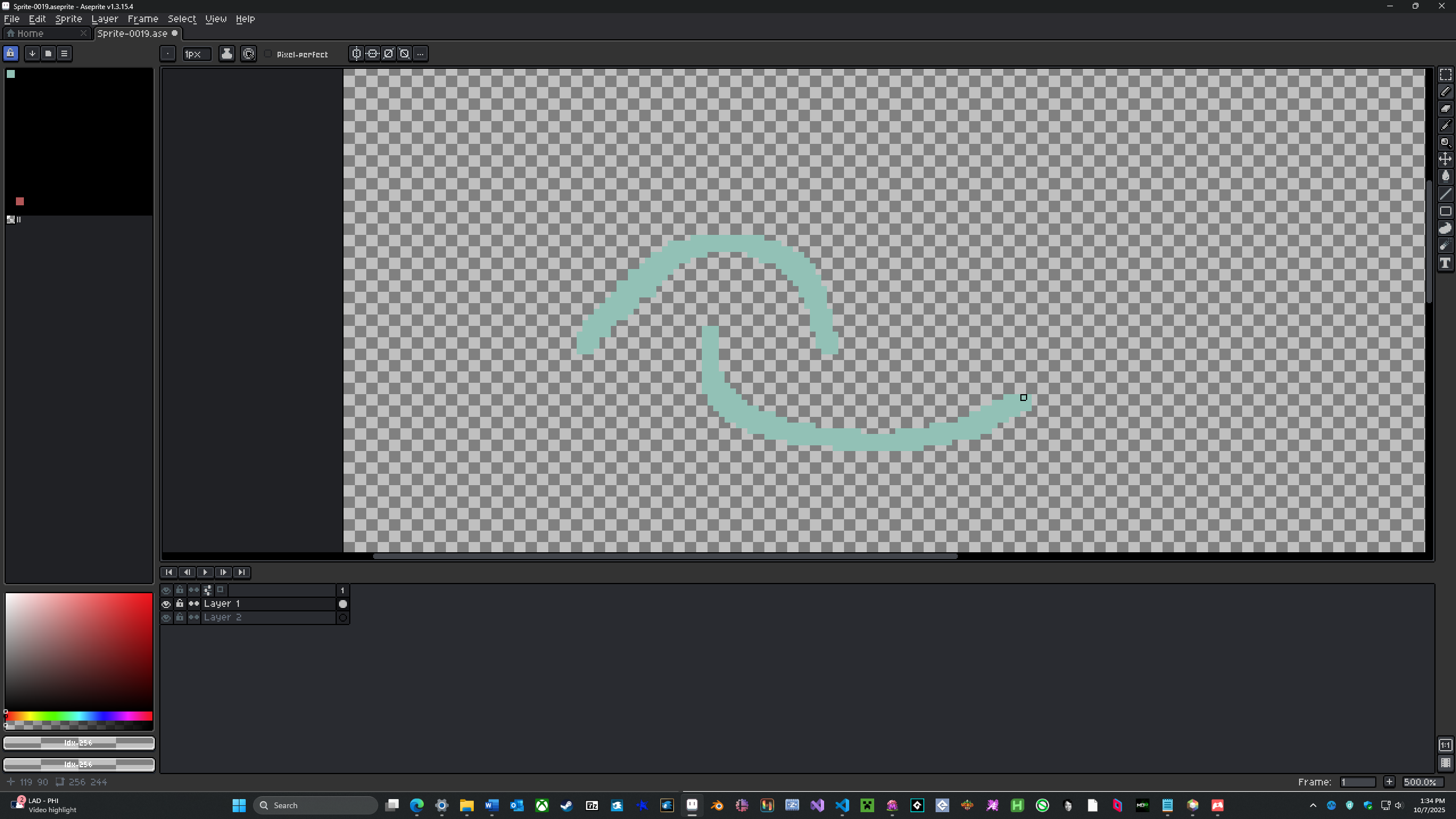
This really seems like a bug, am I doing anything wrong???
EDIT: It must, because as soon as I set the transparent color to color 256, it fixes it. Does Aseprite have a hard time handling more than 256 colors?